EasyManua.ls Logo

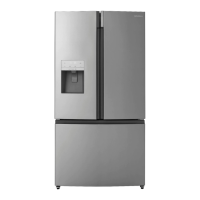
Insignia NS-RFD26SS9 - User Manual

Insignia NS-RFD26SS9
36 pages
Print Icon
To Next Page IconTo Next Page
Loading...
Before using your new product, please read these instructions to prevent any damage.
USER GUIDE
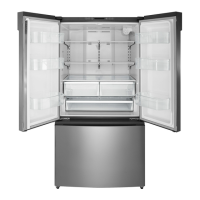
26.6 Cu. Ft.
French Door Refrigerator
NS-RFD26SS9
NS-RFD26SS9_18-0333_MAN_V3_EN.fm Page 1 Tuesday, June 12, 2018 9:16 AM
Final Trim Size: 8.268 x 11.693 in. (210 x 297 mm)
V3
FINAL
FOR PRINT

Questions and Answers

  • C
    Christopher Schmidt IISep 23, 2025
    Why does water condense on the outside of my Insignia NS-RFD26SS9 Refrigerator?
    • K
      Kayla BarrSep 23, 2025
      Condensation on the exterior surface and door seal of your Insignia Refrigerator is normal when the room humidity is high. Also, when you open the door, warm, moist outside air meets the cold dry air inside, which is also normal.
  • D
    daniel32Aug 23, 2025
    Why is ice not dispensing from Insignia Refrigerator?
    • A
      Austin SanchezAug 23, 2025
      If ice is not dispensing from your Insignia Refrigerator, wait 12 hours after installing the water supply line before trying to dispense ice. Check that the water line is connected and the water valve is open. Ensure the ice dispenser isn't in off mode and that no ice is blocking the ice maker bucket or ice chute. If water pressure is low, consider installing a booster pump. Also, ensure the freezer temperature isn't set too warm, and wait at least 90 minutes after dispensing a large amount of ice before dispensing more.
  • I
    isabellahernandezAug 25, 2025
    Why is ice not dispensing from my Insignia NS-RFD26SS9?
    • K
      Kevin RussellAug 26, 2025
      If ice is not dispensing from your Insignia Refrigerator, wait 12 hours after installing the water supply line before trying to dispense ice. Make sure that the water line is connected and the water valve is open. Ensure the ice dispenser is not in off mode and that no ice is blocking the ice maker bucket or ice chute. If the water pressure is less than 30 psi, try installing a booster pump. Also, make sure that the freezer compartment temperature is not set too warm, and if you just dispensed a large amount of ice, wait at least 90 minutes before dispensing more ice.
  • M
    Melinda RomanAug 27, 2025
    Why does Insignia NS-RFD26SS9 Refrigerator compressor run for long time?
    • C
      Carla SmithAug 27, 2025
      If the compressor in your Insignia Refrigerator runs for a long time or frequently turns on and off, it could be due to several reasons. The room temperature might be high, or a large amount of food may have just been added. Frequent door openings, a dirty door gasket, recent disconnection of the refrigerator, or a temperature set too low can also cause this issue. Clean the gasket, wait for the food to freeze, and allow the refrigerator to cool after disconnection before adding food.
  • T
    Tiffany VazquezAug 27, 2025
    Why is water not dispensing from Insignia NS-RFD26SS9 Refrigerator?
    • B
      Brandi HuynhAug 27, 2025
      If water is not dispensing from your Insignia Refrigerator, ensure the water line is properly connected and the water valve is open. Check that the water line isn't kinked or bent. Make sure the refrigerator compartment temperature isn't set too low, as this could freeze the water in the dispenser tank. Finally, verify that the water filter is correctly installed.
  • C
    Cindy VargasSep 16, 2025
    Why does frost occur in my Insignia NS-RFD26SS9 compartments?
    • J
      Jessica PierceSep 16, 2025
      A layer of frost may appear on the interior walls of your Insignia Refrigerator if the freezer is opened frequently or kept open too long. Ensure that the air outlets are not blocked by food and that the doors are fully closed.
  • W
    williamssamanthaSep 13, 2025
    Why does my Insignia NS-RFD26SS9 Refrigerator make unusual noises?
    • J
      jacquelineleSep 13, 2025
      Some noises from your Insignia Refrigerator are normal, such as compressor running noises, air movement noise from the fan motor, gurgling sounds, popping during defrosting, clicking before the compressor starts, clicking when getting water, and motor noises when getting ice. If you have items on top of your refrigerator, remove them. If your refrigerator is not level, level it. If your refrigerator is touching walls, move it away from the walls. Also, check if the shelves or drawers are installed incorrectly.
  • B
    Bryan JordanSep 14, 2025
    What to do if my Insignia Refrigerator temperature is too cold?
    • E
      Erika DicksonSep 15, 2025
      If the temperature in your Insignia Refrigerator is too cold, adjust the refrigerator or freezer compartment temperature.
  • D
    Dennis MillerSep 5, 2025
    Why does Insignia NS-RFD26SS9 Refrigerator make unusual noises?
    • B
      benjamin98Sep 5, 2025
      Some sounds from your Insignia Refrigerator are normal, including compressor running noises, air movement noise from the fan motor, a gurgling sound similar to water boiling, popping during automatic defrosting, clicking before the compressor starts, clicking when getting water, and motor running noises when getting ice. However, if you have items on top of the refrigerator, remove them. Ensure the refrigerator is level and not touching walls. Also, check if the shelves or drawers are installed correctly.
  • E
    Evelyn StoneSep 3, 2025
    What to do if Insignia NS-RFD26SS9 doors do not close completely?
    • L
      Lauren BenjaminSep 3, 2025
      If the doors of your Insignia Refrigerator do not close completely, first ensure that no food packages are obstructing them. Then, make sure the door gaskets (seals) are clean. If the gasket doesn't seal, try heating and then cooling it, using a hair dryer. Also, check if your refrigerator is level and that the top is tilted backward slightly.

Summary

Safety and Grounding

Important Safety Instructions

Critical safety warnings and precautions for operating the refrigerator.

Grounding Requirement

Details the electrical grounding requirements for safe operation.

Safety Precautions and Grounding

Hazard Warnings and Disposal

Specific warnings related to electric shock, child entrapment, and proper disposal.

Control Panel

Refrigerator Setup

Initial Preparation and Leveling

Steps for preparing the refrigerator, including standing time and adjusting leveling feet.

Location and Ventilation

Placement and Airflow Guidelines

Guidelines for choosing an optimal placement and ensuring proper airflow.

Door Clearance and Power

Door Swing and Power Connection

Ensuring adequate door swing space and correct electrical power connection.

Leveling Your Refrigerator

Adjusting Leveling Feet

Procedure for ensuring the refrigerator is level for optimal door seal.

Removing Refrigerator Doors

Door Removal Process

Hinge Bolt Removal

Connecting the Water Supply

Water Supply Installation

Water Line Connection and Flushing

Using Your Refrigerator

Dispenser and Special Modes

Maintaining Your Refrigerator

Defrosting and Water Filter

Water Filter Replacement

Water Filter Installation

Filter Reset and LED Light Replacement

Moving and Energy Saving

Troubleshooting

Common Operational Issues

Solutions for problems like refrigerator not working, odors, and temperature issues.

Dispensing and Frost Issues

Troubleshooting ice/water dispensing problems and frost formation.

Troubleshooting Continued

Door, Compressor, and Noise Issues

Addressing door opening difficulty, compressor behavior, and unusual noises.

Specifications

One-Year Limited Warranty

Insignia NS-RFD26SS9 Specifications

General IconGeneral
StyleFrench Door
ColorStainless Steel
Number of Doors3
Total Capacity27.8 Cu. Ft.
Refrigerator Capacity14.8 cu. ft.
Freezer Capacity7 cu. ft.
Number of Refrigerator Shelves5
Number of Refrigerator Bins6
Humidity Controlled Crispers2
Number of Freezer Shelves/Baskets1 Drawer Divider
Refrigerator Temperature-
(-14°C)-
Refrigerator Special FeaturesPower Freeze and Power Cool
Freezer Special FeaturesDuraBase Solid Drawer Base
Defrost System-
Noise level-
Refrigerant-
Energy Class-
Annual Energy Consumption624 kWh
Voltage115 V
Frequency60 Hz
Current-
Weight and Dimensions IconWeight and Dimensions
Depth36 1/4 in
Height69 5/8 in
Width29 3/4 in
Net Weight313 lbs

Related product manuals