EasyManua.ls Logo

Insignia NS-RFD26XSS3 - User Manual

Insignia NS-RFD26XSS3
40 pages
Print Icon
To Next Page IconTo Next Page
Loading...
Before using your new product, please read these instructions to prevent any damage.
USER GUIDE
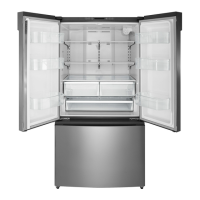
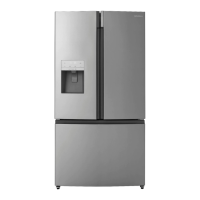
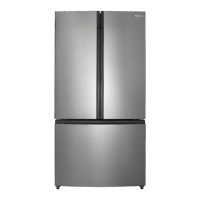
25.4 Cu. Ft. French Door
Refrigerator
NS-RFD26XSS3

Questions and Answers

  • E
    Elizabeth HigginsAug 17, 2025
    How to fix Insignia NS-RFD26XSS3 Refrigerator ice not dispensing?
    • A
      Anna MillerAug 18, 2025
      To resolve ice not dispensing from your Insignia Refrigerator, wait 12 hours after installing the water line before dispensing ice. Ensure the water line is connected, the valve is open, and there are no kinks. Verify the ice dispenser isn't in off mode and no ice is blocking the mechanism. If water pressure is low, consider a booster pump. Also, ensure the freezer isn't set too warm and wait 90 minutes after dispensing large amounts of ice.
  • E
    eric83Aug 20, 2025
    Why Insignia NS-RFD26XSS3 temperature is too hot?
    • R
      Russell BlackAug 20, 2025
      If your Insignia Refrigerator temperature is too hot, avoid keeping the doors open for extended periods or opening them too frequently. Ensure nothing is preventing the doors from closing correctly. Adjust the refrigerator or freezer temperature and allow 24 hours for adjustment. Also, ensure your refrigerator has enough clearance from walls and the ceiling for proper ventilation.
  • E
    Erin JonesAug 22, 2025
    How to adjust Insignia Refrigerator temperature if it's too cold?
    • T
      tknightAug 22, 2025
      If your Insignia Refrigerator temperature is too cold, you should adjust the refrigerator or freezer compartment temperature. Allow 24 hours for the temperature to adjust.
  • J
    Juan NewtonAug 26, 2025
    How to get rid of bad odor in Insignia NS-RFD26XSS3?
    • C
      Charles Richardson PhDAug 26, 2025
      If your Insignia Refrigerator has a bad odor, make sure all strong-smelling foods are properly wrapped in airtight packaging. Try using different containers or wrapping materials, as some can cause odors. Check for and remove any spoiled food. You can also clean the inside of your refrigerator.
  • B
    Bryan DuncanAug 27, 2025
    Why is Insignia NS-RFD26XSS3 Refrigerator door hard to open?
    • M
      Meredith CarterAug 27, 2025
      If your Insignia Refrigerator door is hard to open, it may be due to a vacuum created when warm air rushes in and then cools. This should only last 10-15 seconds. If it persists, try applying paraffin wax or petroleum jelly to the door gasket edges. Paraffin wax is safe for use around food.
  • C
    chowardAug 30, 2025
    What to do if Insignia Refrigerator doors do not close completely?
    • M
      Matthew TapiaAug 30, 2025
      If your Insignia Refrigerator doors don't close completely, first ensure no food packages are obstructing them. Clean the door gaskets (seals). If the gasket still doesn't seal, try heating it with a hair dryer and then cooling it. Make sure your refrigerator is level and tilted backward slightly (0.4" to 0.6").
  • X
    xhickmanSep 1, 2025
    Why does Insignia NS-RFD26XSS3 Refrigerator make unusual noises or vibrations?
    • C
      Christopher HesterSep 1, 2025
      If your Insignia Refrigerator is making unusual noises or vibrations, it could be normal compressor sounds, air movement from the fan, gurgling, popping during defrosting, or clicking noises. However, remove any items on top of the refrigerator, ensure it is level, not touching walls, and that shelves/drawers are correctly installed to address other unusual noises.
  • J
    Jamie BrennanSep 4, 2025
    What to do if Insignia NS-RFD26XSS3 Refrigerator water is not dispensing?
    • C
      cdavisSep 4, 2025
      To address water not dispensing from your Insignia Refrigerator, ensure the water line is connected and the valve is open, and that the line isn't kinked. Also, make sure the refrigerator compartment temperature isn't set too low, which could freeze the water in the dispenser tank. Finally, ensure the water filter is correctly installed.
  • J
    John CarterSep 6, 2025
    Why does a layer of frost occur in Insignia Refrigerator?
    • A
      Amanda SilvaSep 6, 2025
      If frost occurs in your Insignia Refrigerator, it may be due to frequent or prolonged door openings. Ensure air outlets aren't blocked by food and that doors are fully closed. To remove frost, defrost the freezer compartment.
  • R
    Robert FowlerSep 9, 2025
    Why the outside of Insignia NS-RFD26XSS3 Refrigerator is hot?
    • A
      andrewhallSep 9, 2025
      If the outside of your Insignia Refrigerator feels hot, it's likely due to heat dissipation from the condenser, which is normal. This is more noticeable when the room temperature is high, there's too much food inside, or the doors are opened excessively.

Summary

Safety Information

General Safety Precautions

Essential safety guidelines for using the appliance to prevent injury.

Electrical Safety and Grounding

Procedures and warnings related to electrical connections and grounding for safe operation.

Fire and Refrigerant Hazards

Warnings about flammable refrigerants and fire prevention measures.

Child Safety and Disposal

Instructions to prevent child entrapment and proper disposal of old units.

Product Features and Specifications

Package Contents

List of items included with the refrigerator upon purchase.

Physical Dimensions

Key measurements of the refrigerator for installation planning.

Interior Components Overview

Control Panel Overview

Control Panel Button Functions

Explanation of each button's operation and display indicators.

Setting Up Your Refrigerator

Initial Setup and Unpacking

Steps for unpacking, cleaning, and preparing the refrigerator for use.

Installation Location and Water Supply

Selecting an Ideal Location

Guidelines for choosing a suitable placement for the refrigerator.

Water Supply Connection Requirements

Information on water pressure and source needed for ice maker.

Installation: Ventilation and Door Clearance

Ventilation Requirements

Minimum space needed around the refrigerator for proper airflow.

Door Opening Space

Required clearance for doors to open fully without obstruction.

Electrical Connection Guide

Power Source and Outlet Requirements

Details on voltage, amperage, and outlet type for safe operation.

Refrigerator Leveling and Drawer Adjustment

Adjusting Leveling Feet

Instructions on how to level the refrigerator for proper door closure.

Door Removal and Reinstallation

Removing Refrigerator Doors

Step-by-step guide for detaching the refrigerator doors.

Replacing Refrigerator Doors

Procedures for reattaching the refrigerator doors after removal.

Freezer Drawer Maintenance

Removing Freezer Drawer Components

Steps to safely remove the freezer drawers.

Replacing Freezer Drawer Components

Instructions for reassembling the freezer drawers.

Connecting the Water Supply

Water Supply Line Requirements

Necessary water pressure and quality for ice maker and dispenser.

Required Tools and Parts for Connection

List of tools and components needed for water line connection.

Water Line Installation Steps

Initial procedures for connecting the water supply line.

Connecting and Flushing the Water Line

Completing the water line connection and flushing the system.

Water Supply Tubing Options

Tubing Types and Connection Details

Information on plastic, copper, and stainless steel tubing connections.

Operating Your Refrigerator

Powering On and Initial Cooling

How to plug in the refrigerator and the initial cooling period.

Temperature Setting Modes

Adjusting refrigerator and freezer temperatures.

Using the Ice and Water Dispenser

Dispensing Ice and Water

How to select and dispense cubed ice, crushed ice, or water.

Ice Maker On;Off Control

Instructions for turning the automatic ice maker on or off.

Advanced Refrigerator Features

Super Cool and Super Freeze Functions

Using modes to quickly cool or freeze food.

Energy Saving Mode

Activating energy-saving settings for the refrigerator and freezer.

Control Panel Locking

How to lock and unlock the control panel and dispensers.

Door Alarm Management

Understanding and disabling the door open alarm.

Interior Storage Organization

Using Door Baskets

How to remove, replace, and use the door storage baskets.

Utilizing the Foldable Shelf

Adjusting the foldable shelf to manage interior space.

Shelving and Door Operation

Glass Shelf Management

Instructions for removing and reinstalling glass shelves.

Proper Door Closing Mechanics

How to close doors correctly to engage the mullion.

Refrigerator Cleaning Procedures

Removing Interior Drawers

Steps for removing crisper and full-width drawers for cleaning.

Surface Cleaning Guidelines

How to clean interior and exterior surfaces and door gaskets.

Maintenance and Filter Replacement

Defrosting the Freezer Compartment

Procedure for manually defrosting the freezer if frost builds up.

Water Filter Replacement

When and how to replace the refrigerator's water filter.

Water Filter Replacement Guide

Step-by-Step Filter Change

Detailed instructions for removing the old and installing the new water filter.

Special Considerations and Moving

Reverse Osmosis Water Systems

Notes on using the refrigerator with reverse osmosis water systems.

Ice Bucket Maintenance and Issues

Cleaning the ice bucket and troubleshooting common ice maker problems.

Refrigerator Storage and Moving

Procedures for storing the refrigerator and safely moving it.

Energy Saving Tips

Troubleshooting Common Issues

Refrigerator Performance Problems

Solutions for issues like no cooling, bad odors, or door seal problems.

Temperature and Ice Dispensing Issues

Troubleshooting tips for incorrect temperatures and no ice dispensing.

Frost, Compressor, and Noise Issues

Addressing frost buildup, compressor operation, and unusual noises.

Error Codes and Product Specifications

Understanding Error Codes

List of error codes and their meanings for diagnostics.

Product Specifications Summary

Key technical details including dimensions, power, and filter ratings.

California Specific Information

Water Filter Compliance Details

Information related to water filter model, capacity, and California regulations.

Warranty Information

Warranty Coverage Details

Explanation of what the one-year limited warranty covers.

Obtaining Warranty Service

Instructions on how to contact support and get warranty service.

Insignia NS-RFD26XSS3 Specifications

General IconGeneral
BrandInsignia
ModelNS-RFD26XSS3
CategoryRefrigerator
LanguageEnglish

Related product manuals