
 Need help?
Do you have a question about the Insignia NS-RBM11SS2 and is the answer not in the manual?
Details risks and precautions related to electrical shock.
Warnings and advice to prevent child entrapment in the refrigerator.
Explains the importance and procedure for grounding the refrigerator.
Lists all items included in the refrigerator package.
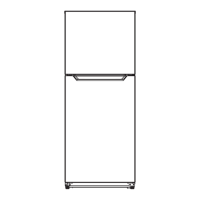
Provides the external physical dimensions of the refrigerator.
Steps to prepare the refrigerator before first use.
Recommendations for optimal placement of the refrigerator.
Specifies required clearances for proper air circulation and cooling.
Details power supply requirements and proper electrical connection.
Instructions on how to properly level the appliance for correct operation.
Steps and tools needed to reverse the refrigerator door swing.
How to adjust the temperature settings for the refrigerator compartment.
Explains LED indicators and troubleshooting codes for appliance issues.
Instructions for activating and deactivating the quick cooling feature.
Procedure for adjusting temperature controls in the freezer compartment.
Steps for safely removing and reinstalling interior glass shelves.
Guide on how to adjust or reposition the refrigerator door racks.
Instructions for removing and reinstalling the crisper drawer.
Detailed steps for cleaning the interior and exterior surfaces.
Information regarding the refrigerator's frost-free operation.
Steps for safely storing the appliance during extended periods of non-use.
Guidelines for safely transporting the refrigerator.
Advice on optimizing energy efficiency and reducing consumption.
Best practices for storing various food items to maintain freshness.
Advice on selecting and purchasing frozen food items.
Defines key terms used within the warranty statement.
Specifies the duration of the warranty period.
Outlines the specific components and issues covered by the warranty.
Instructions on how to get the product serviced under warranty.
Details the geographical locations where the warranty is applicable.
Lists exclusions from warranty coverage, such as damage or misuse.
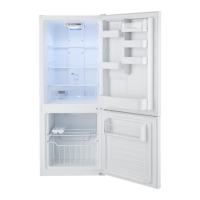
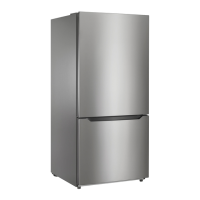
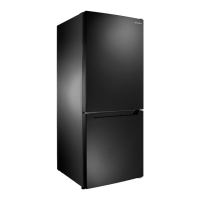
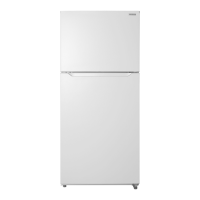
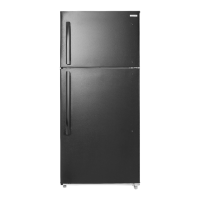
This document is a user guide for an Insignia 11.5 Cu. Ft. Bottom Mount Refrigerator, models NS-RBM11SS2, NS-RBM11SS2-C, NS-RBM11WH2, and NS-RBM11WH2-C. It provides essential information for setting up, using, and maintaining the appliance, along with important safety warnings and troubleshooting tips.
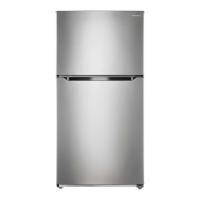
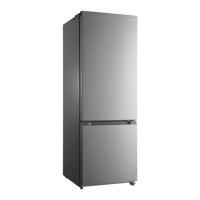
The Insignia 11.5 Cu. Ft. Bottom Mount Refrigerator is designed for household and similar applications, including staff kitchen areas, farmhouses, hotels, motels, bed and breakfast environments, and catering services. It features a refrigerator compartment at the top and a freezer compartment at the bottom, offering distinct temperature zones for optimal food preservation. The appliance operates on a 115V, 60Hz power supply and is designed to be free-standing, not recessed or built-in. It uses R600a refrigerant.
Before initial use, users must remove all exterior and interior packaging and clean the interior with a damp, warm cloth and a baking soda solution. The refrigerator needs to be leveled using its adjustable feet to ensure proper door closure and sealing, preventing cooling, frost, and moisture issues. It should be placed on a strong floor, away from direct sunlight, heat sources, and moist areas, with adequate ventilation space (at least 8 inches on sides, 2 inches on back and top). The refrigerator is designed to operate in ambient temperatures between 50° to 110° F (10° to 43.3° C). After plugging in, it's recommended to wait 24 hours before storing food to allow both compartments to reach correct temperatures.
The refrigerator door can be reversed to open from either the left or right side, offering flexibility in placement. This process requires specific tools such as a 5/16" socket wrench, Phillips screwdriver, straight blade screwdriver, putty knife, and masking tape. The user guide provides detailed, step-by-step instructions for disassembling and reassembling the hinges and door components for both the refrigerator and freezer doors.
The refrigerator temperature is controlled via a "SET" button, offering four settings from "Coldest" (35.6° F / 2° C) to "Cold" (42.8° F / 6° C). The default setting is 2 (39.2° F / 4° C). Users can press the SET button to cycle through these options, with an LED indicator light showing the selected setting. The freezer temperature is adjusted using a slider control located behind the crisper drawer, allowing selection between "Coldest," "Recommended," and "Cold" settings. A "Quick Cool" mode is available to rapidly lower the temperature by pressing and holding the SET button for three seconds.
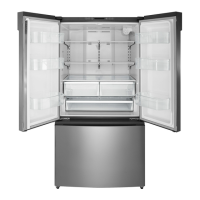
The refrigerator features adjustable glass shelves, door racks, a crisper drawer, and a multi-function drawer. The freezer compartment also includes shelves and drawers. Instructions are provided for removing and inserting the glass shelves and for adjusting the door racks to accommodate different item sizes. The crisper drawer is specifically designed to store fruits and vegetables, helping to prevent moisture loss and flavor transfer.
Regular cleaning is recommended to keep the refrigerator odor-free and efficient. This involves unplugging the appliance, removing all food, and then cleaning the doors, handles, cabinet surfaces, and interior with a mild detergent and warm water. A baking soda solution is suggested for the interior. Baskets, shelves, and drawers should also be cleaned with mild detergent. It's crucial to keep the door gaskets (seals) clean to ensure a tight seal, which contributes to efficiency. All surfaces and removable parts must be completely dry before plugging the refrigerator back in.
The Insignia refrigerator is "frost-free," meaning it does not require manual defrosting.
For extended periods of non-use (several months), the refrigerator should be turned off and unplugged. All food must be removed, and the appliance cleaned. The door should be left slightly ajar to prevent condensation, mold, and odors.
When moving the refrigerator, it should be turned off and unplugged, and all food removed. Loose items inside should be securely taped down, and the doors taped shut. It's important to keep the refrigerator in an upright position during transportation. If the refrigerator is laid on its back or side, it's advised to wait six hours after standing it upright before plugging it in to prevent damage to internal components.
The user guide offers several tips to save energy, including locating the refrigerator in the coolest part of the room, allowing hot foods to cool before storing, avoiding overloading, properly wrapping foods, organizing food to reduce door openings, and not lining shelves with materials that obstruct air circulation.
A troubleshooting section addresses common issues such as the refrigerator not working, bad odors, doors not closing, warm or cold temperatures, frost build-up, and unusual noises. Solutions range from checking power connections and cleaning to adjusting temperatures and ensuring proper ventilation and leveling. Fault codes indicated by blinking LEDs (1, 3, or 4) suggest issues with ambient temperature, refrigerator defrost, or refrigerator temperature sensors, requiring service by a qualified technician.
 General
| Brand | Insignia |
|---|---|
| Model | NS-RBM11SS2 |
| Color | Stainless Steel |
| Defrost Type | Automatic |
| Energy Star Certified | Yes |
| Door Style | Top Freezer |
| Reversible Door | Yes |
| Shelves | Glass |
| Type | Refrigerator |
| Voltage | 115 volts |


 To Next Page