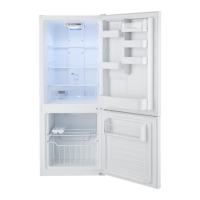
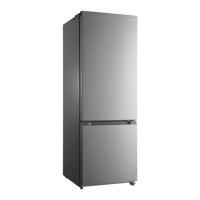
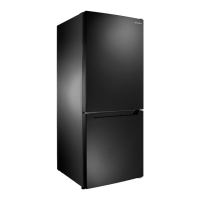
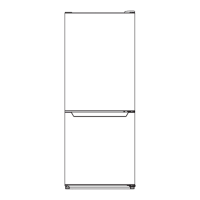
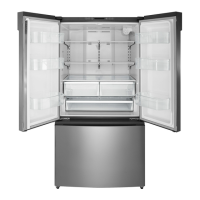
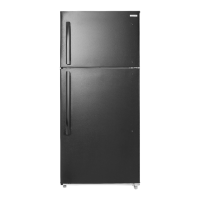
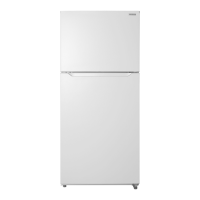
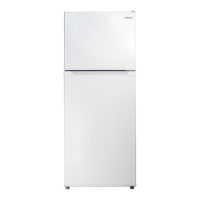
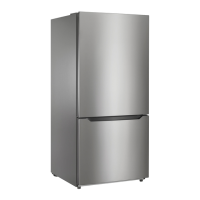
This document is a user guide for an 18.6 Cu. Ft. Bottom Mount Refrigerator from Insignia, model numbers NS-RBM18SS0, NS-RBM18SS0-C, and NS-RBM18WH0-C. It provides comprehensive instructions for setting up, using, and maintaining the refrigerator, along with important safety information and troubleshooting tips.
Function Description
The Insignia 18.6 Cu. Ft. Bottom Mount Refrigerator is designed for reliable and trouble-free performance in household and similar applications. It features a bottom-mount freezer compartment and an upper refrigerator compartment, offering ample storage for fresh and frozen foods. The refrigerator is "frost-free," eliminating the need for manual defrosting under normal operating conditions. It is also ice maker ready, compatible with the Insignia NS-ICEF2W2 ice maker (sold separately), allowing for convenient ice production. The appliance is designed to be free-standing and should not be recessed or built-in.
Usage Features
The refrigerator's control panel, located at the top of the refrigerator door, allows users to manage various settings. It includes an "ALARM OFF/power off/power on" button, a "FRIDGE" button, "Fridge indicators," a "FREEZER" button, and "Freezer indicators."
- Power Control and Standby Mode: The "ALARM OFF/power off/power on" button serves multiple purposes. A single press turns off the door alarm. Pressing and holding it for three seconds allows users to toggle the refrigerator/freezer into or out of standby mode. In standby mode, both compartments cease cooling, and it is crucial to remove all food to prevent spoilage.
- Temperature Settings: The "FRIDGE" button allows users to cycle through three refrigerator temperature settings, indicated by one to three lights. One light signifies the warmest temperature (45°F / 7°C), two lights indicate a mid-range temperature (39°F / 4°C), and three lights represent the coldest temperature (36°F / 2°C). Similarly, the "FREEZER" button controls the freezer temperature with three settings: one light for the warmest (9°F / -13°C), two lights for mid-range (-2°F / -19°C), and three lights for the coldest (-8°F / -22°C). The guide provides suggested temperature settings based on the season (summer, spring/fall, winter) to optimize performance and energy efficiency.
- Open Door Alarm: The refrigerator is equipped with an open door alarm that sounds if the refrigerator compartment door remains open for more than three minutes. This alarm can be silenced by pressing the "ALARM OFF" button and automatically turns off when the door is closed.
- Adjustable Storage: Both the refrigerator and freezer compartments feature adjustable shelves, allowing users to customize the interior layout to accommodate items of various sizes. To adjust a shelf, it needs to be lifted and pulled out, then reinserted at the desired level. The door trays in both compartments are also adjustable. To move a door tray, all items must be removed, then the tray is squeezed with two hands, pushed upward, removed, and reinstalled at the chosen level.
- Crispers: The refrigerator includes crispers designed to store fruits and vegetables, helping to maintain moisture and prevent flavor transfer. These crispers can be pulled out, lifted, and removed for cleaning or access.
- Door Reversal: A significant usage feature is the ability to reverse the refrigerator door's swing direction. The guide provides detailed, step-by-step instructions with illustrations on how to remove and reinstall the top hinge, center hinge, and door stopper, along with sleeves and hole caps, to change the door's opening side. This flexibility allows the refrigerator to fit various kitchen layouts.
- Leveling: Proper leveling of the refrigerator is crucial for the doors to close and seal correctly, preventing cooling, frost, and moisture issues. The appliance is equipped with leveling feet that can be rotated clockwise to raise a side or counterclockwise to lower it. The guide suggests having someone push against the top of the refrigerator to tilt it slightly, making adjustments easier.
- Ventilation: Correct ventilation is essential for the refrigerator's efficient operation. The guide specifies minimum clearance requirements: at least 4 inches (10 cm) on the left and right sides, 2 inches (5 cm) at the top, and 2 inches (5 cm) at the back.
- Power Source: The refrigerator requires a 115V, 60Hz power supply and a 3-prong grounding plug. The guide emphasizes the importance of not using extension cords, not overloading the circuit, and ensuring the power outlet cannot be turned off by a switch or pull string.
Maintenance Features
Regular maintenance is key to keeping the refrigerator running efficiently and odor-free. The guide outlines a comprehensive cleaning process and provides tips for long-term shutdown.
- Cleaning:
- Preparation: Before cleaning, the refrigerator must be unplugged and emptied of all food. Removable parts such as door racks, shelves, crispers, and freezer drawers can be taken out for thorough cleaning.
- Exterior Cleaning: Doors, handles, and cabinet surfaces should be cleaned with a mild detergent, then rinsed with a damp, warm cloth.
- Interior Cleaning: The inside of the refrigerator should be washed with a damp, warm cloth soaked in a solution of two tablespoons of baking soda per quart of lukewarm water, then rinsed with a clean, damp cloth.
- Removable Parts: Baskets, shelves, and drawers should be cleaned with a mild detergent and a soft cloth, then rinsed with warm water.
- Door Gaskets: It is crucial to keep the door gaskets (seals) clean to ensure a tight seal, which contributes to efficient operation. The guide warns to ensure the door gaskets are completely dry before plugging the refrigerator back in.
- Drying: All surfaces and removable parts must be thoroughly dried before reassembly and plugging the refrigerator back into the power outlet.
- Warnings: The guide explicitly warns against using gasoline, benzine, thinner, abrasive cleaners, or sharp objects, as these can damage the finish or scratch surfaces.
- Defrosting: The refrigerator is "frost-free," meaning it generally does not require manual defrosting. However, if frost forms due to seasonal changes or temperature fluctuations, it can be manually removed by unplugging the refrigerator or wiping the freezer compartment with a dry towel.
- Long-Term Shutdown: For extended periods of non-use (several months), the refrigerator should be turned off and unplugged, all food removed, and the interior cleaned. The door should be left slightly open to prevent the formation of condensation, mold, or odors. A specific caution is given regarding children and the potential for entrapment during shutdown.
- Moving the Refrigerator: When moving the appliance, users are instructed to turn it off, unplug it, remove all food, securely tape down loose items, and tape the doors shut. It is important to keep the refrigerator in an upright position, with a maximum tilt of 45 degrees, during transportation to prevent damage to internal components. If the refrigerator is laid on its back or side, a six-hour waiting period after standing it upright is required before plugging it in.


 To Next Page
 General