EasyManua.ls Logo

Insignia NS-RTM18BS8 - User Manual

Insignia NS-RTM18BS8
23 pages
Print Icon
To Next Page IconTo Next Page
Loading...
Before using your new product, please read these instructions to prevent any damage.
USER GUIDE
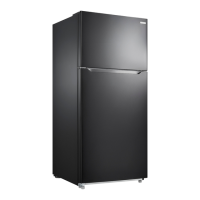
18 Cu. Ft.
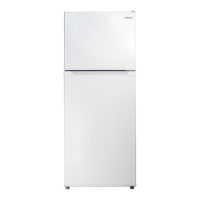
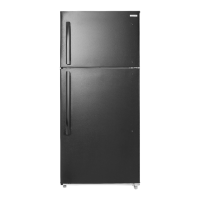
Top Mount Refrigerator
NS-RTM18BS8/NS-RTM18WH7/NS-RTM18SS7/NS-RTM18BKR8/
NS-RTM18WH7-C/NS-RTM18SS7-C

Questions and Answers

  • J
    Jennifer WebbAug 13, 2025
    Why Insignia NS-RTM18BS8 not cold?
    • E
      emilygrayAug 13, 2025
      Your Insignia Refrigerator might not be cooling properly due to several reasons. The door may have been opened too frequently or not closed properly. You may have added a large amount of food recently, so allow time for the new food to cool. The thermostat might be set too warm, so adjust it to a colder setting. The door gasket might not seal properly, so try cleaning it. Finally, if the refrigerator was recently disconnected, allow four hours for it to cool completely.
  • M
    Melissa HoweAug 17, 2025
    What to do if my Insignia NS-RTM18BS8 is not working?
    • M
      Mikayla PhillipsAug 17, 2025
      If your Insignia Refrigerator isn't operating, there are several potential causes. First, ensure the refrigerator is properly plugged into the outlet. If it is plugged in, check if the thermostat is set to the STANDBY position and if so, press the SET button until LED 3 lights. Also, inspect the house fuse/circuit breaker box and replace the fuse or reset the circuit breaker if needed. Finally, if there was a power failure, wait until the power is restored.
  • C
    christian16Aug 20, 2025
    Why is my Insignia NS-RTM18BS8 Refrigerator freezing food?
    • D
      Debbie MyersAug 20, 2025
      If food in your Insignia Refrigerator compartment is freezing, it's likely that the thermostat is set too cold. Try setting the thermostat to a warmer setting.
  • K
    Kyle SmithAug 25, 2025
    How to stop Insignia NS-RTM18BS8 from vibrating?
    • A
      Adam McclureAug 25, 2025
      To stop vibrations from your Insignia Refrigerator, ensure it's on a level, sturdy surface and level it using the leveling legs. Also, make sure the refrigerator is not touching a wall.
  • N
    Nancy BoydAug 28, 2025
    Why does my Insignia NS-RTM18BS8 door not close?
    • B
      Barbara YoungAug 28, 2025
      If your Insignia Refrigerator door doesn't close completely, food packages might be interfering with the door. Try moving the food packages or removing some food. The shelves could be out of position, so adjust them properly. The door gaskets might be dirty, so clean them. Also check that the refrigerator is level and level it with the leveling feet if needed.
  • B
    Brittany SheaSep 1, 2025
    Why is moisture building up inside my Insignia Refrigerator?
    • G
      Gregory DavisSep 1, 2025
      Moisture buildup in your Insignia Refrigerator could be due to a few reasons. The door may have been opened too often or not closed properly, so make sure that the door is closed properly. The refrigerator might be in a very humid location, so consider moving it to a dryer spot. Also, the food in the refrigerator might not be packaged properly, so repackage the food to make sure that it is sealed.
  • R
    Robert PruittSep 4, 2025
    Why is there condensation on the outside of my Insignia Refrigerator?
    • M
      Mrs. Kimberly Fox DDSSep 5, 2025
      If you notice moisture forming on the external walls of your Insignia Refrigerator, it could be that the door is slightly open. Make sure that the door closes completely.
  • F
    Frederick ShawSep 9, 2025
    Why is my Insignia Refrigerator making weird noises?
    • M
      Morgan JacksonSep 9, 2025
      If your Insignia Refrigerator is making unusual noises, it might not be level on the floor, so level the refrigerator with the leveling feet. Also, the body of the refrigerator might be touching a wall, so move the refrigerator out from the wall.

Summary

Introduction

Important Safety Instructions

General Safety Warnings

Essential safety precautions for operating and maintaining the refrigerator.

Specific Safety Precautions

Detailed safety warnings covering electrical shock, child safety, and proper handling.

Grounding requirement

Features

Package contents

Main components

Setting up your refrigerator

Initial Setup Steps

Steps to prepare the refrigerator before initial power-up.

Choosing a Location

Guidelines for selecting the optimal placement for the refrigerator.

Leveling your refrigerator

Instructions on how to level the refrigerator for proper operation.

Providing proper ventilation

Ensuring adequate airflow around the refrigerator for efficient cooling.

Providing a proper power supply

Requirements for connecting the refrigerator to a suitable power source.

Using your refrigerator

Setting the refrigerator temperature

How to adjust the temperature settings for the refrigerator compartment.

Setting the freezer temperature

How to adjust the temperature settings for the freezer compartment.

Using the freezer compartment

Reversing the door position

Preparing to reverse the door position

Steps and tools needed before reversing the refrigerator door.

Installing an optional ice maker

Maintaining your refrigerator

Defrosting the freezer

Changing the interior LED light

Shutting down your refrigerator - long vacations

Moving your refrigerator

Tips on saving energy

Troubleshooting

Troubleshooting Error Codes

Identifies error codes displayed on the LED panel and their meanings.

Specifications

ONE-YEAR LIMITED WARRANTY

Insignia NS-RTM18BS8 Specifications

General IconGeneral
BrandInsignia
ModelNS-RTM18BS8
CategoryRefrigerator
LanguageEnglish

Related product manuals