EasyManua.ls Logo

Insignia NS-RTM18WHD2 - User Manual

Insignia NS-RTM18WHD2
29 pages
Print Icon
To Next Page IconTo Next Page
Loading...
Before using your new product, please read these instructions to prevent any damage.
USER GUIDE
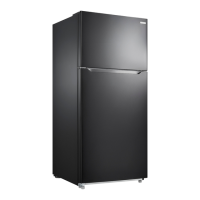
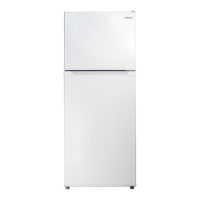
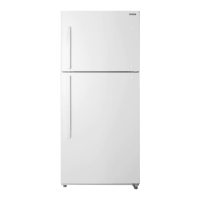
18 Cu. Ft. Top Mount
Refrigerator
NS-RTM18WHD2

Questions and Answers

  • P
    powellalexisAug 17, 2025
    Why my Insignia NS-RTM18WHD2 does not work?
    • B
      breannamooreAug 18, 2025
      Your Insignia Refrigerator might not be working because it is unplugged. Ensure that the refrigerator is plugged in properly. Also, check that the voltage is adequate (110V–120V, 60Hz). If there was a power failure, wait until the power is restored.
  • J
    Jennifer JohnsonAug 20, 2025
    What to do if food in my Insignia NS-RTM18WHD2 Refrigerator is not cold?
    • T
      tiffanytorresAug 20, 2025
      If the food in your Insignia Refrigerator isn't cold enough, make sure that the door is closed properly. If you've just added a large amount of food, allow time for it to cool. Ensure the thermostat is set to a colder setting and that the door gasket seals properly by cleaning it. If the refrigerator was recently disconnected, allow up to four hours for it to cool completely.
  • E
    emily66Aug 22, 2025
    What causes moisture inside my Insignia Refrigerator?
    • U
      uberryAug 23, 2025
      Moisture inside your Insignia Refrigerator can be due to a door that is opened too often or not closed properly. Also, if the refrigerator is in a very humid location, move it to a dryer spot. Ensure that all food is packaged properly to seal it.
  • M
    Michael RamirezAug 25, 2025
    Why is the exterior of my Insignia Refrigerator warm?
    • D
      Daniel HendersonAug 26, 2025
      It's normal for the exterior of your Insignia Refrigerator to feel warm because there is a heat exchanger coil in the insulated walls. The longer your refrigerator runs, the warmer the sides and top will get. If the ambient temperature is too high, move the refrigerator to a cooler location. Also, remove some food if too much is being stored and make sure that there are correct clearances.
  • K
    Kayla EdwardsAug 27, 2025
    How to get rid of bad odor in Insignia Refrigerator?
    • C
      Caleb ArmstrongAug 27, 2025
      To eliminate a bad odor in your Insignia Refrigerator, ensure that all odorous foods are sealed properly. Remove any rotten food and clean the refrigerator thoroughly.
  • C
    Christina WaltonAug 30, 2025
    Why is moisture building up on the outside of my Insignia Refrigerator?
    • I
      ianescobarAug 30, 2025
      Moisture building up on the exterior of your Insignia Refrigerator is often normal when the humidity is high. Simply wipe the condensation with a clean towel. Also, make sure that the door closes completely.
  • T
    Thomas WallaceSep 1, 2025
    How to fix Insignia NS-RTM18WHD2 door that won't close?
    • L
      lauren82Sep 1, 2025
      If your Insignia Refrigerator door won't close completely, check for these potential issues: 1. Food packages may be interfering with the door. Try moving or removing some food. 2. Shelves might be out of position. Adjust them properly. 3. Door gaskets could be dirty. Clean them. 4. The refrigerator may not be level. Level it using the leveling feet.
  • T
    Tina LoveSep 4, 2025
    Why is my Insignia NS-RTM18WHD2 Refrigerator making unusual noises?
    • R
      Robert SmithSep 4, 2025
      Unusual noises or vibrations from your Insignia Refrigerator can occur if the refrigerator isn't level. Use the leveling feet to level it. Ensure that the refrigerator body isn't touching a wall, and that all accessories are placed properly.
  • N
    newtonomarSep 6, 2025
    Why does my Insignia NS-RTM18WHD2 Refrigerator compressor turn on and off frequently?
    • J
      Joseph RossSep 7, 2025
      If the compressor in your Insignia Refrigerator turns on and off frequently, it could be due to several reasons. Make sure the door is closed properly and clean the door seal if needed. Adjust the thermostat to a warmer temperature. Ensure there's enough space around the refrigerator (at least 11 13/16 in. (30 cm) above and 3 15/16 in. (10 cm) behind and beside it). If the refrigerator was recently disconnected, allow up to four hours to cool down.
  • R
    Robert TranSep 9, 2025
    What to do if the door seal of Insignia Refrigerator is not tight?
    • X
      xconnerSep 9, 2025
      If the door seal on your Insignia Refrigerator isn't tight, start by cleaning the door gaskets. Also, make sure your refrigerator is level using the front leveling feet. If the door seal is aging, heat it and then cool it to help restore the seal (you can use a hair dryer or hot towel for heating).

Summary

Introduction

Important Safety Instructions

General Safety Guidelines

Covers appliance usage, user limitations, child safety, and electrical precautions.

Warning Symbols and Disposal

Explains warning symbols and provides guidance for safe product disposal.

Safe Refrigerator Usage

General Usage Precautions

Guidelines for safe operation, handling, and preventing internal/external damage.

Refrigerator Placement Guidelines

Placement Safety and Usage Restrictions

Advice on choosing a location, avoiding hazards, and intended household use.

Energy Efficiency and Storage Advice

Energy Saving and Operation Tips

Guidance on efficient operation, ambient temperature, and food storage.

Safe Refrigerator Disposal

Disposal and Recycling Procedures

Instructions for safe scrapping, including refrigerant handling and recycling.

Product Features and Package Contents

Key Features Overview

Highlights of the refrigerator's design and functionality.

Refrigerator Setup and Initial Preparation

Initial Setup Steps

Details on unpacking, cleaning, resting period, and cooling time before stocking.

Optimal Refrigerator Placement

Location Selection Criteria

Advice on positioning away from heat, in ventilated areas, and with adequate space.

Leveling the Refrigerator

Ensuring Proper Leveling

Explains the importance of leveling and how to adjust the feet for stability.

Proper Power Supply Connection

Electrical Connection Requirements

Details on using grounded outlets and avoiding hazards.

Installing the Door Handles

Attaching Door Handles

Instructions for attaching handles using provided hardware and tools.

Installing an Optional Ice Maker

Optional Ice Maker Setup

Details on compatibility and preparation for ice maker installation.

Reversing the Door Position

Determining Refrigerator Version

How to identify your model version for door reversal compatibility.

Preparation for Door Reversal

Details tools and pre-reversal steps required for a successful door swap.

Using Your Refrigerator

Setting Refrigerator Temperature

Instructions for adjusting the temperature control for the refrigerator section.

Setting Freezer Temperature

Instructions for adjusting the temperature control for the freezer section.

Refrigerator Compartment Usage

Tips for storing various food items efficiently in the refrigerator compartment.

Refrigerator Compartment Usage

Adjusting Door Trays

Instructions for removing, adjusting, and reinserting refrigerator door trays.

Adjusting Refrigerator Shelves

How to remove and reinsert the adjustable glass shelves in the refrigerator.

Crisper Drawer Operation

Crisper Drawer Humidity Control

Explanation of how to use the humidity control for produce storage.

Freezer Compartment Usage

Freezer Storage Recommendations

Tips for keeping food fresh and preventing efficiency loss in the freezer.

Cleaning and Maintenance

Interior Cleaning Guide

Detailed steps for cleaning the inside of the refrigerator and freezer compartments.

Exterior Cleaning Guide

Instructions for cleaning the outer surfaces, door gaskets, and back of the unit.

Refrigerator Defrosting and Lighting

Manual Defrosting Procedure

Steps for manual defrosting if frost accumulates due to seasonal changes.

LED Light Replacement

Information regarding the non-user-serviceable LED interior light.

Long-Term Storage and Power Outages

Shutting Down for Extended Periods

Steps for safely preparing the refrigerator for storage over several months.

Managing Power Outages

Advice on keeping food safe and maintaining the refrigerator during power loss.

Moving and Energy Saving

Safe Refrigerator Relocation

Step-by-step guide and precautions for moving the refrigerator.

Energy Saving Tips

Practical advice to reduce the refrigerator's energy consumption.

Obtaining Replacement Parts

Ordering Spare Parts

How to get replacement parts, including warranty and out-of-warranty options.

Troubleshooting Common Issues

Refrigerator Not Operating

Diagnosing and resolving issues where the refrigerator fails to turn on.

Compressor Cycling Issues

Addressing problems with the compressor turning on and off too frequently.

Freezer Compartment Freezing

Solutions for when food in the refrigerator compartment is freezing.

Refrigerator Not Cooling

Resolving issues where food in the refrigerator is not staying cold.

Unusual Noises or Vibrations

Identifying and fixing sources of abnormal sounds or vibrations.

Interior Moisture Buildup

Addressing condensation and moisture inside the refrigerator.

Exterior Moisture Buildup

Solutions for condensation forming on the outside of the refrigerator.

Door Not Closing Properly

Diagnosing and fixing problems with the refrigerator door not sealing.

Exterior Temperature Issues

Understanding why the refrigerator exterior might feel warm.

Drip Tray Overflow

Resolving issues related to the refrigerator's drip tray overflowing.

Door Gasket Seal Problems

Fixing issues with a loose or improperly sealing door gasket.

LED Light Not Turning On

Troubleshooting steps if the interior LED light does not illuminate.

Refrigerator Odor Issues

Identifying and eliminating bad odors within the refrigerator.

Product Specifications

Technical Details and Dimensions

Lists dimensions, weight, capacity, power requirements, and operating parameters.

One-Year Limited Warranty

Warranty Period and Coverage

Defines the warranty duration, what it covers, and how to obtain service.

Warranty Exclusions and Limitations

Lists items not covered by warranty and important legal disclaimers.

Insignia NS-RTM18WHD2 Specifications

General IconGeneral
BrandInsignia
ModelNS-RTM18WHD2
TypeTop Freezer Refrigerator
Total Capacity18 cu. ft.
ColorWhite
Energy Star CertifiedYes
Ice MakerNo
Defrost TypeFrost Free
Number of Refrigerator Shelves3
Number of Freezer Shelves1

Related product manuals