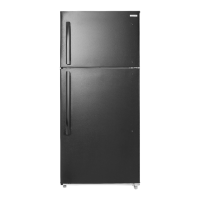
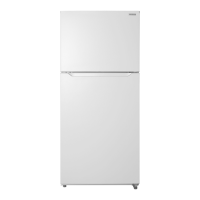
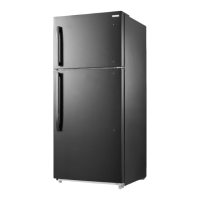
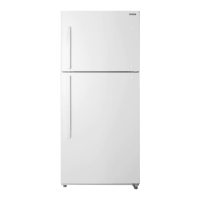
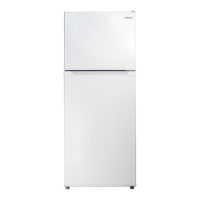
This document describes the Insignia 18 Cu. Ft. Top Mount Refrigerator, models NS-RTM18BS8, NS-RTM18WH7, NS-RTM18SS7, NS-RTM18BKR8, NS-RTM18WH7-C, NS-RTM18SS7-C, NS-RTM18BK8L, and NS-RTM18SS7L. It serves as a user guide, providing instructions for setup, operation, maintenance, and troubleshooting.
Function Description
The Insignia 18 Cu. Ft. Top Mount Refrigerator is a freestanding appliance designed for household use, offering both refrigeration and freezing capabilities. It features a top-mount freezer compartment and a bottom refrigerator compartment. The appliance is designed for reliable and trouble-free performance, incorporating modern refrigerator design.
Important Technical Specifications
- Capacity: 18 cubic feet
- Dimensions (WxDxH): 29.5 x 30.9 x 66.6 inches (75 x 78.5 x 169.2 cm)
- Weight: 172 lbs (78 kg) for White/Black/Stainless models
- Power Requirements: 115 V~60 Hz - 180 W
- Current: 1.1 A for White/Stainless models
- Power Consumption (Annual): 362 kWh for White/Stainless models
- Refrigerant: R600a (flammable refrigerant gas)
- Cooling System: Frost-free (no manual defrosting required for the freezer)
- Temperature Control: Electronic control with LED indicators for refrigerator settings (1 to 5, where 5 is coldest). A separate knob controls the freezer temperature (MIN to MAX, with RECOMMENDED setting).
- Lighting: LED lighting in the interior.
- Shelves: Glass spill-safe shelves.
- Drawers: Humidity-controlled crisper drawers.
- Door Configuration: Available in right-opening and left-opening models, with the option to reverse the door position.
- Ice Maker: Compatible with the Insignia NS-IMK20WH7 optional ice maker.
Usage Features
Setup:
- Unpacking: Remove all interior packing materials.
- Initial Standby: Allow the refrigerator to stand upright for approximately four hours before connecting to power to prevent cooling system malfunctions.
- Cleaning: Clean the interior surface with lukewarm water and a soft cloth.
- Initial Cooling: Wait approximately 24 hours after setting the thermostat before placing food inside.
- Location: Place on a strong, level floor away from direct sunlight, heat sources (radiators, stoves, amplifiers), and moist areas. Ensure an ambient temperature between 41° F (5° C) and 109° F (42.8° C). Allow the door to swing fully open.
- Leveling: Use the leveling feet to ensure the refrigerator is level, preventing door closure/seal issues. Rotate clockwise to raise, counter-clockwise to lower.
- Ventilation: Maintain at least one inch of space from the wall on each side for proper airflow to the compressor.
- Power Supply: Requires a 110 V-120 V, 60 Hz grounded outlet. Use a 3-prong (grounding) plug. Do not use extension cords or modify the power cord.
Operation:
- Refrigerator Temperature Setting:
- Press the "SET" button to cycle through settings 1 (cold) to 5 (coldest).
- LED indicators show the current setting.
- The default setting is 3.
- Standby Mode: Press and hold the "SET" button for three seconds to enter standby mode (refrigerator and freezer off). The STANDBY LED will light up. Press "SET" again to exit standby.
- If unplugged or power is lost, wait 3-5 minutes before restarting.
- Adjust temperature settings one increment at a time and allow 24 hours for stabilization.
- Freezer Temperature Setting:
- Adjust the freezer control knob from MIN to MAX. The "RECOMMENDED" setting is indicated.
- Allow 24 hours for the freezer temperature to adjust and stabilize after changes.
- Freezer Compartment Use:
- Place frozen food quickly after purchase.
- Follow package instructions for storage times.
- Door Reversal: The door's opening direction can be reversed. This process requires a standard (flat head) screwdriver and a Phillips screwdriver, and assistance is recommended. It involves removing and reattaching hinges, door blocks, hole caps, and plastic bushings to the opposite side.
Energy Saving Tips:
- Locate the refrigerator in the coolest part of the room, away from heat sources and direct sunlight.
- Allow hot foods to cool before placing them in the refrigerator.
- Avoid overloading the refrigerator, which forces the compressor to run longer.
- Wrap foods properly and wipe containers dry to reduce frost buildup.
- Organize and label food to minimize door openings and search times.
Maintenance Features
- Cleaning:
- Wipe the cabinet periodically with a mild detergent and warm water, then dry with a soft cloth.
- Clean the interior with a damp warm cloth soaked in a solution of one quart of lukewarm water to two tablespoons of baking soda solution.
- Keep the door gasket (seal) clean for efficient operation.
- Caution: Do not use gasoline, benzine, thinner, or other similar solvents, or abrasive cleaners, as these can damage the finish.
- Defrosting: The refrigerator is frost-free, so manual defrosting of the freezer is not required. Periodic cleaning as described above is sufficient.
- Changing the Interior LED Light:
- Turn off and unplug the refrigerator.
- Remove the screw securing the lamp cover using a Phillips screwdriver, then remove the cover.
- Remove the old LED light bulb (model: 50241001001C, base: E12, input rating: 115V AC 3.5 W) from the lamp base.
- Install a new LED light bulb.
- Reinstall the lamp cover and screw.
- Shutting Down for Long Vacations (Several Months):
- Turn off and unplug the refrigerator.
- Remove all food.
- Clean the refrigerator.
- Leave the door slightly open to prevent condensation, mold, or odor.
- Caution: Ensure children cannot access the refrigerator.
- Moving the Refrigerator:
- Turn off and unplug the refrigerator.
- Remove all food.
- Securely tape down all loose items inside.
- Tape the doors shut.
- Keep the refrigerator in an upright position during transportation.
- Electric Shock Hazard: Do not open the appliance. Refer servicing to qualified personnel.
- Flammable Refrigerant (R600a): Follow local regulations for disposal. Do not damage refrigerant tubing.
- Ventilation: Keep ventilation openings clear.
- Heat Sources: Do not install near heat sources.
- Grounding: Use a properly grounded outlet.
- Power Cord: Protect from damage, do not modify or extend. Unplug during storms or long periods of non-use. Do not handle with wet hands. Unplug by holding the plug, not the cord.
- Water Exposure: Do not expose to rain, moisture, dripping, or splashing.
- Mechanical Devices: Do not use mechanical devices to accelerate defrosting unless recommended by the manufacturer.
- Electrical Appliances: Do not use electrical appliances inside the food storage compartment unless recommended.
- Child Safety: Never allow children to play with, operate, or crawl inside. Remove doors and leave shelves in place when disposing of old refrigerators to prevent entrapment.
- Supervision: Children aged 8 and older, and persons with reduced capabilities, can use the appliance with supervision and instruction. Cleaning and maintenance should not be performed by children without supervision.
- Damaged Cord: If the supply cord is damaged, it must be replaced by the manufacturer or a qualified service agent.
Troubleshooting
The manual provides a troubleshooting guide for common issues, including:
- Refrigerator not operating: Check plug, thermostat setting (not in STANDBY), fuse/circuit breaker, or power failure.
- Compressor cycling frequently: Check door closure, door seal, room temperature, amount of food added, thermostat setting, clearances, or recent disconnection.
- Food freezing in refrigerator: Adjust thermostat to a warmer setting.
- Food not cold enough: Check door closure, amount of food, thermostat setting, door gasket, or recent disconnection.
- Unusual noises (popping, crackling, bubbling): These are generally normal operating sounds.
- Moisture on external walls: Check if the door is slightly open.
- Moisture in interior: Check door closure, humidity of location, or proper food packaging.
- Door not closing completely: Check for interfering food packages, shelf position, dirty door gaskets, or unlevel refrigerator.
- Exterior is warm: This is normal.
- Vibrations: Ensure the refrigerator is on a level, sturdy surface and not touching a wall.
Warranty
The Insignia 18 Cu. Ft. Top Mount Refrigerator comes with a ONE-YEAR LIMITED WARRANTY.
- Coverage: The product is warranted against defects in original material and workmanship for one year from the purchase date.
- Eligibility: Valid for products purchased from Best Buy branded retail stores or online (www.bestbuy.com or www.bestbuy.ca) in the United States or Canada.
- Service: Insignia will repair or replace defective products with new or rebuilt parts/products at its sole option.
- Obtaining Service: Contact 1-877-467-4289 (US and Canada) or 01-800-926-3000 (Mexico) or take the product with the original receipt to any Best Buy store.
- Exclusions: The warranty does not cover customer instruction/education, installation, setup adjustments, cosmetic damage, damage due to weather/acts of God, accidental damage, misuse, abuse, negligence, commercial use, modification of any part, display panel damage from static images, or damage due to incorrect operation/maintenance. It also excludes connection to incorrect voltage, unauthorized repairs, "as is" products, consumables (like batteries), altered/removed serial numbers, pixel failures (up to 3 dark/incorrectly illuminated pixels in 1/10 of display size, or up to 5 total), and damage from contact with liquids/gels/pastes.


 To Next Page
 General