EasyManua.ls Logo

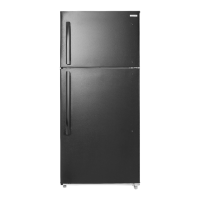
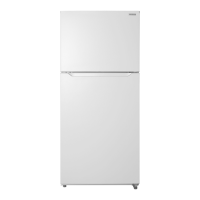
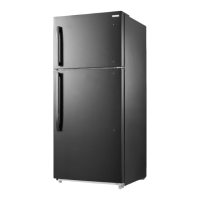
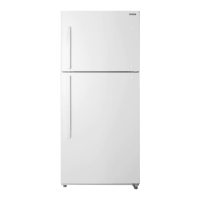
Insignia NS-RTM18SS7 - User Manual

Insignia NS-RTM18SS7
23 pages
Print Icon
To Next Page IconTo Next Page
Loading...
Before using your new product, please read these instructions to prevent any damage.
USER GUIDE
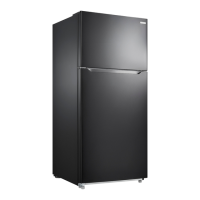
18 Cu. Ft.
Top Mount Refrigerator
NS-RTM18BS8/NS-RTM18WH7/NS-RTM18SS7/NS-RTM18BKR8/
NS-RTM18WH7-C/NS-RTM18SS7-C

Questions and Answers

  • P
    Pamela GrantAug 17, 2025
    Why Insignia Refrigerator not cold?
    • J
      John CamposAug 17, 2025
      Your Insignia Refrigerator might not be cooling properly due to several reasons. The door may have been opened too frequently or not closed properly. You may have added a large amount of food recently, so allow time for the new food to cool. The thermostat might be set too warm, so adjust it to a colder setting. The door gasket might not seal properly, so try cleaning it. Finally, if the refrigerator was recently disconnected, allow four hours for it to cool completely.
  • B
    Brian AndersonAug 20, 2025
    What to do if my Insignia Refrigerator is not working?
    • K
      Kimberly GainesAug 20, 2025
      If your Insignia Refrigerator isn't operating, there are several potential causes. First, ensure the refrigerator is properly plugged into the outlet. If it is plugged in, check if the thermostat is set to the STANDBY position and if so, press the SET button until LED 3 lights. Also, inspect the house fuse/circuit breaker box and replace the fuse or reset the circuit breaker if needed. Finally, if there was a power failure, wait until the power is restored.
  • M
    Madison WilkinsAug 22, 2025
    Why is my Insignia Refrigerator not working?
    • B
      Brooke HoldenAug 22, 2025
      If your Insignia Refrigerator isn't working, first ensure it's properly plugged into the outlet. Check that the plug is fully inserted. If it still doesn't work, check your home's fuse or circuit breaker box and replace the fuse or reset the circuit breaker if necessary. Also, make sure that the thermostat is not in STANDBY position (LED 3 should be lit). Lastly, if there was a power outage, wait for the power to be restored.
  • L
    Linda WolfAug 26, 2025
    Why is my Insignia Refrigerator freezing food?
    • S
      Steven SanchezAug 26, 2025
      If food in your Insignia Refrigerator compartment is freezing, it's likely that the thermostat is set too cold. Try setting the thermostat to a warmer setting.
  • M
    Michael QuinnAug 28, 2025
    Why does my Insignia Refrigerator compressor turn on and off frequently?
    • H
      hoamyAug 28, 2025
      If the compressor in your Insignia Refrigerator is turning on and off frequently, it could be due to several reasons. Make sure the door is closed properly and clean the door seal if it's dirty. A room temperature that is hotter than normal, or recently adding a large amount of food to the refrigerator can also cause this issue, but this is normal. Ensure the thermostat is set correctly and that the refrigerator has at least five inches of clearance from adjacent walls. If the refrigerator was recently disconnected, allow four hours for it to cool down completely.
  • D
    Douglas SmithAug 30, 2025
    What to do if food in my Insignia Refrigerator is freezing?
    • B
      brandondawsonAug 31, 2025
      If food is freezing in your Insignia Refrigerator, the thermostat might be set too cold. Try setting the thermostat to a warmer setting.
  • J
    Jason KennedySep 2, 2025
    How to stop Insignia Refrigerator from vibrating?
    • B
      Brandon WhiteSep 3, 2025
      To stop vibrations from your Insignia Refrigerator, ensure it's on a level, sturdy surface and level it using the leveling legs. Also, make sure the refrigerator is not touching a wall.
  • B
    Brenda FosterSep 5, 2025
    Why does my Insignia Refrigerator door not close?
    • R
      Reginald MontgomerySep 5, 2025
      If your Insignia Refrigerator door doesn't close completely, food packages might be interfering with the door. Try moving the food packages or removing some food. The shelves could be out of position, so adjust them properly. The door gaskets might be dirty, so clean them. Also check that the refrigerator is level and level it with the leveling feet if needed.
  • J
    John LeeSep 8, 2025
    Why is moisture building up inside my Insignia NS-RTM18SS7?
    • S
      Sara PowellSep 8, 2025
      Moisture buildup in your Insignia Refrigerator could be due to a few reasons. The door may have been opened too often or not closed properly, so make sure that the door is closed properly. The refrigerator might be in a very humid location, so consider moving it to a dryer spot. Also, the food in the refrigerator might not be packaged properly, so repackage the food to make sure that it is sealed.
  • P
    Patrick BensonSep 12, 2025
    Why is there condensation on the outside of my Insignia NS-RTM18SS7 Refrigerator?
    • A
      Andrea CarpenterSep 12, 2025
      If you notice moisture forming on the external walls of your Insignia Refrigerator, it could be that the door is slightly open. Make sure that the door closes completely.

Summary

Critical Safety Guidelines for Insignia Refrigerator

Electrical Grounding Safety for Refrigerator

Identifying Insignia Refrigerator Parts

Setting Up Your Refrigerator

How to Level the Refrigerator Correctly

Adjusting the leveling feet to ensure the refrigerator is stable and doors seal properly.

Correct Power Supply and Grounding for Refrigerator

Ensure the refrigerator is connected to the correct voltage and grounded outlet.

Using Your Refrigerator

Adjusting Refrigerator Temperature Settings

Guide on using the control panel to set desired refrigerator cooling levels.

Adjusting Freezer Temperature Settings

How to adjust the freezer control knob for optimal freezing performance.

Routine Maintenance for Insignia Refrigerator

Long-Term Shutdown Procedures for Refrigerator

Safe Procedures for Moving the Refrigerator

Troubleshooting Common Refrigerator Issues

Understanding Refrigerator Error Codes

Explanation of LED display codes and their corresponding problems.

Insignia Refrigerator Technical Specifications

Insignia NS-RTM18SS7 Specifications

General IconGeneral
BrandInsignia
ModelNS-RTM18SS7
Refrigerator TypeTop Freezer
FinishStainless Steel
Energy Star CertifiedYes
Ice MakerNo
Water DispenserNo
Total Capacity18 cu. ft.
Weight180 lbs

Related product manuals