EasyManua.ls Logo

Insignia NS-RTM18BK8Q - User Manual

Insignia NS-RTM18BK8Q
25 pages
Print Icon
To Next Page IconTo Next Page
Loading...
Before using your new product, please read these instructions to prevent any damage.
USER GUIDE
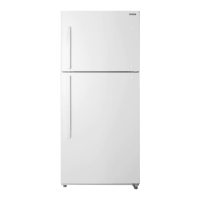
18 Cu. Ft. Top Mount
Refrigerator
NS-RTM18WH8Q/NS-RTM18WH8Q-C/NS-RTM18BK8Q

Questions and Answers

  • E
    Erin HernandezAug 12, 2025
    Why my Insignia Refrigerator won't turn on?
    • A
      Alexis BurkeAug 12, 2025
      Your Insignia Refrigerator might not be operating due to several reasons. First, ensure it is properly plugged into the outlet. Second, check if the thermostat is set to the STANDBY position; if so, press the SET button until LED 3 lights. Also, verify the house fuse or circuit breaker and replace the fuse or reset the circuit breaker if needed. Finally, if there was a power failure, wait until the power is restored.
  • M
    Morgan TranAug 16, 2025
    What to do if my Insignia Refrigerator is not cold enough?
    • O
      omorganAug 16, 2025
      If the food in your Insignia Refrigerator compartment isn't cold enough, it might be due to a few reasons. Ensure that the door is closed properly. If you've just added a large amount of food, allow time for it to cool. Also, check the thermostat setting and adjust it to a colder setting if needed. Clean the door gasket if it doesn't seal properly. If the refrigerator was recently disconnected, allow four hours for it to cool completely.
  • K
    Kristy HarrisAug 20, 2025
    Why is food freezing in my Insignia NS-RTM18BK8Q?
    • S
      sstricklandAug 20, 2025
      If food is freezing in your Insignia Refrigerator compartment, the thermostat may be set too cold. Adjust the thermostat to a warmer setting.
  • H
    Harold BarberAug 25, 2025
    Why does my Insignia NS-RTM18BK8Q Refrigerator compressor keep turning on and off?
    • J
      James ScottAug 25, 2025
      Frequent compressor cycling in your Insignia Refrigerator can occur for several reasons. Check that the door is closed properly and clean the door seal if it's dirty. If the room temperature is hotter than normal or you've recently added a large amount of food, this is normal. Ensure the thermostat is set correctly. The refrigerator should be no closer than five inches from the adjacent walls. If the refrigerator has recently been disconnected, allow four hours to cool down completely.
  • D
    Diane BallAug 27, 2025
    How to fix Insignia Refrigerator door that won't close?
    • L
      loweheidiAug 27, 2025
      If your Insignia Refrigerator door doesn't close completely, check if food packages are interfering with the door's closure; if so, move or remove some food. Ensure that the shelves are properly adjusted. Clean the door gaskets if they are dirty. Also, make sure that the refrigerator is level; if not, level it with the leveling feet.
  • S
    Sarah PowellAug 31, 2025
    Why is my Insignia Refrigerator making unusual noises?
    • K
      Kyle RodriguezAug 31, 2025
      Unusual noises from your Insignia Refrigerator could be due to a couple of things. First, ensure the refrigerator is level on the floor, using the leveling feet to adjust if necessary. Second, check if the body of the refrigerator is touching a wall and, if so, move it away from the wall.
  • L
    Lisa KellySep 4, 2025
    How to prevent moisture buildup inside Insignia Refrigerator?
    • P
      Peggy BallardSep 4, 2025
      Moisture buildup in your Insignia Refrigerator can be caused by a few factors. Ensure that the door is closed properly. If the refrigerator is in a very humid location, consider moving it to a dryer spot. Also, check that the food in the refrigerator is packaged properly and sealed.
  • J
    jeremyknoxSep 8, 2025
    Why is there moisture on the outside of my Insignia Refrigerator?
    • L
      Lisa Bryant DVMSep 8, 2025
      If you notice moisture forming on the external walls of your Insignia Refrigerator, it could be because the door is slightly open. Ensure that the door closes completely.

Summary

Important Safety Instructions

Environmental and Operational Safety

Guidelines on appliance placement, ventilation, and heat sources.

General Electrical Safety

Precautions for grounding, power cord use, wet hands, and proper unplugging.

Appliance Handling and Child Safety

Warnings on refrigerant tubing, internal appliances, and preventing child entrapment.

Maintenance, Repair, and Disposal Safety

Safety guidelines for maintenance, component replacement, and proper disposal.

Storage and Electrical Connection Safety

Warnings regarding flammable liquids and the use of extension cords.

Grounding Requirement

Setting up your refrigerator

Before using your refrigerator

Initial setup steps include removing packing, cleaning, and allowing time for stabilization.

Finding a suitable location

Guidelines for selecting a stable, level location away from heat and moisture.

Leveling your refrigerator

Instructions on how to properly level the appliance using the feet.

Providing a proper power supply

Details on the required voltage, frequency, and grounding for the power supply.

Installing the door handle

Using your refrigerator

Setting the refrigerator temperature

How to adjust refrigerator temperature using the control panel and standby mode.

Setting the freezer temperature

Using your refrigerator compartment

Reversing the door position

Maintaining your refrigerator

Changing the interior LED light

Moving your refrigerator

Troubleshooting

Error codes

Table listing LED display codes and their corresponding error meanings.

Refrigerator Not Operating

Common causes and solutions when the refrigerator fails to operate.

Insignia NS-RTM18BK8Q Specifications

General IconGeneral
BrandInsignia
ModelNS-RTM18BK8Q
TypeTop Freezer Refrigerator
Total Capacity18 cu. ft.
Refrigerator Capacity13.5 cu. ft.
Freezer Capacity4.7 cu. ft.
ColorBlack
Energy Star CertifiedYes
Weight150 lbs.

Related product manuals