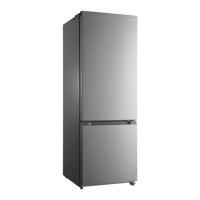
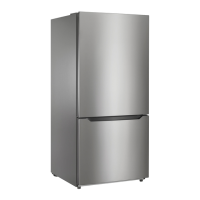
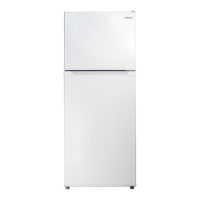
This document is a user guide for the Insignia 10.2 cu. ft. Bottom Mount Refrigerator, model NS-RBM10WH7. It provides comprehensive instructions for setting up, using, maintaining, and troubleshooting the appliance.
Function Description
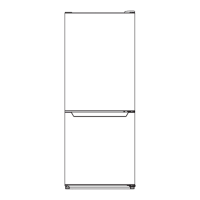
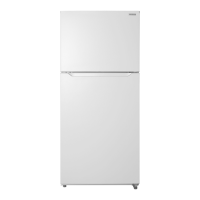
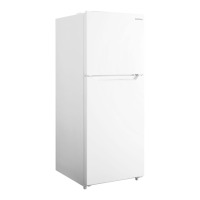
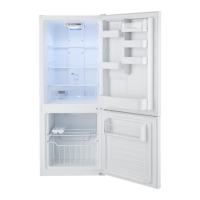
The Insignia 10.2 cu. ft. Bottom Mount Refrigerator is a freestanding refrigeration unit designed for household use. It features a bottom-mount freezer compartment and a top-mount refrigerator compartment. The appliance is designed to keep food fresh and frozen, offering a total capacity of 10.2 cubic feet. It incorporates electronic controls for temperature management and is equipped with LED lighting for interior illumination. The refrigerator is frost-free, eliminating the need for manual defrosting of the freezer compartment.
Usage Features
Setting Up the Refrigerator:
Before initial use, the refrigerator should stand upright for approximately four hours to allow the coolant fluid to settle, preventing potential malfunctions in the cooling system. The interior surfaces, shelves, and crisper should be cleaned with a mild bicarbonate of soda solution and warm, soapy water, respectively, then dried completely. After setting the thermostat, it is recommended to wait approximately 24 hours before placing food inside.
Location and Leveling:
The refrigerator requires a suitable location with adequate clearance: at least 7.87 inches (20.04 cm) on both sides and the back, and 11.81 inches (30 cm) on top, to ensure proper airflow to the compressor. It should be placed on a strong, level floor, away from direct sunlight and heat sources, as these can affect performance and increase electrical consumption. The ideal ambient temperature for operation is between 50°F (10°C) and 85°F (29.4°C). The refrigerator is not designed for garage or outdoor use and should be kept away from moist areas. Leveling the refrigerator is crucial for proper door closure and sealing, which prevents cooling, frost, or moisture problems. This is achieved by rotating the leveling feet clockwise to raise or counter-clockwise to lower the unit. Assistance from another person to push against the top of the refrigerator can ease the adjustment of the leveling feet.
Power Supply:
The refrigerator requires a 110V-120V, 60Hz power supply and must be plugged into its own individual electrical outlet that matches its voltage rating. The power cord is equipped with a 3-prong (grounding) plug to minimize electric shock hazards. An extension cord should not be used, and if the power cord is too short, a qualified electrician should install a new outlet. The appliance should be unplugged during lightning storms or when not in use for extended periods. It is critical not to handle the plug with wet hands, and to always grip the plug firmly when unplugging, rather than pulling the cord.
Temperature Control:
The refrigerator features electronic controls for setting the temperature. The refrigerator temperature is adjusted using a "SET" button, which cycles through settings from 1 (cold) to 5 (coldest), indicated by LED lights. Upon first turning on, the default setting is 3, and the refrigerator will run continuously for several hours to reach this temperature. Subsequent adjustments should be made one increment at a time, allowing 24 hours for the temperature to stabilize. If power is lost or the refrigerator is unplugged, a three to five-minute delay is necessary before restarting.
The freezer temperature is controlled by a separate dial labeled "TEMP. CONTROL," with settings ranging from "COLD" to "COLDER" and a "Mid" point. Similar to the refrigerator, 24 hours should be allowed for the freezer temperature to adjust and stabilize after changes.
Freezer Compartment Usage:
Frozen foods should be placed in the freezer as quickly as possible after purchase. Users should adhere to package instructions for storage times, as the storage life of frozen foods varies.
Humidity Control:
The refrigerator includes a humidity control panel for the fruit and vegetable crisper. Users can select "LOW" or "HIGH" humidity settings. The general guideline is to store vegetables that rot easily (e.g., tomatoes) in a low humidity drawer, and those that wilt (e.g., lettuce) in a high humidity drawer.
Door Reversal:
The refrigerator doors can be reversed to open from left to right instead of right to left, depending on the user's convenience and the installation location. This process requires a standard screwdriver, a Phillips screwdriver, and an 8 mm socket wrench. It is recommended to have assistance during this procedure to avoid injury or damage. The refrigerator must be unplugged and empty, with leveling feet adjusted to their highest position. All removed parts should be kept for reuse. The process involves removing the top hinge, lifting off the refrigerator door, unscrewing the center hinge, lifting off the freezer door, removing the bottom hinge, and then installing the left bottom hinge, left door-open stoppers, and reattaching the doors and hinges in the reversed configuration. The refrigerator should not be laid flat during this process to prevent damage to the coolant system.
Energy Saving Tips:
To optimize energy consumption, the refrigerator should be located in the coolest part of the room, away from heat-producing appliances. Hot foods should be allowed to cool before being placed in the refrigerator to prevent the compressor from running longer. Proper wrapping of foods and wiping containers dry reduces frost build-up. Organizing and labeling food helps minimize door openings and extended searches.
Food Storage Tips:
Certain foods, like bananas and melons, should not be stored at low temperatures. Hot foods should be cooled before storing to prevent spoilage and higher electric bills. Using lidded containers for food storage helps prevent moisture evaporation and preserves taste and nutrients. Air vents should not be blocked to ensure smooth circulation of cold air. Frequent door openings should be avoided as they introduce warm air and raise internal temperatures. Food should not be stored near the temperature control dial to allow for easy adjustment. Overloading door racks can prevent the door from closing fully. Bottles should not be stored in the freezer compartment as they may break when frozen. Thawed food should not be refrozen, as this leads to a loss of taste and nutrition. Frozen foodstuffs should be properly packaged in polyethylene film or aluminum foil.
Maintenance Features
General Cleaning:
The refrigerator is designed for minimal cleaning and maintenance. Periodically, the cabinet should be wiped with a mild detergent and warm water, then dried with a soft cloth. The interior should be cleaned with a solution of one quart of lukewarm water to two tablespoons of baking soda. The door gasket (seal) must be kept clean to maintain efficient operation. Abrasive cleaners, gasoline, benzine, thinner, or similar solvents should not be used to prevent damage to the finish.
Defrosting:
This refrigerator is frost-free, meaning manual defrosting of the freezer is not required. Regular cleaning as described above is sufficient.
Shutting Down for Long Vacations:
For extended periods of non-use (several months), the refrigerator should be turned off and unplugged. All food should be removed, and the interior cleaned. The door should be left slightly open to prevent condensation, mold, or odor formation. Extreme caution should be exercised to ensure the refrigerator is not accessible to children during this time.
Moving the Refrigerator:
When moving the refrigerator, it should be turned off and unplugged, and all food removed. Loose items inside should be securely taped down, and the doors taped shut. It is crucial to keep the refrigerator in an upright position during transport to avoid damage.
Troubleshooting:
The user guide provides a troubleshooting section for common issues, including error codes displayed by the LED indicators. For example, LED 1 and LED 2 lit indicate a refrigerator temperature sensor circuit problem, while LED 1 and LED 3 lit suggest a freezer defrost sensor issue. Other problems addressed include the refrigerator not operating, frequent compressor cycling, food freezing or not cooling sufficiently, unusual noises, and moisture build-up. Solutions range from checking power connections and thermostat settings to leveling the unit, cleaning gaskets, and ensuring proper food packaging. Users are advised not to attempt repairs themselves, as this invalidates the warranty. If the interior LED light needs changing, customer service should be contacted.


 To Next Page
 General