EasyManua.ls Logo

Insignia NS-RTM21SS7 - User Manual

Insignia NS-RTM21SS7
34 pages
Print Icon
To Next Page IconTo Next Page
Loading...
Before using your new product, please read these instructions to prevent any damage.
USER GUIDE
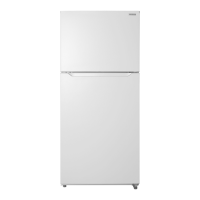
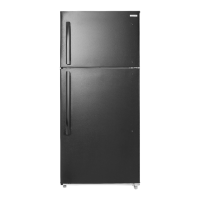
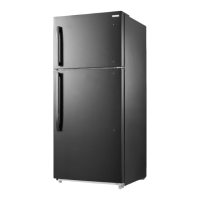
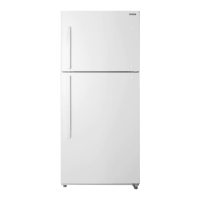
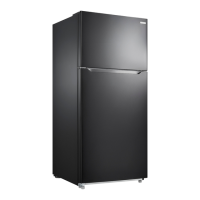
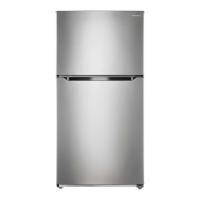
21 Cu. Ft. Top Mount
Refrigerator
NS-RTM21SS7/NS-RTM21BS8

Other manuals for Insignia NS-RTM21SS7

Questions and Answers

  • K
    Kyle DayAug 17, 2025
    Why is my Insignia NS-RTM21SS7 Refrigerator not operating?
    • D
      Dr. Kara Macdonald DDSAug 17, 2025
      Your Insignia Refrigerator might not be operating due to several reasons: * It might be unplugged. Ensure it's properly plugged into the outlet. * The thermostat could be set to STANDBY. Press the SET button until LED 3 lights up. * A blown fuse or tripped circuit breaker can also be the reason. Check your house's fuse/circuit breaker box and replace the fuse or reset the breaker. * There may be a power failure. If this occurs, the refrigerator will turn off, and you should wait until the power is restored.
  • A
    angel49Aug 20, 2025
    What to do if food in my Insignia Refrigerator compartment is not cold?
    • P
      pellisAug 20, 2025
      If the food in your Insignia Refrigerator compartment isn't cold enough, consider the following: * Ensure the door is closed properly, as it may have been opened too often. * If you've recently added a large amount of food, allow time for it to cool before checking again. * The thermostat might be set too warm; adjust it to a colder setting. * Check the door gasket and clean it if it doesn't seal properly. * If the refrigerator was recently disconnected, allow four hours for it to cool completely.
  • T
    Teresa WilsonAug 23, 2025
    What to do if my Insignia NS-RTM21SS7 is not working?
    • O
      ogarciaAug 23, 2025
      If your Insignia Refrigerator isn't working, here are some things to check: * Make sure the refrigerator is plugged in properly. * Ensure the thermostat isn't set to the STANDBY position; press the SET button until LED 3 lights. * Check your house fuse or circuit breaker and replace the fuse or reset the breaker if needed. * If there was a power failure, wait for the power to be restored. * Make sure that the door is closed properly and the door seal is clean. * Also, make sure that the refrigerator has enough space, it should be no closer than five inches from the adjacent walls.
  • S
    samantha55Aug 26, 2025
    Why is my Insignia Refrigerator not turning on?
    • S
      smithjillAug 26, 2025
      Your Insignia Refrigerator might not be turning on due to several reasons: * It might be unplugged, so ensure it's properly plugged into the outlet. * The thermostat may be on STANDBY; if so, press the SET button until LED 3 lights up. * A blown fuse or tripped circuit breaker could be the issue; check and replace/reset as necessary. * A recent power failure could also be the cause; wait for the power to return. * The door might not be closed properly or the door seal may be dirty, so ensure the door is closed and clean the seal if needed.
  • S
    Stephanie JimenezAug 28, 2025
    Why is my Insignia Refrigerator compressor turning on and off frequently?
    • J
      jennifermirandaAug 28, 2025
      The compressor in your Insignia Refrigerator might be turning on and off frequently due to several reasons: * The door may have been opened too often or not closed properly. Ensure the door is closed correctly and clean the door seal if necessary. * The room temperature might be hotter than normal, which is normal under these circumstances. * If you've recently added a large amount of food, this is also normal. * The thermostat might not be set correctly; reset it to the appropriate setting. * Ensure the refrigerator has proper clearances, it should be no closer than five inches from adjacent walls. * If the refrigerator was recently disconnected, allow about four hours for it to cool down completely.
  • J
    Jason JonesAug 30, 2025
    How to stop moisture building up inside my Insignia NS-RTM21SS7 Refrigerator?
    • S
      Susan HendricksAug 31, 2025
      Moisture buildup inside your Insignia Refrigerator can be addressed by: * Ensuring the door is closed properly, as frequent opening can cause this issue. * Moving the refrigerator to a less humid location. * Repackaging food properly to ensure it is sealed.
  • A
    Alexandra ThompsonSep 2, 2025
    What to do if food is freezing in my Insignia NS-RTM21SS7 Refrigerator?
    • L
      Louis FrancisSep 3, 2025
      If food in your Insignia Refrigerator compartment is freezing, it's likely that the thermostat is set too cold. Adjust the thermostat to a warmer setting.
  • B
    blairmichaelSep 5, 2025
    Why won't the door on my Insignia NS-RTM21SS7 close completely?
    • J
      John LopezSep 5, 2025
      If your Insignia Refrigerator door doesn't close completely: * Check for food packages interfering with the door and reposition or remove them. * Ensure the shelves are properly adjusted. * Clean the door gaskets if they are dirty. * Make sure the refrigerator is level by adjusting the leveling feet.
  • K
    Kathy PattersonSep 8, 2025
    How to fix vibrations in my Insignia NS-RTM21SS7?
    • D
      Dale PopeSep 8, 2025
      To address vibrations in your Insignia Refrigerator: * Ensure it is on a level, sturdy surface and use the leveling legs to adjust. * Confirm that the refrigerator is not touching a wall.
  • M
    Michael MurphySep 12, 2025
    Why does my Insignia NS-RTM21SS7 make unusual noises?
    • R
      ryangSep 12, 2025
      Unusual noises from your Insignia Refrigerator can occur if: * The refrigerator is not level on the floor; level it using the leveling feet. * The body of the refrigerator is touching a wall; move it away from the wall.

Summary

Important Safety Instructions

Grounding Requirement

Details on proper electrical grounding for safe operation of the appliance.

Features

Package Contents

Lists all items included in the refrigerator packaging.

Main Components

Identifies and labels the key parts of the refrigerator.

Setting Up Your Refrigerator

Before Using Your Refrigerator

Initial steps before powering on the appliance, like unpacking and cleaning.

Finding a Suitable Location

Guidance on selecting an optimal and safe place for the refrigerator.

Leveling Your Refrigerator

Instructions on how to ensure the refrigerator is stable and level.

Providing Proper Ventilation

Details on necessary airflow around the refrigerator for efficient operation.

Providing a Proper Power Supply

Information on the required electrical voltage and frequency for the appliance.

Using Your Refrigerator

Setting the Refrigerator Temperature

How to adjust the cooling temperature settings for the refrigerator and freezer.

Reversing the Door Position

Determining Which Method to Use to Reverse the Door Position

Guidance to identify the correct procedure based on refrigerator model version.

Preparing to Reverse the Door Position

List of tools and preliminary steps required before reversing the door.

Reversing the Door Position - Method A

Step-by-step instructions for reversing the door using Method A.

Reversing the Door Position - Method B

Step-by-step instructions for reversing the door using Method B.

Installing the Optional Ice Maker (Sold Separately)

Maintaining Your Refrigerator

Defrosting the Freezer

Shutting Down Your Refrigerator - Long Vacations (Several Months)

Moving Your Refrigerator

Tips on Saving Energy

Troubleshooting

Error Codes

Lists error codes displayed on the control panel and their meanings.

Specifications

One-Year Limited Warranty

Insignia NS-RTM21SS7 Specifications

General IconGeneral
BrandInsignia
ModelNS-RTM21SS7
TypeTop Freezer Refrigerator
Total Capacity21 cu. ft.
ColorStainless Steel
Energy Star CertifiedYes
Defrost TypeFrost-Free
Number of Shelves3
Number of Door Bins4
Ice MakerNo
Reversible DoorYes
Warranty1 Year

Related product manuals