EasyManua.ls Logo

Insignia NS-RFD26SS9-C - User Manual

Insignia NS-RFD26SS9-C
36 pages
Print Icon
To Next Page IconTo Next Page
Loading...
Before using your new product, please read these instructions to prevent any damage.
USER GUIDE
26.6 Cu. Ft.
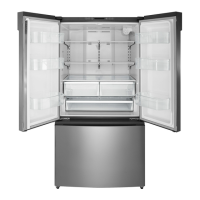
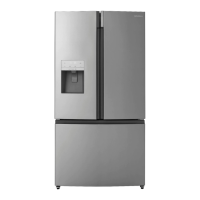
French Door Refrigerator
NS-RFD26SS9/NS-RFD26SS9-C

Questions and Answers

  • T
    tammyandersonAug 19, 2025
    Why is my Insignia NS-RFD26SS9-C temperature too hot?
    • M
      Martin WalkerAug 19, 2025
      If the Insignia Refrigerator temperature is too hot, it might be caused by doors being opened too long or too frequently. Ensure that nothing obstructs the doors from closing correctly. You may need to adjust the refrigerator or freezer compartment temperature. Also, check that your refrigerator has enough clearance from walls or the ceiling for proper ventilation.
  • P
    Patrick KaiserAug 21, 2025
    Why is ice not dispensing from Insignia NS-RFD26SS9-C?
    • D
      donaldsonjulieAug 21, 2025
      If ice is not dispensing from your Insignia Refrigerator, wait 12 hours after installing the water supply line before trying to dispense ice. Check that the water line is connected and the water valve is open. Ensure the ice dispenser isn't in off mode and that no ice is blocking the ice maker bucket or ice chute. If water pressure is low, consider installing a booster pump. Also, ensure the freezer temperature isn't set too warm, and wait at least 90 minutes after dispensing a large amount of ice before dispensing more.
  • S
    Sarah MendezAug 23, 2025
    Why does Insignia NS-RFD26SS9-C compressor run for long time?
    • K
      Kathryn ArnoldAug 23, 2025
      If the compressor in your Insignia Refrigerator runs for a long time or frequently turns on and off, it could be due to several reasons. The room temperature might be high, or a large amount of food may have just been added. Frequent door openings, a dirty door gasket, recent disconnection of the refrigerator, or a temperature set too low can also cause this issue. Clean the gasket, wait for the food to freeze, and allow the refrigerator to cool after disconnection before adding food.
  • C
    Christopher WattsAug 26, 2025
    Why is water not dispensing from Insignia NS-RFD26SS9-C?
    • D
      David ColemanAug 26, 2025
      If water is not dispensing from your Insignia Refrigerator, ensure the water line is properly connected and the water valve is open. Check that the water line isn't kinked or bent. Make sure the refrigerator compartment temperature isn't set too low, as this could freeze the water in the dispenser tank. Finally, verify that the water filter is correctly installed.
  • C
    Christopher GreenAug 28, 2025
    Why does frost occur in Insignia NS-RFD26SS9-C compartments?
    • S
      Stephanie LopezAug 28, 2025
      If you see a layer of frost in one of the compartments of your Insignia Refrigerator, it may be because the freezer is opened frequently or kept open too long. Ensure that the air outlets are not blocked by food and that the doors are fully closed.
  • M
    Meghan MartinezAug 30, 2025
    Why is the outside of my Insignia NS-RFD26SS9-C Refrigerator hot?
    • K
      Karen CarpenterAug 30, 2025
      Heat dissipation from the condenser may cause the outside of your Insignia Refrigerator to feel hot. This can also occur if the room temperature is high, there's too much food inside, or the doors are opened and closed excessively.
  • J
    Jesse PierceSep 1, 2025
    How to get rid of bad odor in Insignia NS-RFD26SS9-C?
    • S
      Steven PerrySep 2, 2025
      To address a bad odor in your Insignia Refrigerator compartment, start by ensuring all strong-smelling foods, like onions, are securely wrapped or stored in airtight containers. Certain containers and wrapping materials may also cause odors, so consider switching brands or materials. Check for and remove any spoiled food. If the odor persists, clean the inside of your refrigerator.
  • Z
    Zachary WhiteSep 4, 2025
    What to do if Insignia NS-RFD26SS9-C doors do not close completely?
    • K
      Kyle GrahamSep 4, 2025
      If the doors of your Insignia Refrigerator do not close completely, first ensure that no food packages are obstructing them. Then, make sure the door gaskets (seals) are clean. If the gasket doesn't seal, try heating and then cooling it, using a hair dryer. Also, check if your refrigerator is level and that the top is tilted backward slightly.
  • K
    kruegerjoshuaSep 6, 2025
    How to adjust temperature if Insignia NS-RFD26SS9-C is too cold?
    • S
      Sierra ThompsonSep 6, 2025
      If the temperature in your Insignia Refrigerator is too cold, adjust the refrigerator or freezer compartment temperature.
  • P
    Patrick BondSep 8, 2025
    Why does Insignia Refrigerator make unusual noises?
    • R
      Raven HoweSep 8, 2025
      Some sounds from your Insignia Refrigerator are normal, including compressor running noises, air movement noise from the fan motor, a gurgling sound similar to water boiling, popping during automatic defrosting, clicking before the compressor starts, clicking when getting water, and motor running noises when getting ice. However, if you have items on top of the refrigerator, remove them. Ensure the refrigerator is level and not touching walls. Also, check if the shelves or drawers are installed correctly.

Summary

USER GUIDE

26.6 Cu. Ft. French Door Refrigerator

Identifies the specific model of the Insignia refrigerator discussed in the guide.

IMPORTANT SAFETY INSTRUCTIONS

Grounding requirement

Details the importance and procedure for grounding the refrigerator for electrical safety.

Features

Package contents

Lists all items included in the refrigerator packaging with the unit.

Dimensions

Provides the physical measurements of the refrigerator.

Interior

Exterior

Control panel

Setting up your refrigerator

Before using your refrigerator

Outlines initial setup steps before powering on the appliance.

Finding a suitable location

Guides on selecting an appropriate placement for the refrigerator.

Providing correct ventilation

Specifies required clearances around the refrigerator for proper airflow.

Providing room for doors to open

Details the space needed for the refrigerator doors to swing open fully.

Providing the correct power source

Explains the electrical requirements and connection safety for the refrigerator.

Leveling your refrigerator

Describes how to adjust the feet to ensure the refrigerator is level for optimal performance.

Removing the refrigerator doors (Optional)

Provides instructions for safely detaching the refrigerator doors if needed for installation.

Connecting the water supply

Connecting the water supply to your refrigerator

Explains how to connect the household water line to the appliance.

Using your refrigerator

Switching between Fahrenheit and Celsius

Explains how to toggle temperature display between Fahrenheit and Celsius.

Setting the refrigerator temperature

Instructs on adjusting the temperature settings for the refrigerator compartment.

Setting the freezer temperature

Instructs on adjusting the temperature settings for the freezer compartment.

Using the ice maker

Explains how to operate and use the built-in ice maker.

Using the water dispenser

Guides on how to operate and use the refrigerator's water dispenser.

Using Super Cool to speed refrigerator cooling

Details how to use the Super Cool feature for rapid cooling.

Using Super Freeze to speed freezing

Details how to use the Super Freeze feature for rapid freezing.

Using the Energy Saving mode

Explains how to activate and use the energy-saving function.

Using the door baskets

Describes how to remove, use, and relocate the refrigerator's door baskets.

Adjusting the glass shelves

Provides instructions on how to adjust the height of the refrigerator's glass shelves.

Maintaining your refrigerator

Removing the fruit and vegetable crisper drawers

Details the procedure for removing the crisper drawers.

Cleaning your refrigerator

Offers guidance on how to clean the interior and exterior of the refrigerator.

Defrosting the freezer compartment

Explains how to manually defrost the freezer if frost builds up.

Replacing the water filter

Provides instructions on how to change the refrigerator's water filter.

Replacing the LED light

Details the procedure for replacing the internal LED light.

Storing your refrigerator

Guides on how to prepare the refrigerator for long-term storage.

Moving your refrigerator

Tips on saving energy

Offers advice on operating the refrigerator efficiently to reduce energy consumption.

Troubleshooting

Specifications

General

Provides overall specifications for the refrigerator.

Water filter

Lists specifications and details related to the water filter system.

ONE-YEAR LIMITED WARRANTY

Definitions

Explains key terms used within the warranty statement.

What does this warranty cover?

Outlines the scope of protection provided by the limited warranty.

What does the warranty not cover?

Lists exclusions from the refrigerator's limited warranty coverage.

Insignia NS-RFD26SS9-C Specifications

General IconGeneral
BrandInsignia
ModelNS-RFD26SS9-C
CategoryRefrigerator
LanguageEnglish

Related product manuals