EasyManua.ls Logo

Insignia NS-WC29SS9 - User Manual

Insignia NS-WC29SS9
19 pages
Print Icon
To Next Page IconTo Next Page
Loading...
Before using your new product, please read these instructions to prevent any damage.
USER GUIDE
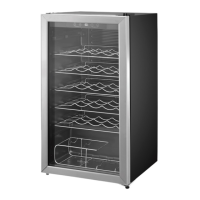
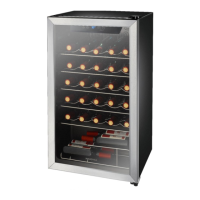
29-Bottle
Wine Cooler
NS-WC29SS9

Questions and Answers

  • J
    juliecollinsAug 2, 2025
    What to do if my Insignia Kitchen Appliances cooler does not operate?
    • M
      Ms. Tanya ScottAug 2, 2025
      If your Insignia Kitchen Appliance cooler isn't operating, there are a few things you can check: * Ensure the cooler is properly plugged into the outlet. * Inspect your house's fuse or circuit breaker and replace the fuse or reset the breaker if necessary. * If there was a power failure, the cooler will turn off. Simply wait for the power to be restored and then turn the cooler back on.
  • D
    Danielle HenryAug 6, 2025
    Why is my Insignia NS-WC29SS9 Kitchen Appliances cooler not cold enough?
    • R
      robertholdenAug 7, 2025
      If your Insignia Kitchen Appliance cooler isn't cold enough, make sure that the door is closed properly. Allow some time for new beverages to cool down, and then check the temperature again. You may also need to adjust the temperature control to a colder setting.
  • K
    kayla45Aug 11, 2025
    Why does my Insignia NS-WC29SS9 Kitchen Appliances turn on and off frequently?
    • D
      Danny AndrewsAug 12, 2025
      If your Insignia Kitchen Appliances cooler turns on and off frequently, try these steps: * Ensure the cooler is in a room with a temperature between 50–85 °F (10–29.4 °C), or move it to a cooler location. * Make sure the door is closed properly. * Clean the door gaskets. * Set the control to a colder setting.
  • N
    Nicole AcevedoAug 17, 2025
    What to do if Insignia NS-WC29SS9 cooler door does not close completely?
    • P
      Paul JonesAug 17, 2025
      If the door of your Insignia Kitchen Appliances cooler doesn't close completely, try the following: * Adjust the shelf properly. * Clean the door gaskets. * Level the cooler using the leveling feet.
  • J
    jamielucasAug 22, 2025
    Why my Insignia NS-WC29SS9 Kitchen Appliances cooler makes unusual noises?
    • J
      Jack CareyAug 22, 2025
      If your Insignia Kitchen Appliances cooler is making unusual noises or vibrating, try these solutions: Level the cooler with the leveling feet. Move the cooler away from the wall. Note that some noise is normal.
  • W
    williammercerAug 27, 2025
    How to stop moisture building up in Insignia NS-WC29SS9 cooler?
    • V
      Vanessa YoungAug 27, 2025
      If you notice moisture building up inside your Insignia Kitchen Appliances cooler, ensure that the door is closed properly and move the cooler to a dryer location.

Summary

Introduction

IMPORTANT SAFETY INSTRUCTIONS

General Safety Warnings

Lists general safety warnings and precautions for operating the appliance.

Electric Shock Hazard

Details hazards related to electric shock and necessary precautions.

Child Entrapment Hazard

Warns against children playing with or inside the cooler, highlighting entrapment risk.

Features

Package contents

Components

Control and display panel

Setting up your wine cooler

Before using your cooler

Initial steps before connecting the cooler to power.

Finding a suitable location

Guidelines for selecting an appropriate and safe placement for the cooler.

Leveling your cooler

Reversing the door

Grounding requirement

Connecting to power

Using your wine cooler

Setting the temperature

Instructions on how to adjust and set the desired temperature.

Memory function

Using the display

Lighting your cooler

Locking and unlocking your wine cooler

Using the wine shelves

Arranging your wine

Serving and storage tips

Maintaining your wine cooler

Cleaning the interior of your cooler

Steps for cleaning the inside of the wine cooler.

Defrosting your cooler

Information on the automatic defrosting process.

Storing your cooler

Procedures for safely storing the wine cooler when not in use.

Moving your wine cooler

Tips on saving energy

Troubleshooting

Error codes

Lists and explains error codes displayed by the unit.

Specifications

ONE-YEAR LIMITED WARRANTY

Warranty Coverage and Exclusions

Details warranty duration, covered items, and specific exclusions.

Warranty Service and Validity

Outlines how to obtain service and where the warranty is valid.

Warranty Definitions

Defines key terms used in the warranty statement.

Insignia NS-WC29SS9 Specifications

General IconGeneral
BrandInsignia
ModelNS-WC29SS9
CategoryKitchen Appliances
LanguageEnglish

Related product manuals