EasyManua.ls Logo

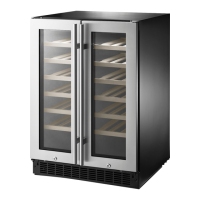
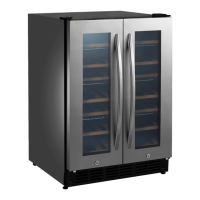
Insignia NS-WB44SS8 - User Manual

Insignia NS-WB44SS8
24 pages
Print Icon
To Next Page IconTo Next Page
Loading...
Before using your new product, please read these instructions to prevent any damage.
USER GUIDE
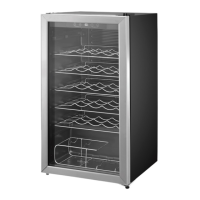
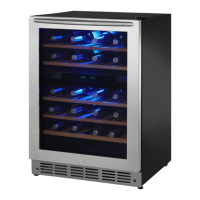
Built-in 4.9 Cu. Ft.
Wine Cooler
NS-WB44SS8
NS-WB44SS8_17-0586_MAN_V1_ENG.fm Page 1 Monday, August 14, 2017 8:44 AM

Questions and Answers

  • A
    Anthony JohnsonJul 31, 2025
    What to do if my Insignia NS-WB44SS8 Kitchen Appliances cooler is not cold enough?
    • R
      Ross BartlettJul 31, 2025
      If your Insignia Kitchen Appliance cooler isn't cold enough, ensure the door is closed correctly. Give new beverages time to cool before checking the temperature again. You might also need to adjust the temperature control to a colder setting.
  • C
    Cassidy StoneAug 4, 2025
    Why does my Insignia Kitchen Appliances cooler turn on and off frequently?
    • W
      William McconnellAug 4, 2025
      If your Insignia Kitchen Appliances cooler turns on and off frequently, try cooling the room or moving the cooler to a cooler location. Ensure that the door is closed properly and the door gaskets are clean. Adjusting the temperature control to a colder setting may also help.
  • B
    Bryce VegaAug 9, 2025
    How to fix Insignia Kitchen Appliances cooler that does not operate?
    • K
      Kyle CardenasAug 9, 2025
      If your Insignia Kitchen Appliances cooler does not operate, ensure it is plugged in properly. Check the house fuse or circuit breaker and replace the fuse or reset the breaker if necessary. If there was a power failure, wait for the power to be restored and then turn the cooler on again.
  • J
    Justin AndersonAug 13, 2025
    What to do if Insignia Kitchen Appliances cooler display shows an “H”?
    • S
      Stephen LandryAug 13, 2025
      If the display of your Insignia Kitchen Appliances cooler shows an 'H' and a buzzer sounds, make sure the door is closed correctly. Allow time for the new beverage to cool, then check again. Set the control to a colder setting. You can cancel the alarm by pressing any key.
  • N
    Nathan Murray Jr.Aug 17, 2025
    Why is moisture building up in my Insignia NS-WB44SS8 cooler?
    • S
      Sarah WrightAug 17, 2025
      If moisture is building up inside your Insignia Kitchen Appliances cooler, ensure that the door is closed properly. Also, consider moving the cooler to a drier location.
  • J
    Joel PriceAug 21, 2025
    How to fix Insignia NS-WB44SS8 cooler door that does not close?
    • J
      Jason Miller DDSAug 21, 2025
      If your Insignia Kitchen Appliances cooler door doesn't close completely, adjust the shelf properly. Clean the door gaskets, and level the cooler using the leveling feet.
  • E
    Erik PowersAug 27, 2025
    Why my Insignia NS-WB44SS8 cooler makes unusual noises?
    • C
      christina37Aug 27, 2025
      If your Insignia Kitchen Appliances cooler makes unusual noises or vibrates, level it with the leveling feet and move it away from the wall. Note that some noise is normal.

Summary

Introduction

Important Safety Instructions

Features

Package contents

Components

Control and display panel

Setting up your wine cooler

Before using your cooler

Initial steps to prepare the wine cooler before operation.

Finding a suitable location

Guidance on selecting an appropriate place for the wine cooler.

Building in your wine cooler

Leveling your cooler

Reversing the door

Grounding requirement

Connecting to power

Using your wine cooler

Turning on your cooler

How to power the wine cooler on and off.

Setting the temperature

Guide to adjusting the temperature settings for the cooler zones.

Changing the temperature display

Instructions for switching temperature display between Celsius and Fahrenheit.

Understanding the dual temperature zones

Upper Zone

Details on the upper zone, including shelf capacity and configuration.

Lower Zone

Details on the lower zone, including shelf capacity and configuration.

Arranging bottles for maximum storage

Lighting your cooler

Memory function

Using the wine shelves

To remove a shelf

Step-by-step guide for removing shelves from the cooler.

To replace a shelf

Instructions for properly reinstalling shelves into the cooler.

Arranging your wine

Serving and storage tips

Locking and unlocking your wine cooler

Maintaining your wine cooler

Cleaning the interior of your cooler

Procedure for cleaning the inside of the wine cooler.

Defrosting your cooler

Explanation of the automatic defrosting process.

Storing your cooler

Steps for properly storing the wine cooler when not in use.

Moving your wine cooler

Tips on saving energy

Troubleshooting

Error codes

List and explanation of error codes displayed by the wine cooler.

Specifications

ONE-YEAR LIMITED WARRANTY

Definitions

Key terms and definitions related to the product warranty.

How long does the coverage last?

Information on the duration of the warranty period.

What does this warranty cover?

Details on the aspects of the product that are covered by the warranty.

How to obtain warranty service?

Procedure for getting service or repairs under warranty.

Where is the warranty valid?

Geographical limitations for the warranty coverage.

What does the warranty not cover?

Exclusions from the warranty coverage.

Insignia NS-WB44SS8 Specifications

General IconGeneral
BrandInsignia
ModelNS-WB44SS8
TypeWine Cooler
Product TypeWine Cooler
Capacity44 bottles
Installation TypeFreestanding
Cooling SystemCompressor
ColorStainless Steel
FinishStainless Steel
Number of Shelves6
Adjustable ShelvesYes
Door HingeReversible
Energy Star CertifiedNo
Weight63.9 pounds

Related product manuals