EasyManua.ls Logo

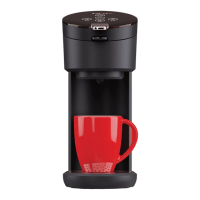
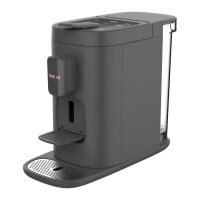
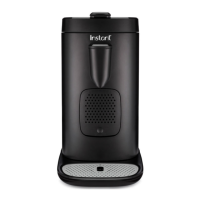
Instant POD Multi-Pod 68 MB - User Manual

Instant POD Multi-Pod 68 MB
24 pages
Print Icon
To Next Page IconTo Next Page
Loading...
For more information and how-to videos,
visit instantappliances.com/instantpod
For more information and how-to videos,
visit instantappliances.com/instantpod
POD
Multi-Pod Single Brew Coffee and Espresso Maker
User Manual
01 Get Started
02 Brew
03 Warranty and
Contact Info

Questions and Answers

  • A
    Amanda BlackAug 4, 2025
    Why is my Instant POD Multi-Pod 68 MB not turning on?
    • A
      Aaron ThompsonAug 4, 2025
      If the key indicator light is off and your Instant Coffee Maker isn't working, there are a few potential reasons. First, the appliance may have gone to sleep after 30 minutes of inactivity; touch the power key to wake it up. Also, check the power cord to ensure it's properly inserted into the outlet and inspect it for any damage. If you notice damage, contact Customer Care. Finally, verify that the outlet is powered. If none of these steps work, the coffee maker’s electrical fuse may have blown, in which case you should contact Customer Care.
  • J
    Jennifer KimAug 12, 2025
    What to do if 10 oz and 12 oz keys flash simultaneously on Instant POD Multi-Pod 68 MB?
    • B
      brittney68Aug 12, 2025
      If the 10 oz and 12 oz keys are flashing simultaneously on your Instant Coffee Maker, it's time to descale it. Touch any key to stop the alert and follow the instructions in Removing mineral deposits to descale your coffee maker.
  • V
    Veronica HowardAug 19, 2025
    What to do if all keys flash simultaneously on Instant POD Multi-Pod 68 MB?
    • A
      afisherAug 19, 2025
      If all the keys on your Instant Coffee Maker are flashing simultaneously, it means the water tank is empty. Touch any key to stop the alert. Fill the water tank to between the MIN and MAX lines as indicated on the water tank.
  • K
    Kelly ChambersAug 27, 2025
    What to do if 4 oz and 6 oz keys flash simultaneously on Instant POD Multi-Pod 68 MB?
    • R
      Ryan KimAug 27, 2025
      If the 4 oz and 6 oz keys are flashing simultaneously on your Instant Coffee Maker, this indicates an internal error. Contact Customer Care.

Summary

Important Safety Safeguards

General Safety Precautions

Covers countertop use, household use, voltage, immersion, unplugging, and cord inspection.

Operational Safety Guidelines

Covers cord placement, heat sources, water types, operation without water, and hot parts.

Appliance Handling and Restrictions

Covers finger insertion, disconnection, outdoor use, temperature limits, unattended operation, and user restrictions.

Electrical Safety and Cord Instructions

Focuses on electrical hazards, adapters, bottom cover removal, and special cord set instructions.

Control Panel and Operation

Initial Setup Procedure

Initial Cleaning Process

Brewing with K-Cups

K-Cup Preparation and Insertion Steps

Instructions for filling the water tank and inserting K-Cups and the holder.

Initiating K-Cup Brewing Process

Steps to select cup size, close the lid, and start the brewing process for K-Cups.

Selecting K-Cup Brew Sizes

Guides on choosing desired cup sizes (8, 10, 12 oz) for K-Cup brewing.

Completing K-Cup Brew and Pod Removal

Instructions for stopping brewing, opening the lid, and removing the used K-Cup.

Brewing with Espresso Pods

Espresso Pod Preparation and Insertion Steps

Instructions for filling the water tank and inserting espresso pods.

Care, Cleaning, and Storage

Troubleshooting Common Issues

Warranty and Support Information

Instant POD Multi-Pod 68 MB Specifications

General IconGeneral
BrandInstant
ModelPOD Multi-Pod 68 MB
CategoryCoffee Maker
LanguageEnglish

Related product manuals