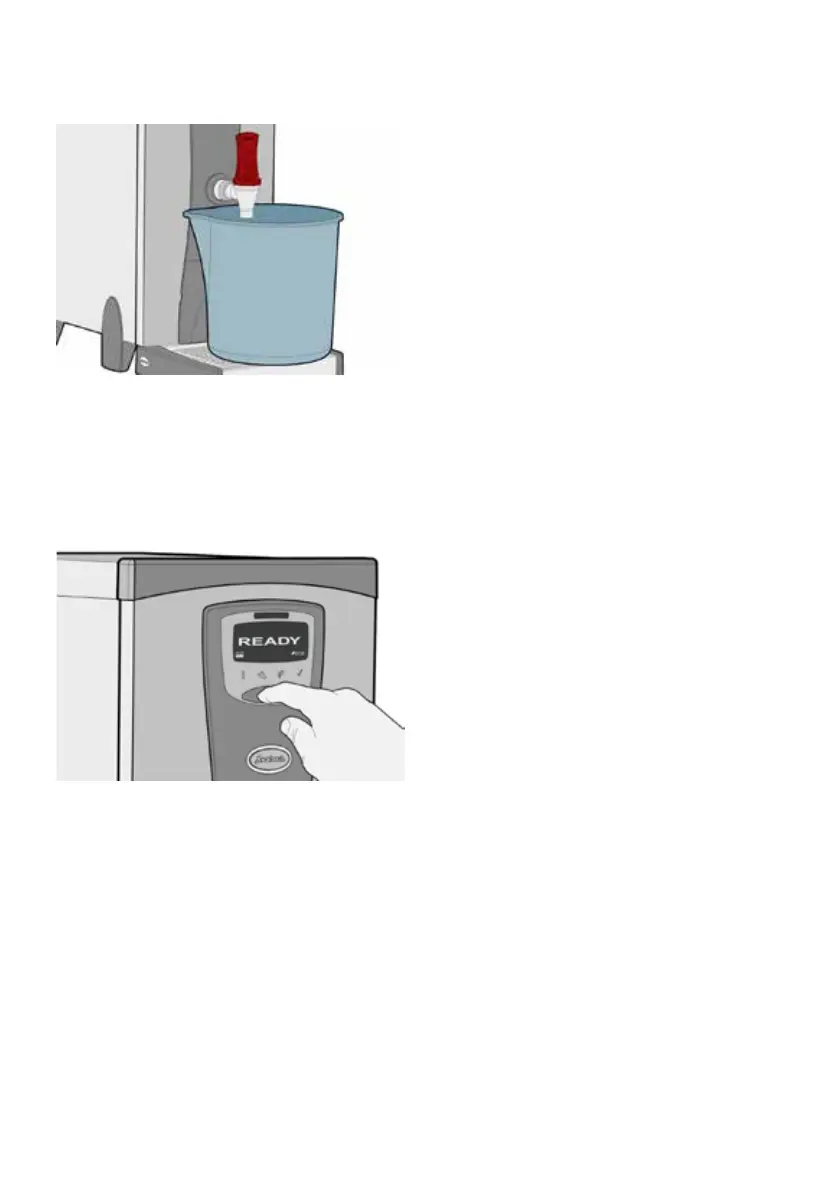
10. Drain-o approximately 10 litres of water
(to ush new lter cartridge through).
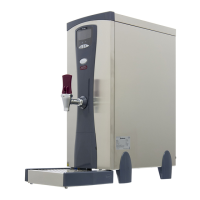
11. TO RESET FILTER-LIFE MONITOR: …Press
and hold “On/O” button for 10 seconds,
screen will go blank before changing to red
and displaying message “FILT 0000 LITRES”
to conrm it has been reset.
The boiler is now ready for use.
Adjusting Filter Monitor
(Optional):
The lter-life monitor is factory-set to 9001 litres
(default) which is suitable for most parts of the
UK with average or medium water hardness.
Hard and Soft Water: The eectiveness of
the lter will be reduced in hard water areas
(and should be replaced more frequently), or
extended in soft water areas where scale is less
of a problem.
If in doubt as to the hardness of water
supplied in your area, consult your local
water authority or Instanta Technical
Support.
The lter-life monitor can be changed from the
default setting, to suit the local water conditions
in your area. As an example; locations with soft
water might set the monitor between 11,000 to
14,000 litres, whereas locations with particularly
hard water may choose to set between 5,000 to
7,000 litres.
To adjust lter-life monitor (optional);
Replace the lter cartridge (as steps 1 to 10
“AQ35 Filter Replacement” above). Then;
• With machine turned o, press & hold ON/
OFF button (for approximately 7 seconds)
until Yellow screen shows “USER PROG”,
then release button.
• Advance through the menu options by
pressing the ON/OFF button (short pushes),
until “FSIZ” option is displayed.
• Press & hold button (long push) so screen
displays lter size in litres.
• To change the litres setting, press ON/OFF
button (short pushes) until desired lter size
in litres is displayed (advances in 500 litre
increments).
• To save new litres setting, press ECO button
(short push & release).
• To exit USER menu, press & hold ECO
button (long push – 5 seconds) then release.
Screen will show “WAIT” whilst any changes
are being saved, then go blank.
• Turn machine back on again.
• TO RE-SET & CONFIRM NEW SETTINGS;
…Press and hold ON/OFF button for
10 seconds, screen will go blank before
changing to Red and displaying message
“FILT 0000 LITRES” to conrm it has been
reset (See step 11 above).
7



 To Next Page