EasyManua.ls Logo

Integra DHC-60.7 - User Manual

Integra DHC-60.7
144 pages
Print Icon
To Next Page IconTo Next Page
Loading...
E
n
DHC-60.7
Basic Manual
The Basic Manual includes information needed
when starting up and also instructions for
frequently used operations. The Advanced
Manual has more detailed information and
advanced settings.
CONTENTS
Front Panel .......................................................................... 3
Display .................................................................................4
Rear Panel...........................................................................5
Step 1: Connections .............................................. 6
1 Connecting speakers........................................................6
Speaker layout ..............................................................6
Notes for Speaker Connection ...................................... 7
Connecting a Subwoofer with Built-in Power
Amplifier ........................................................................8
Height speaker types ....................................................9
2 Connecting the TV and players ...................................... 10
HDMI cable connection ............................................... 10
Connecting Components without HDMI ...................... 11
3 Other connections ..........................................................12
Step 2: Initial Setup ............................................. 13
1 AccuEQ Room Calibration .............................................13
2 Source Connection .........................................................14
3 Remote Mode Setup ......................................................15
4 Network Connection ....................................................... 15
Step 3: Playing Back ........................................... 16
1 Basic operations .............................................................16
Remote controller parts name .....................................16
2 Network Functions ..........................................................17
3 AirPlay
®
..........................................................................17
4 AM/FM Radio .................................................................18
5 Multi-zone .......................................................................18
Making Multi-zone Connection ....................................18
Performing Multi-zone Playback .................................19
6 Quick Setup menu ..........................................................20
7 Other useful functions ....................................................21
Troubleshooting ................................................................. 22
Specifications ....................................................................23
Table of image resolutions .................................................24
Resolutions supported by HDMI ........................................24
Supplied Accessories ......................................... Back Cover

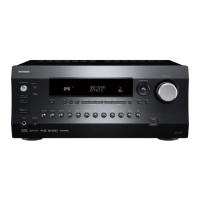
Table of Contents

Questions and Answers

  • S
    staceyhunterAug 11, 2025
    What to do if Integra Recording Equipment cannot play digital surround?
    • E
      elizabethjonesAug 12, 2025
      To enjoy digital surround sound including Dolby Digital and DTS, ensure the audio output is set to "Bitstream output". When reconnecting HDMI cables, avoid winding them to ensure the HDMI control functions correctly. Also, set the CEC link function of the unit to 'on', and try setting "BD video supplementary sound" (or secondary sound) to "Off". Finally, disconnecting and reconnecting the HDMI cable may also resolve the issue.
  • D
    Danielle BartlettAug 17, 2025
    What to do if Integra DHC-60.7 has no sound or it's very quiet?
    • L
      lewisjacksonAug 17, 2025
      If there is no sound, or it is very quiet, first, make sure that you have selected the correct input for the player and that muting is not enabled. If this does not solve the problem, resetting the unit to its original factory settings may help. If the problem persists, follow the procedure to reset the unit.
  • S
    Sarah MclaughlinAug 23, 2025
    Why does my Integra DHC-60.7 turn off unexpectedly?
    • A
      amy42Aug 23, 2025
      If your Integra AV controller unexpectedly turns off, try unplugging and plugging back in the unit or router, and verify their power status. It's also possible that the Auto Standby or Sleep Timer has been activated. If so, press the zOn/Standby button.
  • A
    Antonio PorterAug 29, 2025
    What to do if there's no picture on my Integra DHC-60.7 Recording Equipment?
    • D
      David RiversAug 29, 2025
      If there's no picture, ensure that the correct input selector button has been selected. To display video from the connected player on the TV screen while the unit is in standby, enable the HDMI Standby Through function. Also, ensure that the TV antenna cable is kept at a distance from the unit's cables to prevent interference. If you are connecting a player that supports HDCP2.2, make sure it is connected to one of the HDMI IN1 to IN5 jacks on the unit.
  • W
    Whitney HallSep 4, 2025
    How to fix video and audio out of sync on Integra DHC-60.7 Recording Equipment?
    • M
      Matthew HooverSep 4, 2025
      If the video and audio are out of sync, it may be due to video delays relative to the audio, depending on your television's settings and connections. Adjust the synchronization in "Step 3: Playing Back", "6 Quick Setup menu", "A/V Sync".

Integra DHC-60.7 Specifications

General IconGeneral
Dolby AtmosYes
DTS:XYes
HDMI Outputs2
4K Ultra HD Pass-throughYes
Network ConnectivityYes
Streaming ServicesPandora, Spotify, Tidal, Deezer, TuneIn
Room CalibrationAccuEQ
Network FeaturesEthernet, Wi-Fi
THD0.08%
Input Sensitivity200mV
Signal-to-Noise Ratio106 dB
Video OutputsComponent Video: 1, Composite Video: 1
Audio Inputs7 HDMI, 3 digital optical, 2 digital coaxial
Audio Outputs11.2-channel preamp
BluetoothYes
USB PortYes