59
Front Panel≫ Rear Panel≫ Remote≫
Contents
≫
Connections
≫
Playback
≫
Setup
≫
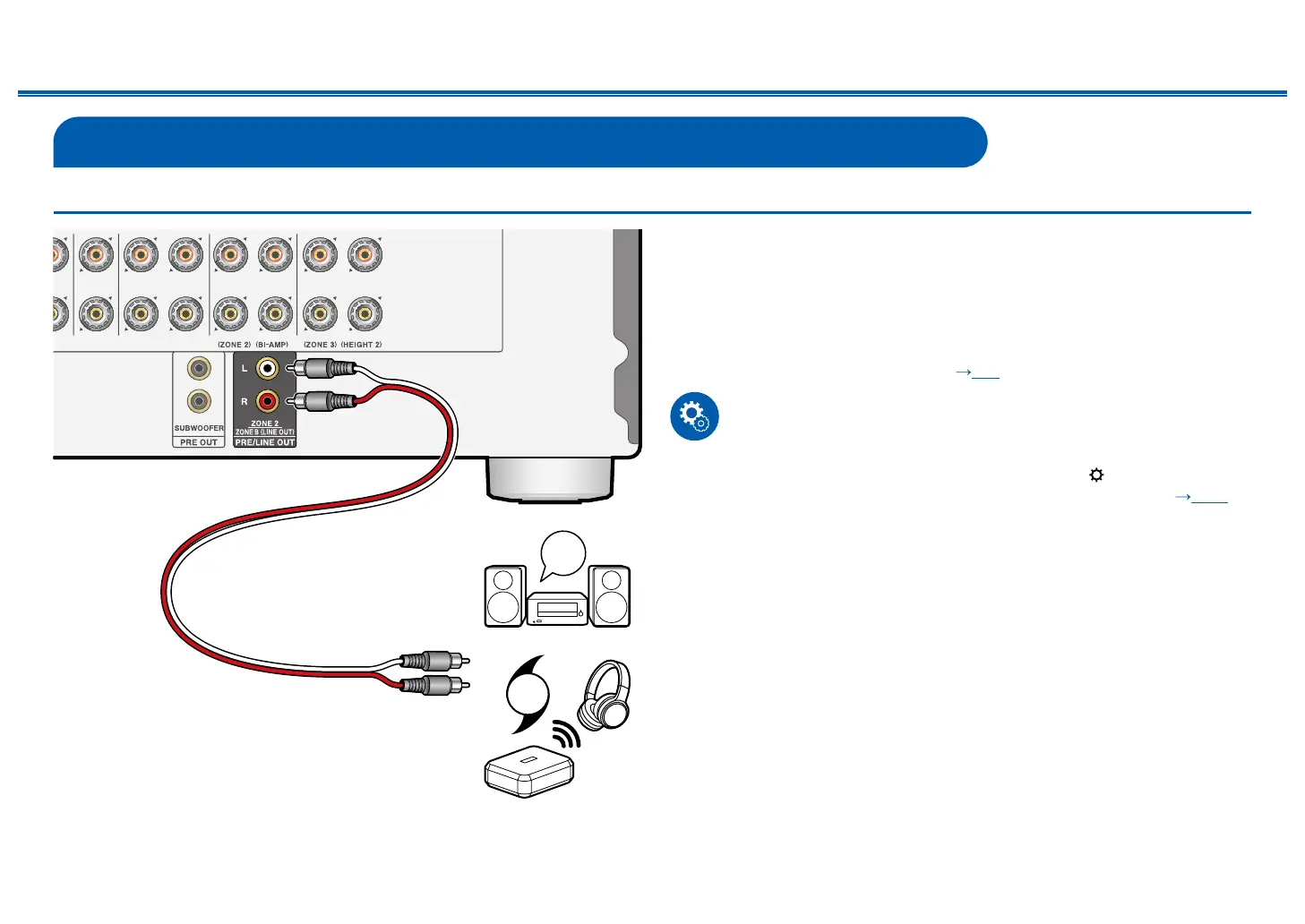
Connecting ZONE B
Connecting a Pre-main Amplier, etc. (ZONE B)
While performing playback through speakers (ZONE A) connected to the unit,
you can enjoy the audio of the same source at the same time with the pre-main
amplier or the transmitter of the wireless headphones connected to the ZONE
B LINE OUT jack. Use an analog audio cable to connect the ZONE B LINE OUT
jack of this unit and the LINE IN jack of the pre-main amplier or the transmitter of
the wireless headphones.
Press the Q button on the remote controller for playback, and select the audio
output destination on the Quick menu. ( p97)
Setup
• Settings are required to output audio to ZONE B. Press on the remote
controller, and set "2. Speaker" - "Conguration" - "Zone 2 Preout" ( p130)
to "Zone B".
a Analog audio cable
LINE
IN
OR
a
Premain Amp.
Transmitter



 To Next Page