INT-44HDX Installaon Guide
7
Front and Rear Panels
Front Panel
ALL EDID
CLEAR ENTER
OUTPUTS
INPUTS MENU
1 2 3 4
FIRMWARE
1
2 3
4
5
6
7 8 9
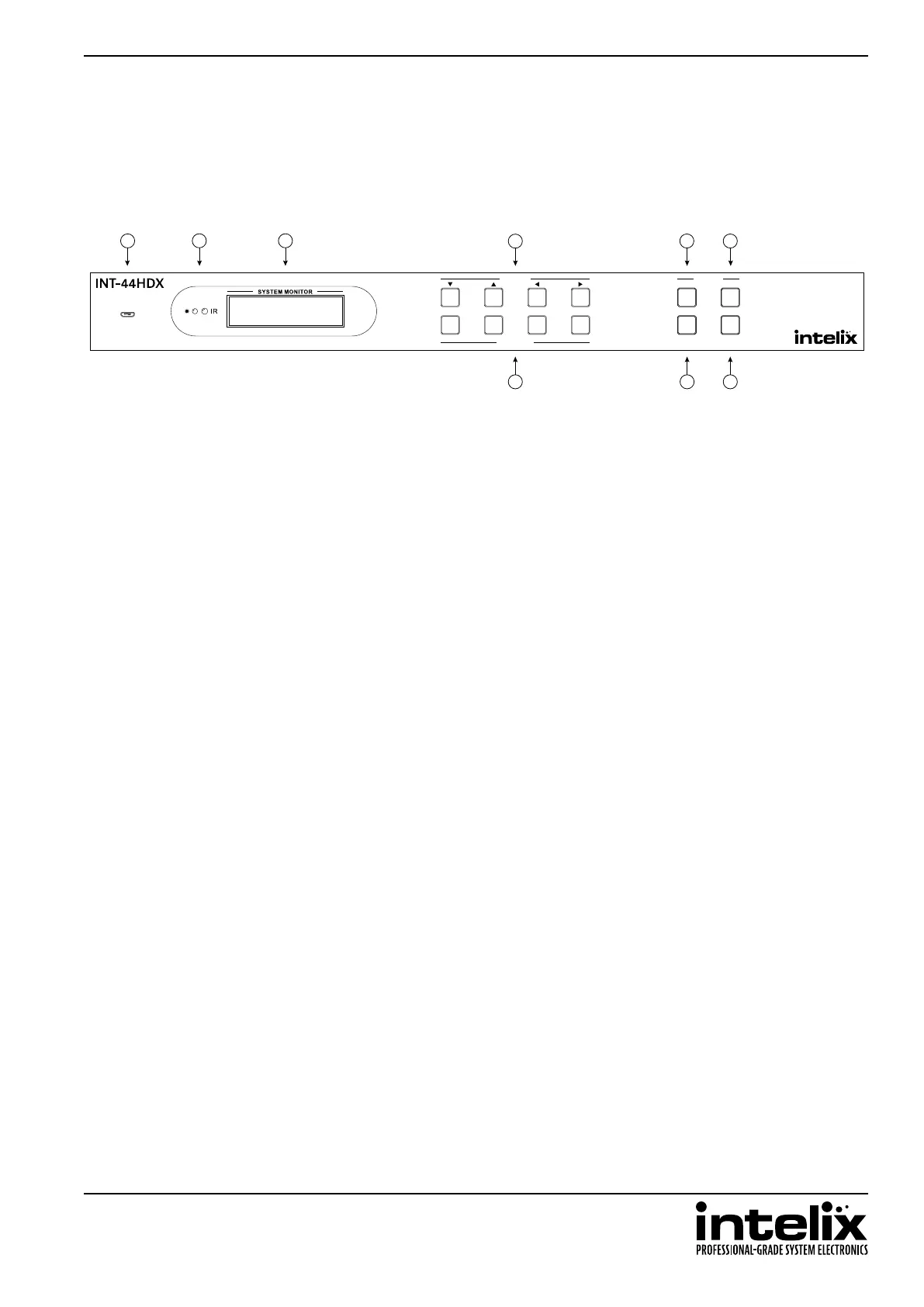
1. Micro USB port for rmware updang
2. Power indicator LED; IR receiver for matrix control via IR remote
3. LCD screen
4. Input select and LCD navigaon buons
5. All buon – routes selected input to all outputs
6. EDID buon – change EDID sengs for inputs
7. Output select buons
8. Clear buon – cancels current roung selecon before change is applied
9. Enter buon – conrms route changes and applies new route; enter status menu


 To Next Page