19" Intelligent 8-Port PDU User Manual
8
④. ON and OFF Time Delay
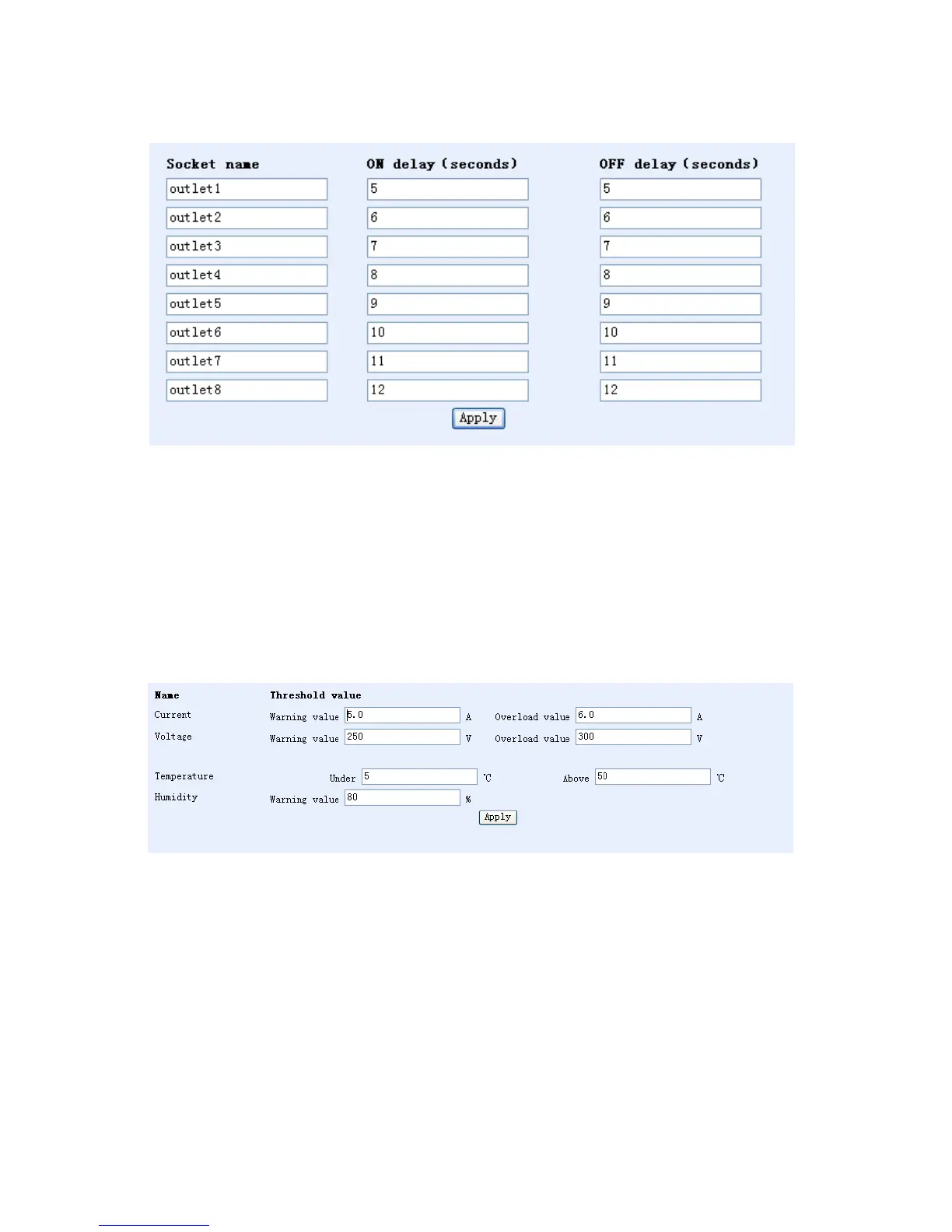
Click “PDU” in the configuration box on the left side of the interface. The screen displays the following:
• This function allows for the adjustment of the delay time in the start-up and shut-off sequences for
connected equipment. In the factory settings shown here, power will be supplied to and shut off from
ports one through eight in one-second intervals after five seconds have passed. Once new values have
been entered, click Apply. NOTE: When input power is disconnected from its source, the OFF Delay
function is ignored and power shuts off immediately to all equipment. Shutting off the time-delay
function is only able to control the eight-way output through a network.
⑤. Threshold Value Setting
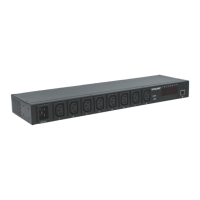
Click “Threshold value” in the configuration box on the left side of the interface. The screen displays the
following:
The meaning of each input is as follows; adjust values here and click Apply when finished :
• Current Warning value (5.0 A) — if total current exceeds 5 A, the PDU will beep twice;
• Current Overload value (6.0 A) — if total current exceeds 6 A, the PDU will shut off power to all output
ports;
• Warning Voltage value (250) — if input voltage exceeds 250 V, the PDU will beep twice;
• Voltage Overload value (300) – if input voltage exceeds 300 V, the PDU will shut off power to all
output ports;
• Temperature is Under (5 ℃) or Above (50 ℃): if the built-in temperature sensor reads temperatures
under or over these thresholds, the PDU will beep twice;
• Humidity Warning value (80%): if the built-in humidity sensor reads humidity at more than 80%, the
PDU will beep twice.


 To Next Page