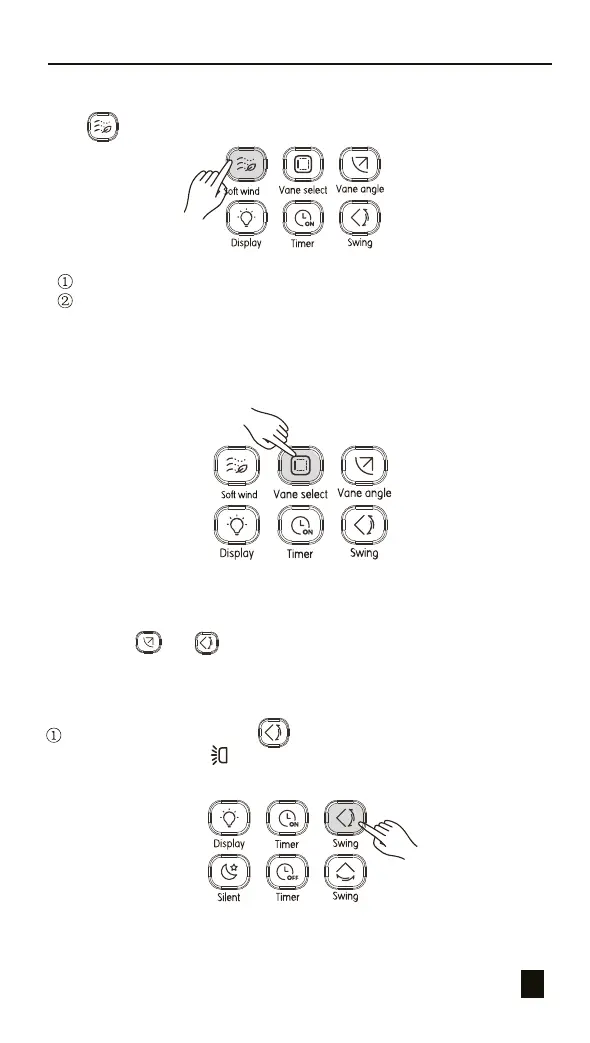
Figure 3.11
5.4 Soft Wind Operations
Press to adjust the direction of the vertical louver (see Figure 3.9).
Operating the Remote Controller
14
Figure 3.9
5.5 Vane Selection Operations
Figure 3.10
In Cool mode, press this button to turn on or off the Soft wind function.
In Soft wind function, the fan operates at the minimum speed and swings
at the minimum angle.
In power-on status, press this button to select the vane to be controlled.
If you press this button continuously, you can select vanes in circulating
manner.
5.6 Swing Operation
1) Vertical Swing
When the unit is on. Press (see Figure 3.11). Start the vertical
swing function, and the will light up, and signal is sent to the indoor
unit;
The indicator in the indoor unit corresponding to the selected vane will be
on, and then off after 15 seconds. After selecting the vane to be controlled,
you can use and set the swing angle.
5.5 Vane Selection Operations
In Cool mode, press this button to turn on or off the Soft wind function.
In Soft wind function, the fan operates at the minimum speed and swings
at the minimum angle.


 To Next Page