EasyManua.ls Logo

Intenso Music Mover - User Manual

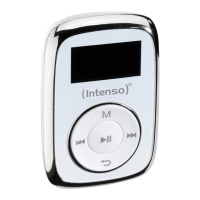
Intenso Music Mover
81 pages
Go to English
Print Icon
To Next Page IconTo Next Page
Loading...
V.1.0
Music Mover
Bedienungsanleitung Seite 1-10 DE
Manual Page 1-10 GB
Istruzioni per l’uso Pagina 1-10 IT
Notice d’utilisation Page 1-10 FR
Instrucciones de uso Página 1-10 ES
Manual de instruções Página 1-10 PT
Instrukcja obsługi Strona 1-10 PL
инструкция по эксплуатации Стр.1-10 RU

Table of Contents

Question and Answer IconNeed help?

Do you have a question about the Intenso Music Mover and is the answer not in the manual?

Summary

Product Information and Guidelines

About this manual

Information about the manual's purpose and how to use it effectively for device operation.

Notes

Important usage precautions, handling advice, and warnings for safe and optimal device use.

Contents of this pack

Details the items included in the product packaging.

Getting Started

Prior to use

Steps to prepare the device before initial operation, including setup and charging.

PC Connection and Charging

Instructions for connecting to PC, safe removal, and battery charging procedures.

Device Operation

Controls Overview

Identification and explanation of the physical buttons and interface elements.

Basic Playback and Navigation

Instructions for power, playback, volume control, track skipping, fast forward, and rewind.

Key Lock Feature

How to activate and deactivate the button lock to prevent accidental presses.

Main Menu and Functions

Main menu

Overview of the main menu and its accessible functions.

Music Playback and Management

Instructions for playing music, navigating folders, and deleting tracks.

A-B Repeat Function

How to set and repeat specific sections of an audio track.

Advanced Features

Voice Recording

Instructions for recording audio, playback, and managing voice files.

System Settings

Configuration options for display, language, auto-off, brightness, and factory reset.

Troubleshooting and Disposal

Troubleshooting

Solutions for common issues like blank display, no sound, connection problems, and file playback errors.

Technical Data

Specifications of the device, including display, battery, formats, and ports.

Disposal of used electric devices

Guidelines for environmentally friendly disposal of electrical equipment.

Summary

Product Information and Guidelines

About this manual

Information about the manual's purpose and how to use it effectively for device operation.

Notes

Important usage precautions, handling advice, and warnings for safe and optimal device use.

Contents of this pack

Details the items included in the product packaging.

Getting Started

Prior to use

Steps to prepare the device before initial operation, including setup and charging.

PC Connection and Charging

Instructions for connecting to PC, safe removal, and battery charging procedures.

Device Operation

Controls Overview

Identification and explanation of the physical buttons and interface elements.

Basic Playback and Navigation

Instructions for power, playback, volume control, track skipping, fast forward, and rewind.

Key Lock Feature

How to activate and deactivate the button lock to prevent accidental presses.

Main Menu and Functions

Main menu

Overview of the main menu and its accessible functions.

Music Playback and Management

Instructions for playing music, navigating folders, and deleting tracks.

A-B Repeat Function

How to set and repeat specific sections of an audio track.

Advanced Features

Voice Recording

Instructions for recording audio, playback, and managing voice files.

System Settings

Configuration options for display, language, auto-off, brightness, and factory reset.

Troubleshooting and Disposal

Troubleshooting

Solutions for common issues like blank display, no sound, connection problems, and file playback errors.

Technical Data

Specifications of the device, including display, battery, formats, and ports.

Disposal of used electric devices

Guidelines for environmentally friendly disposal of electrical equipment.

Intenso Music Mover Specifications

General IconGeneral
BrandIntenso
ModelMusic Mover
CategoryMP3 Player
LanguageEnglish

Related product manuals