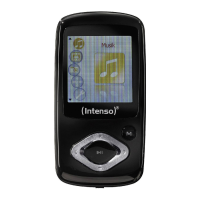
Need help?
Do you have a question about the Intenso Music Walker and is the answer not in the manual?
Lists the core functionalities of the Intenso MP3 Player, including audio format support and storage capabilities.
Details the hardware and operating system specifications needed to use the Intenso MP3 Player with a computer.
Enumerate the items included in the product package, such as the player, earphones, battery, and manual.
Step-by-step guide on how to insert the AAA battery into the device's compartment.
Instructions for connecting the player to a computer via USB, including driver installation.
Procedure for safely disconnecting the player from a PC to prevent data loss or corruption.
Identifies and explains the function of each physical button and port on the Intenso Music Walker.
Covers fundamental functions like power control, playback, volume adjustment, and key locking.
Instructions on accessing and navigating the device's main menu and specific functions.
Explains how to set a specific section of audio for repeated playback.
Details how to choose different playback modes like Normal, Repeat All, or Random.
Guide to setting the desired audio equalizer mode for enhanced sound.
Step-by-step instructions for removing audio files from the device's memory.
Explains how to adjust settings like contrast, backlight, power, language, and system reset.
Procedure to view the device's software version and memory status.
Provides solutions for common problems such as display issues, no sound, and PC connectivity errors.
Lists detailed technical data including battery type, display, audio format, and operating conditions.
 General
| USB Interface | USB 2.0 |
|---|---|
| FM Radio | Yes |
| Voice Recording | Yes |
| Headphone Jack | 3.5mm |
| Display | 1.8" LCD |
| Audio Formats Supported | MP3, WMA |
| Card reader | MicroSD |
| Power supply | Lithium-ion battery |

 To Next Page