Need help?
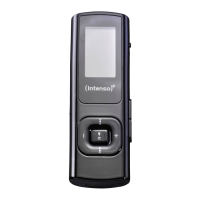
Do you have a question about the Intenso Music Twister and is the answer not in the manual?
Connect the MP3 player to a PC for data transfer and battery charging.
Procedure for safely disconnecting the MP3 player from the computer to prevent data loss.
How to turn the Intenso MP3 player on and off using the designated button.
Instructions for playing and pausing audio tracks on the device.
Adjust volume and navigate between tracks using device buttons.
How to enable and disable the key lock to prevent accidental button presses.
Steps to navigate through music folders and select tracks for playback.
Procedure for deleting individual or all music files from the device.
Utilize A-B repeat, select playback modes, and adjust equalizer settings.
Instructions for starting, stopping, and saving speech recordings via the microphone.
How to select and play back previously recorded speech files.
Solutions for a blank display or no sound during playback.
Guidance on resolving problems connecting the device to a computer.
Resolving track time display, memory mismatch, and playback errors.
 General
| Audio Formats Supported | MP3, WMA |
|---|---|
| USB | USB 2.0 |
| FM Radio | Yes |
| Voice Recording | Yes |
| Battery Life | Up to 10 hours |
| Display | 1.8" LCD |

 To Next Page