ee) Web browser
To launch the web browser, tap on the Browser icon on the home screen.
To open a website, tap on the upper input field for the Internet address. The virtual keyboard now
opens and you can enter the address of the desired website. To open the website, tap "Go" or tap
on the arrow icon next to the input field.
Note: Not all networks provide Internet access. Some networks offer access only to other related local computers but not Internet
connection.
Using the virtual keyboard
Tap the box to open the virtual keyboard. You can now enter text or websites.
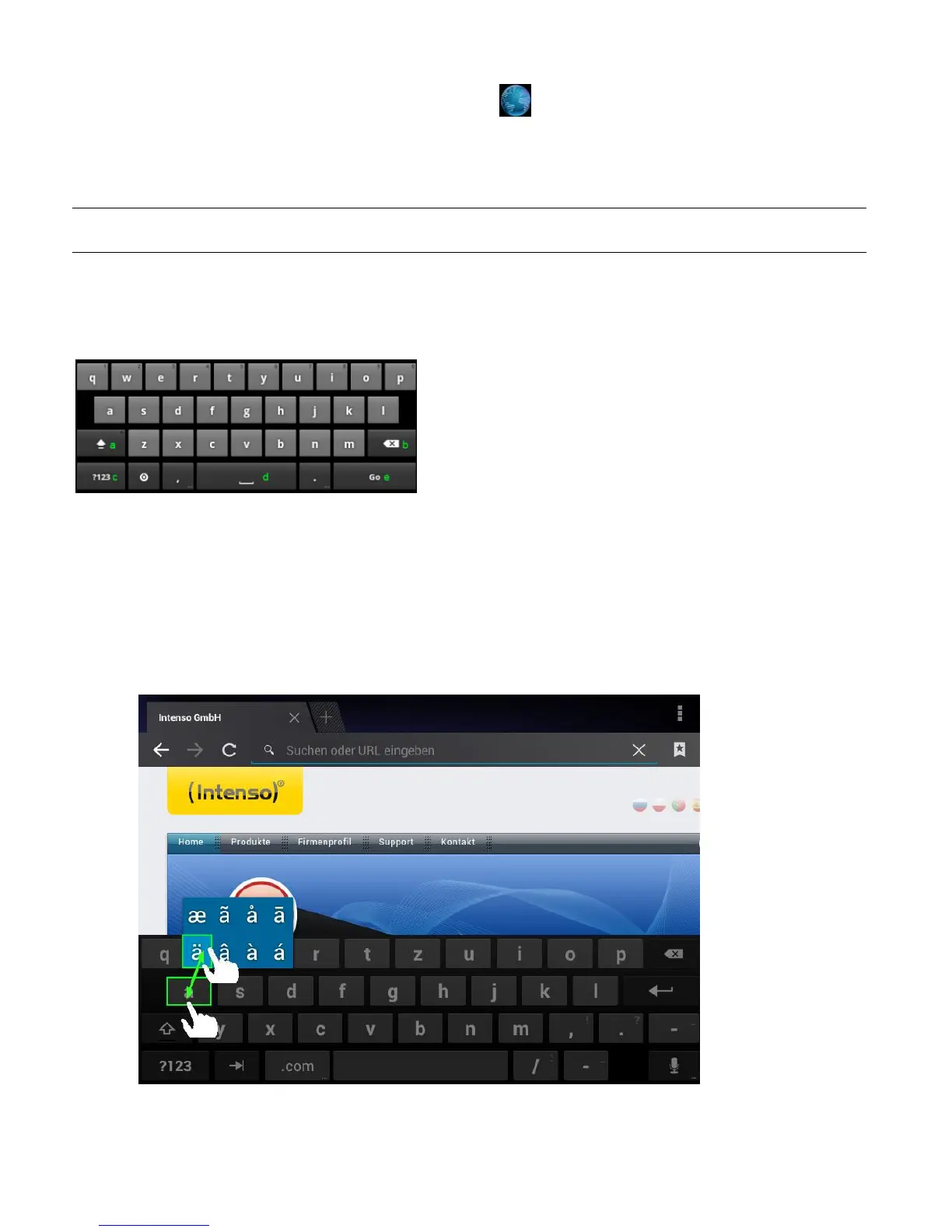
Special character input
In order to enter a special character such as `ä´, tap the `a´ key with your finger for a long time to
call up the special character menu. Now glide with your finger to the desired special character, for
example an `ä´ and take your finger from the display. You now have entered an `ä´.
a. Caps lock (case sensitive)
b. Return button
c. Calling up the menu for numbers, characters and
special character input
d. Space bar (no character input)
e. Go (confirmation of your input)



 To Next Page