EasyManua.ls Logo

Inteq Car multimedia system - Page 10

Inteq Car multimedia system
58 pages
Print Icon
To Next Page IconTo Next Page
To Previous Page IconTo Previous Page
Loading...
23124.(FAST FORWARD/REWIND]
DVD
Mode,
press
to
fast
forward
I rewind at 2x
speed.
Each
press
changes
speed
from
2x
to 4x to
8x
to
20x then back to nonnal
play.
Press
the
[PLAY/PAUSE]
button
to
resume
to
normal
playt:Jack.
25. [SUBTIRDM]
DVD
Mode,
press
to
change the subtitle language when playing
DVD
disc. Hold
ing
for 3
sec
will
activevate random play function.
26. [MENU]I"
DVD
Mode,
press
to
retum
to
the
boot
menu
when
playing
DVD
disc.
Bluetooth
Mode,
press
to
input the symbol*.
ZT.
f.RPT/A·BJ
DVD
Mode,
press
to set point A,
press
it
again
to
set point
B,
the
player will repeat
from
points A to
B.
When
playing
DVD,
MP3,
press
it
again
to
stop
repeating.
VIlhan
playing
VCD,
CD,
press
it
again
to repeat
all1racks.
Holding
the
button
fer 3
sec
will repeat
playing.
28.
[SLOWIEND
CALLJ
DVD
Mode,
press
for
slOW'
motion
playback at
112x
speed
when
playing
DVDNCD
disc.
Each
press
changes
speed
from
112x
to
1/4x
to
118x
to
1/16x then
back
to
nonnal play.
Bluetooth
Mode,
press
to
ignore or
hang
up
a
call.
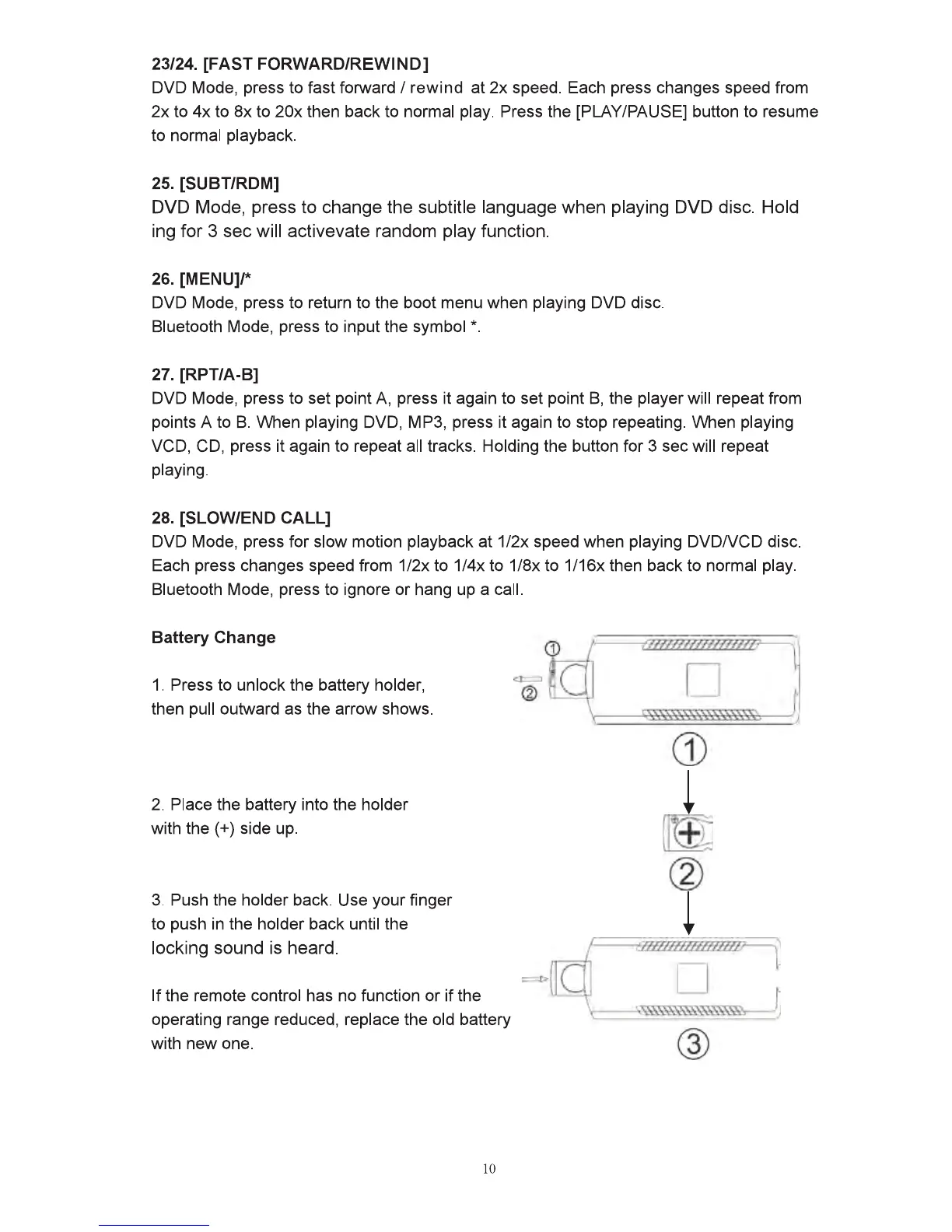
Battery Change
1.
Press
to unlock
the
battery holder,
then
pull
outward
as
the
arrow
shows.
2.
Place
the
battery
into
the holder
with
the
(+)side
up.
CD
I
~
~
3.
Push
the holder
back.
Use
your !Inger I
to
push
In
the holder back until the
::::·::
••
Nncticnor•~
~i'l
·
7m~O.zit:llwm~
-
22wwzll:
~~~~
operating
range
reduced,
replace
the
old
battery ·
@
with
new
one.
10