4
IMS-9000
MICROPHONE CONTROLLER
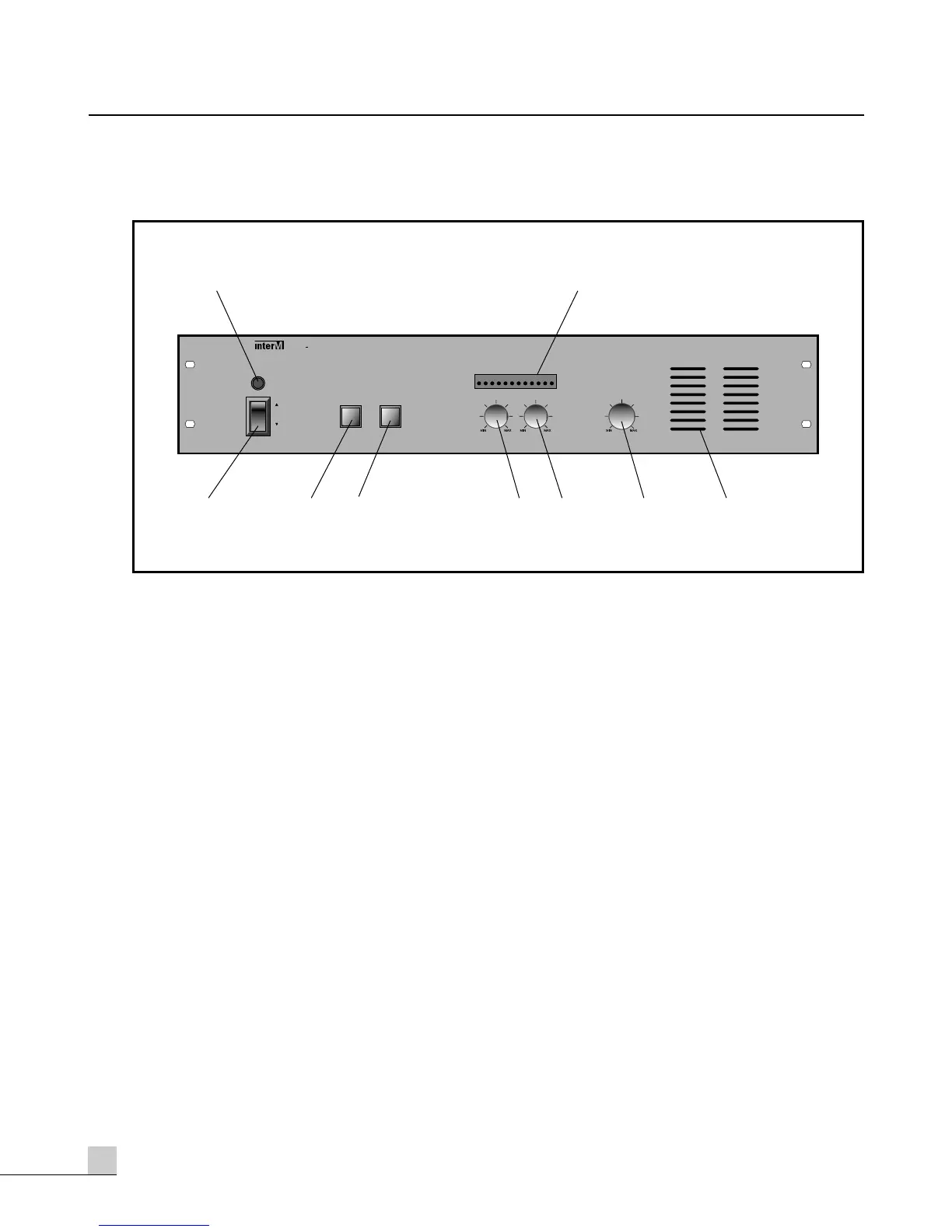
Front Panel
Front Panel
1. POWER SWITCH
Used to switch on and off the master unit.
2. POWER LED
Indicates the system is on or off.
3. SINGLE, ALL SELECTION SWITCH
Selects the option of if the delegate microphone will operate one at a time or all at once.
4. DELEGATES OFF SWITCH
Disables the delegate microphones when operated.
5. PA OUT
Level control for adjustment of PA Output.
6. AUX IN
Level control for Aux Input.
7. MONITOR VOLUME
Volume control for in-built Monitor loudspeaker.
8. MONITOR SPEAKER
Monitors the sound from the microphone units.
9. OUTPUT LEVEL METER
Displays Output level of the system.



 To Next Page