6
Inter-Tel
®
Model 8662 Endpoint User Guide
GETTING
STARTED
What You See and Hear
The model 8662 has many audio and visual signals to indicate feature activity. The
following are a few helpful tips:
• Feature lamps may be unlit ( ), lit ( ), or flashing ( )
to indicate call or feature activity.
• A red lamp indicates that a call is ringing, holding, or active on your endpoint.
• All feature lamps illuminate at the same time for a few seconds when the end-
point is resetting or powering on (see page 10).
• The following errors may cause an error tone:
— Pressing an invalid button combination
— Trying to select a restricted feature
— Dialing a restricted or invalid number
— Dialing too slowly between digits
— Waiting too long before performing the next step
To correct, hang up and try again.
• Many features “time-out” if you wait too long before performing the next step. If
this happens, you must start over.
• “Off-hook” means the handset is lifted—“on-hook” means the handset is in the
cradle.
• The Message Indicator lamp flashes when there are waiting mes-
sages and duplicates the button signals.
Endpoint Connectors
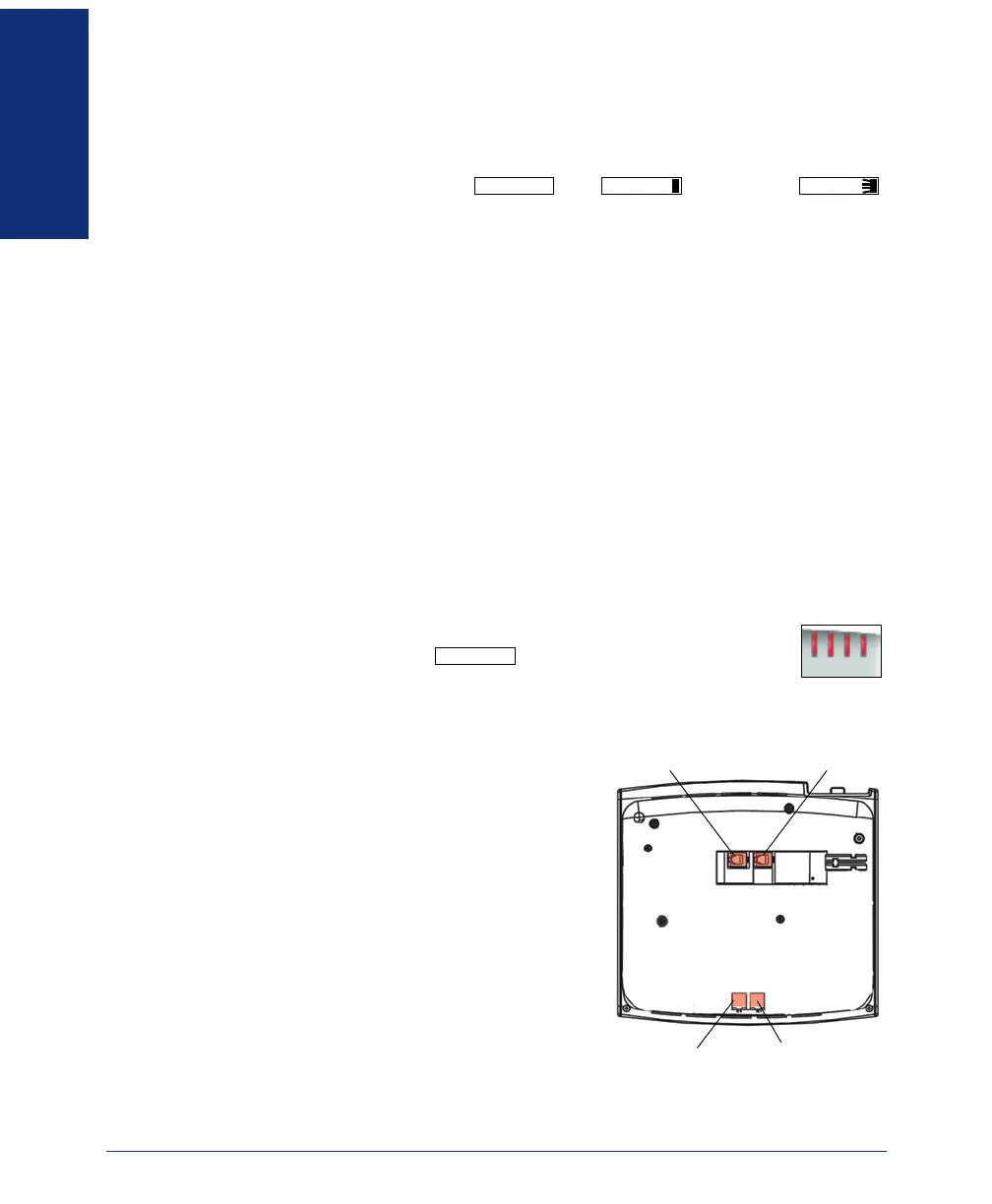
The Model 8662 endpoint connectors include:
• Handset jack: Connects to a handset.
• Headset jack: Connects to a headset.
• Personal computer (PC) port: Connects
to a PC or another 10/100 Ethernet device.
• LAN/Power jack: Connects to a power
supply.
Contact your network administrator for more
information about the endpoint connectors and
supported ethernet devices.
LINE LINE LINE
MESSAGE
PC Port LAN/Power Jack
Headset Jack Handset Jack


 To Next Page