26
Inter-Tel
®
Model 8662 Endpoint User Guide
BASIC
FEATURES
Leaving and Listening to Voice Mail Messages
Use voice mail to record a message and send it to a subscriber’s mailbox.
To leave a voice mail message:
1. Do one of the following:
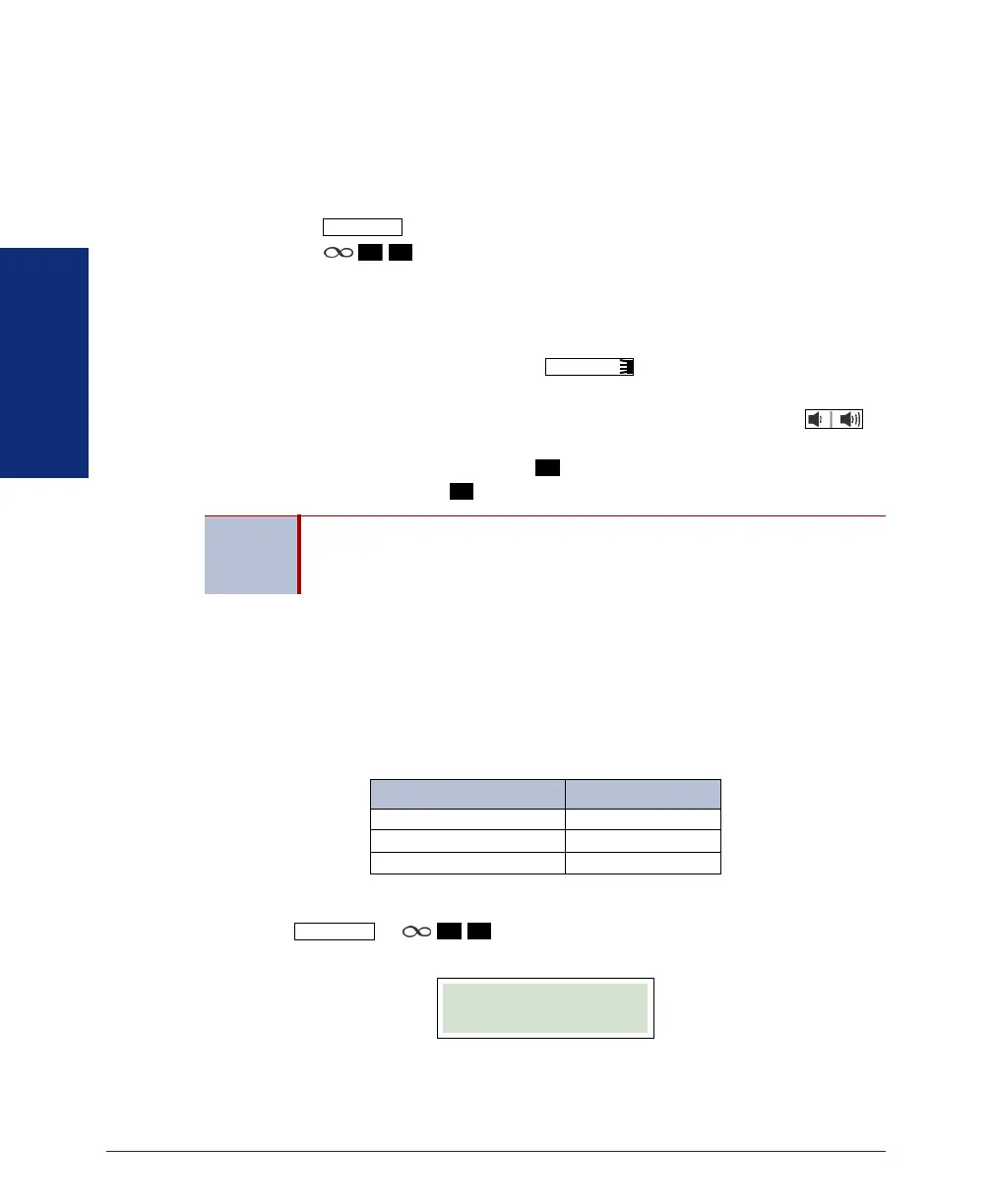
• Press , and then press the
LEAVE VMAIL menu button.
• Press
.
2. Dial the extension number.
3. Leave your voice mail message, and then hang up.
To listen to a new voice mail message (Message button and lamp are flashing):
1. While the handset is on-hook, press or the VIEW MESSAGE menu
button. Then lift the handset if desired.
2. If there is more than one message, press the >>/<< menu button or to
scroll through the messages.
3. Press the LISTEN menu button or to connect to your mailbox, enter your
password, and then press .
Paging Subscribers
A page is an announcement through endpoint speakers or external speakers. The Pag-
ing feature uses page groups to prevent announcements from transmitting through
every endpoint in the system. Contact your system administrator for page group num-
bers and list them below for your convenience.
To use the Page feature:
1. Press or .
2. Enter the page group number. A confirmation notice appears.
3. Place the page announcement, and then hang up.
To cancel the page: Hang up or press the
END CALL menu button.
TIP
To avoid entering your password each time you access your mailbox,
you can use Inter-Tel Personal Communicator for Web to enable Auto
Logon settings (Options tab - Preferences [Edit] - Voice Portal).
MESSAGE
9
3
MESSAGE
#
#
PAGE GROUP NUMBER
PAGE
7
5
1:30 FRI DEC 16
PAGE IN PROGRESS


 To Next Page