3
Introduction, features and benefits
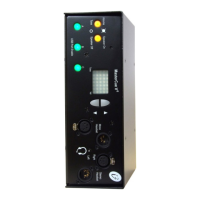
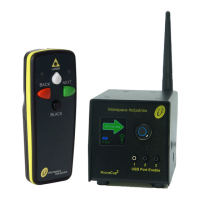
MicroCue3 (MC3) has been designed for the presenter of small to medium sized shows,
where reliability is paramount for the remote cueing of presentation images or slides on a
computer.
With the continued march of the computer, more than just one are being used on a show for
backup and for a slide ahead, so the presenter knows what is the next slide coming. They can
align their speech to fit the next slide if they do not know it from memory.
MicroCue3 has been designed for increased reliability, building on the MicroCue2 product.
RF range has been the same on all our products of 100m with our new handset. However
position and environment has called MicroCue2 into question.
Using a LCD screen gives full access to both text and graphics.
As this is “3” in the series then we should follow with 3 USB ports to control external
computers.
It is still USB powered, The use of the optional external DC power allows a remote unit to be
powered on the i2Net without plugging it in to a local USB port - great as a remote RF
receiver.
i2Net has been developed for long distance on cable (greater than 1500m) with power and
data on 2 pairs plus screen.
Using a network infrastructure we can connect 2 or more MC3 units together and share
resources such as handsets, lamps and more in the future
Auto share of handsets over a network connection ensures all handsets are valid. Only when
the unit is powered down do the “network” handsets get forgotten and reset back to the state
prior to the network connection.
USB port enable or disable to manage control of attached computers.
Audio - a mini jack 3.5mm stereo connection allows for the audio tones corresponding to
Next, Back and Black out commands can be heard on a headset with adjustable volume from
the front panel.
EN


 To Next Page