EasyManua.ls Logo

INVENTOR AR5VI-09WiFi - User Manual

INVENTOR AR5VI-09WiFi
76 pages
Print Icon
To Next Page IconTo Next Page
Loading...
• USER’S MANUAL

• MANUAL UTILIZATORULUI
• BENUTZERHANDBUCH
ENGLISH | ΕΛΛΗΝΙΚΑ | ROMANA | DEUTSCH
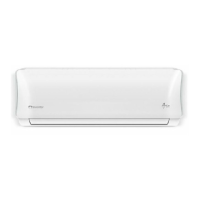
WALL MOUNTED UNIT
MODELS:
AR5VI-09WiFi
AR5VI-12WiFi
AR5VI-18WiFi
AR5VI-24WiFi
AIR CONDITIONING SYSTEMS

Table of Contents

Questions and Answers

  • S
    Shirley AlvarezAug 8, 2025
    What to do if my INVENTOR AR5VI-09WiFi is not working?
    • D
      danielmahoneyAug 8, 2025
      If your INVENTOR Air Conditioner isn't working, first, check if the power is turned on and turn it on if it is off. Then, check the fuse and replace it if it's burned out. If you're using the remote control, replace the batteries. Also, the unit’s 3-minute protection may be activated; wait three minutes after restarting the unit. Finally, make sure the timer is turned off.
  • L
    lyonsanneAug 15, 2025
    How to improve heating performance of my INVENTOR AR5VI-09WiFi Air Conditioner?
    • J
      John HuynhAug 15, 2025
      If your INVENTOR Air Conditioner isn't heating well, it could be due to extremely low outdoor temperatures; in this case, use an auxiliary heating device. Cold air entering through doors and windows can also affect performance; ensure they are closed during use. Another potential cause is low refrigerant due to a leak or long-term use; check for leaks, re-seal if necessary, and top off the refrigerant.
  • D
    Debbie HamiltonAug 30, 2025
    Why does my INVENTOR Air Conditioner start and stop frequently?
    • C
      Carolyn GallowayAug 30, 2025
      Frequent starting and stopping of your INVENTOR Air Conditioner can be due to several reasons. There might be too much or too little refrigerant in the system, so check for leaks and recharge the system. Incompressible gas or moisture may have entered the system, requiring you to evacuate and recharge it with refrigerant. A broken compressor could also be the cause, necessitating a replacement. Lastly, the voltage might be too high or too low; consider installing a manostat to regulate it.
  • L
    Lisa RileyNov 20, 2025
    Why is my INVENTOR AR5VI-09WiFi not cooling well?
    • J
      jonathanmoralesNov 21, 2025
      Poor cooling performance in your INVENTOR Air Conditioner can stem from several factors. The temperature setting might be higher than the room's ambient temperature, so try lowering it. A dirty heat exchanger on either the indoor or outdoor unit could also be the cause; in this case, clean the affected heat exchanger. Another common issue is a dirty air filter, which should be removed and cleaned according to instructions. Make sure that the air inlet or outlet of either unit isn't blocked. Also, ensure doors and windows are closed to prevent heat entry, and close curtains to reduce heat from sunlight. Reducing the number of heat sources in the room, such as computers, can also help. Check for refrigerant leaks and replenish if necessary. Finally, ensure that the SILENCE function is deacti...

Summary

Safety Precautions

Warnings for Product Use

Warnings for safe product operation, covering fire, injury, and environmental hazards.

Note about Fluorinated Gasses

Information regarding fluorinated greenhouse gases in the air conditioning unit.

Unit Specifications and Features

Indoor Unit Display and Codes

Details indicators, symbols, and codes displayed on the indoor unit for operational status.

Normal Operating Temperature

Specifies the recommended temperature ranges for optimal unit performance and safety.

Other Unit Features

Covers features like Auto-Restart, Leakage Detection, Wireless Control, and Louver Angle Memory.

Setting Angle of Air Flow

Instructions on adjusting vertical and horizontal airflow direction using the remote control.

Sleep Operation

Explains the energy-saving sleep mode and its temperature adjustment behavior.

Manual Operation (Without Remote)

Care and Maintenance

Indoor Unit Cleaning and Filter Maintenance

Step-by-step guide for cleaning the indoor unit and its air filters, including warnings.

Maintenance for Non-Use and Inspection

Guidelines for maintaining the unit during long periods of non-use and performing pre-season checks.

Troubleshooting

Safety Precautions

Critical safety warnings to observe before attempting any troubleshooting steps.

Common Issues - Part 1

Lists common operational issues like unit not starting, noises, odors, and mist, with causes.

Common Issues - Part 2

Lists further common issues like noises, dust, odors, fan failure, and unresponsiveness, with causes.

Poor Cooling Performance

Addresses poor cooling issues, detailing causes and recommended solutions.

Unit Operation and Error Codes

Covers unit not working, frequent stops, poor heating, lamp issues, and error codes with solutions.

European Disposal Guidelines

INVENTOR AR5VI-09WiFi Specifications

General IconGeneral
BrandINVENTOR
ModelAR5VI-09WiFi
CategoryAir Conditioner
LanguageEnglish

Related product manuals