
 Need help?
Do you have a question about the Inverter MPPT Series and is the answer not in the manual?
Explains the benefits of MPPT technology compared to traditional controllers for better energy efficiency and charging.
Details how the MPPT controller extracts maximum power from solar arrays automatically and continuously.
Explains how MPPT increases charging current by balancing voltage and current, especially when Vmp is higher than battery voltage.
States that the manual is for all TY-series MPPT charger controllers.
Identifies the manual as appropriate for installers and operators of the MPPT controller.
Highlights general safety concerns like input voltage, operation by qualified personnel, and keeping away from children.
Illustrates and explains the meaning of various safety signs used on the product labels and in the manual.
Provides crucial safety guidelines to avoid fire, electric shock, and personal injury, covering wiring, environment, and maintenance.
Lists the included accessories such as the controller, manual, and temperature sensor.
Instructs users to inspect the product for damages upon receipt and refuse shipment if damaged.
Advises users to check the label on the controller to ensure it matches their purchase.
Provides safety precautions regarding the installation site, avoiding flammable materials and direct sunlight.
Details the physical dimensions of the TY-AL and TY-IR series MPPT controllers.
Specifies the recommended environment conditions for optimal operation, including temperature and ventilation.
Outlines the necessary safety clearance distances around the controller for adequate cooling and safe operation.
Illustrates the basic components of a PV system connected to the MPPT solar controller.
Details the steps for wiring the MPPT controller, including opening the cover and loosening connections.
Provides instructions and diagrams for correctly connecting the battery to the MPPT controller, including safety warnings.
Explains how to connect the DC load to the MPPT controller, with diagrams and wire stripping guidance.
Details the procedure for connecting the PV module to the MPPT controller, including safety precautions and circuit breaker usage.
Explains how to connect the temperature sensor and the controller to a PC for monitoring and control.
Lists recommended cable sizes and circuit breaker ratings for different MPPT controller models.
Outlines the step-by-step procedure for safely powering on the controller and initiating the self-test mode.
Details the various elements displayed on the controller's LCD screen, including main interfaces and status indicators.
Explains the default and alternative main interfaces displayed on the controller's LCD screen.
Guides users on how to navigate and check different main interfaces on the controller's LCD display.
Guides users through accessing and modifying various operational parameters of the MPPT controller.
Explains how to select and set the display language for the MPPT controller's interface.
Details the procedure for adjusting the controller's internal clock for accurate timekeeping and logging.
Describes how to adjust the contrast of the controller's LCD display for better readability.
Details how to enable or disable button sounds and alarm sounds on the MPPT controller.
Guides users on how to query and view historical data such as power curves and fault records.
Explains the process for deleting recorded data like power generation, curves, and fault logs from the controller.
Explains how to configure the DC output, including OFF, AUTO, and TIME CONTROL modes.
Details how to configure communication settings like baud rate and address for data transmission.
Guides qualified personnel on setting critical operating parameters, warning about potential damage from mis-operation.
Details how to set the rated voltage of the battery system (Auto, 12V, 24V, etc.) for correct operation.
Guides users on setting floating and equalizing charge voltages for different battery types.
Explains how to set the maximum charge current and the limit value for charging the battery.
Explains how to perform a factory reset to restore default parameters, useful for troubleshooting.
Provides instructions on how to enter the operation parameter setting via a password.
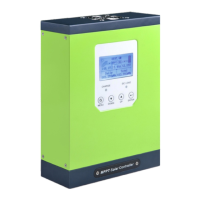
Lists the different models of MPPT controllers and summarizes their key features and capabilities.
Covers physical dimensions, weight, environmental requirements, operating temperatures, and storage conditions.
Details PV module configuration recommendations and system voltage compatibility for different battery setups.
Presents graphs showing the conversion efficiency of the MPPT controller under various PV module voltages and power levels.
Lists common fault exceptions encountered with the MPPT controller.
Provides step-by-step solutions for common fault exceptions, guiding users through troubleshooting.
Instructs on the procedure for safely replacing a blown fuse in the MPPT controller.
Explains how to clean the controller's vents and heat sinks to ensure proper cooling and prevent dust buildup.
Specifies claim requirements, conditions, and exclusions for warranty service.
Lists conditions under which the company may refuse warranty service, such as damage or exceeding the guarantee period.
 General
| Brand | Inverter |
|---|---|
| Model | MPPT Series |
| Category | Controller |
| Language | English |

 To Next Page
