Need help?
Do you have a question about the INVISIBLE FENCE ICT 801 and is the answer not in the manual?
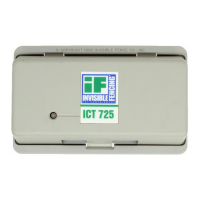
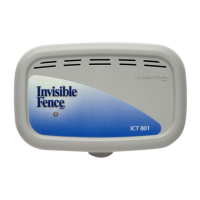
Explains the purpose and specifications of ICT 801/802 transmitters in the pet containment system.
Provides guidance on selecting an appropriate dry indoor location for the transmitter.
Details grounding and lightning protection for signal field wire connections.
Describes the visible LED on the transmitter enclosure for status monitoring.
Identifies the control for adjusting the signal field width on the ICT 801.
Details frequency, signal mode, and mask settings for Loop 1 on the ICT 801.
Details frequency, signal mode, and mask settings for Loop 2 on the ICT 801.
Explains saturation and battery fault indicators on the ICT 801 circuit board.
Details frequency, signal mode, and mask settings for Loop 1 on the ICT 802.
Details frequency, signal mode, and mask settings for Loop 2 on the ICT 802.
Explains saturation and battery fault indicators on the ICT 802 circuit board.
Illustrates the typical wiring and component placement for an ICT 801 system.
Illustrates the typical wiring and component placement for an ICT 802 system.
Step-by-step guide for programming the ICT 801 and ICT 802 transmitters using buttons.
Describes the single external LED indicating system status when the cover is closed.
Provides a table for diagnosing system issues using LED status lights and audible alerts.
Details the AC adapter models for ICT 801 and ICT 802 transmitters.
Explains the function and duration of the 12VDC backup battery system.
Step-by-step guide on mounting the battery box and connecting the battery to the transmitter.
Instructions on how to adjust the signal field width using the transmitter's adjustment knob.
Guide on how to check the signal field width using the Computer Collar unit.
Details three options for setting the break-alert alarm sensitivity.
Identifies the parts of the R21/R22 v4 Computer Collar unit.
Instructions on properly fitting the collar to the pet for effective correction post contact.
Explains the LED indicators for Power Cap unit status (good, low, dead).
Step-by-step instructions for removing and installing a new Power Cap unit.
Highlights limitations of the system and provides warnings for pet safety.
Provides instructions for disposing of Computer Collar and Transmitter batteries.
Instructions for recycling electronic equipment according to regulations.
States compliance with FCC Rules and Industry Canada regulations for digital devices.
Confirms compliance with EU Electromagnetic Compatibility and R&TTE Directives.
 General
| Brand | INVISIBLE FENCE |
|---|---|
| Model | ICT 801 |
| Category | Transmitter |
| Language | English |


 To Next Page