21
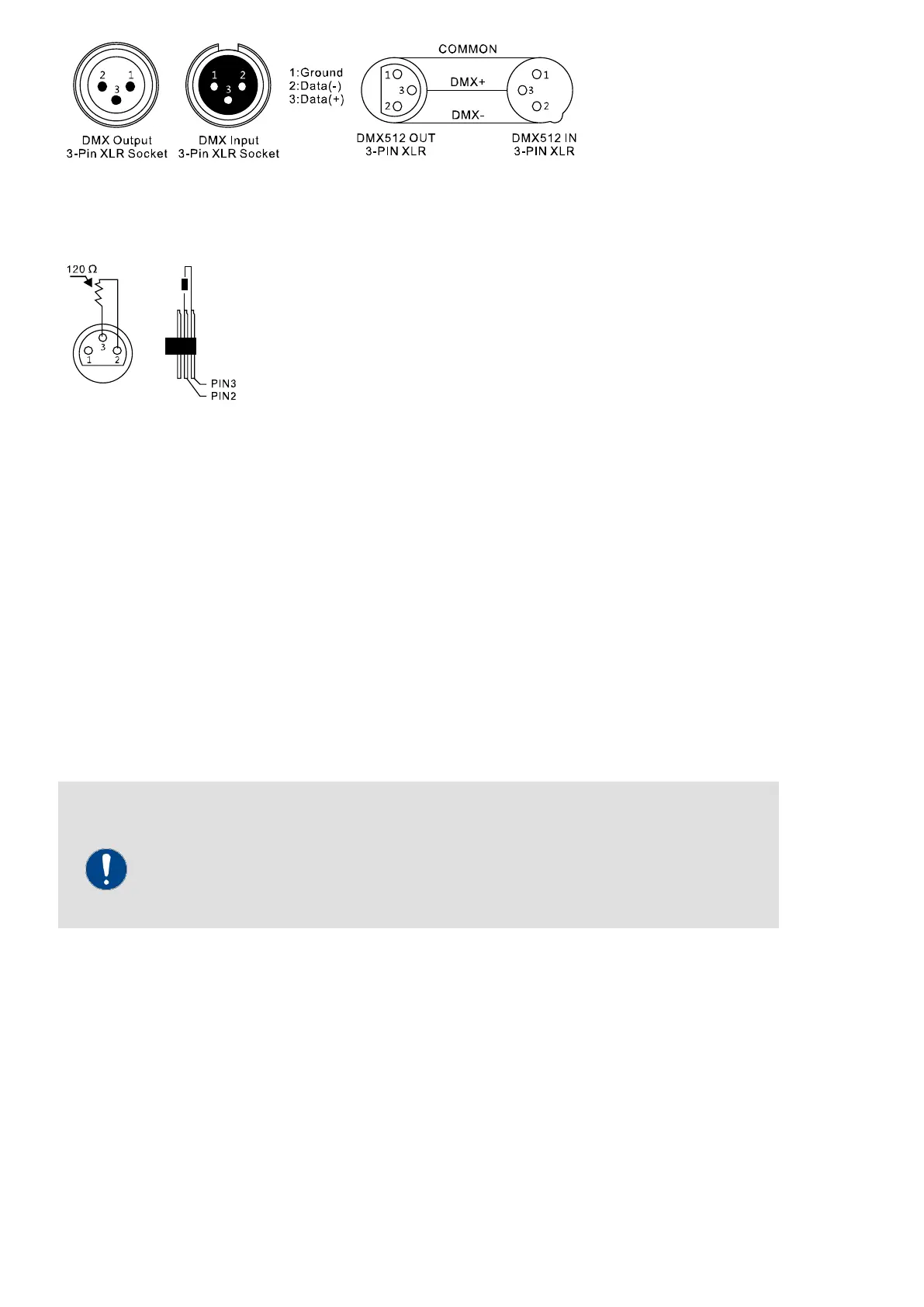
For systems with very long DMX cable routes or high electrical interference, such as in a nightclub, it is
between pins 2 and 3, plugged into the last output jack on the DMX line.
3.5 Stand-Alone-mode:
-
Part 4. Trouble shooting:
The device does not work, no light:
Check the network connection and the main fuse.
No reaction to the DMX controller:
Check the DMX connectors and cables for proper connection. Check the address settings and the DMX polarity.
Check if the DMX cables are near or beside high voltage cables. Try another DMX controller.
Possible interference with data transmission
To ensure trouble-free operation, use special DMX cables and not normal microphone
cables. Never connect the DMX input or output to audio devices such as mixers or
amplifiers.
If the instructions given here do not lead to success, please contact your specialist dealer.


 To Next Page