17
Part 3: Functions:
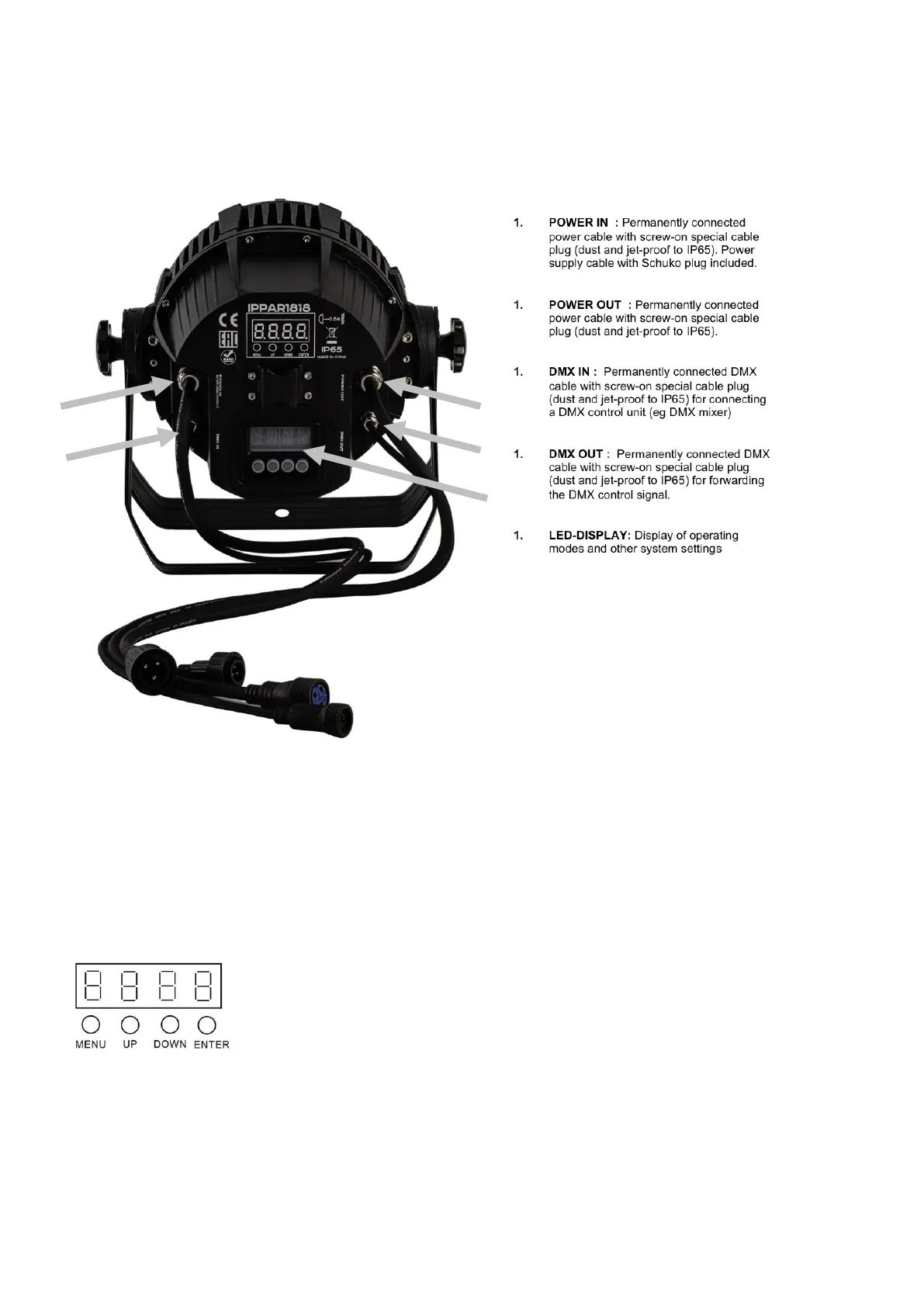
3.1 Connections, settings and displays:
Backsie:
3.2 Connections and setting of on board menu:
The device can be operated in automatic, music-controlled, slave or DMX mode. You can set and influence the
various operating modes and via the on-board menu. In DMX mode, the functions are controlled on 3, 5, 7 or 12
channels. You can control the "IP PAR1818" with any commercially available DMX controller.
.
MENU - to select the operating mode.
ENTER - Enables the setting of a menu item or saves a setting.
UP - Increases values during the setting process.
DOWN - Decreases values in the setting process.


 To Next Page