Part 4: Troubleshooting:
The device does not work, no light:
Check the mains connection and the main fuse.
If the instructions given here do not lead to success, please contact your specialist dealer.
Part 5: Maintenance:
IMPORTANT: Disconnect the device from the power supply before servicing!
Screws used must be tightened and may not show rust marks. The housing, the mounting bracket and
the mounting location (e.g., ceiling or traverse) may not be adapted; Do not drill additional holes in
mounting brackets, change the connections, etc. Clean the externally accessible optical lenses
regularly to optimize the light output. The frequency of cleaning depends on the operating
environment: damp, smoky or particularly dirty environments can cause a greater amount of dirt
accumulation on the device's appearance. Use a lint-free, moistened cloth for cleaning. Never use
alcohol or solvents for cleaning!
Change of fuse.
IMPORTANT: Replace the fuse only with a fuse of the same type and with the same values (imprint
on the device). If the fuse is triggered repeatedly, please contact an authorized service center.
1: Unplug the power cord from the wall outlet and disconnect the power cord from the wall outlet.
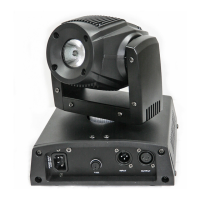
2: Open the fuse holder on the back of the unit with a suitable screwdriver.
3: Remove the defective fuse from the fuse holder.
4: Insert the new fuse into the fuse holder.
5: Replace the fuse holder in the housing.
Maintenance and service are reserved for the authorized personnel only!
Part 6: Technical specifications:


 To Next Page