8 9
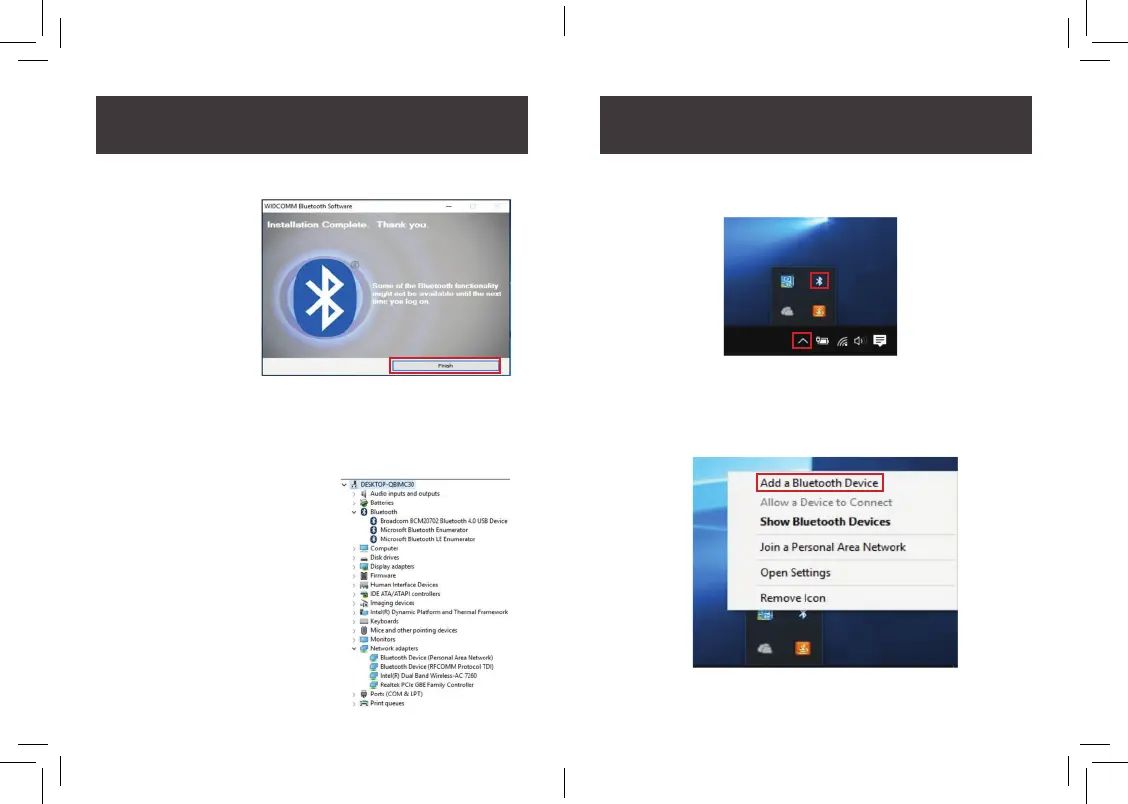
7. Once the installation reaches 100%, click Finish to complete
the installation.
8. Once the installation is completed with software driver and the
Bluetooth Adapter detected by the operating system, you can
use device manager to ensure the Bluetooth Adapter is now
recognized by the Windows 8/10 operating system. If you
cannot nd device manager in
Windows, simply type
“device manager” on the
search tab. After that,
click on the search button.
9. Click on the up arrow on the lower right side of your
application tray and click on the Bluetooth icon.
10. Click on Add a Bluetooth Device.



 To Next Page