11
4
6
5
8
7
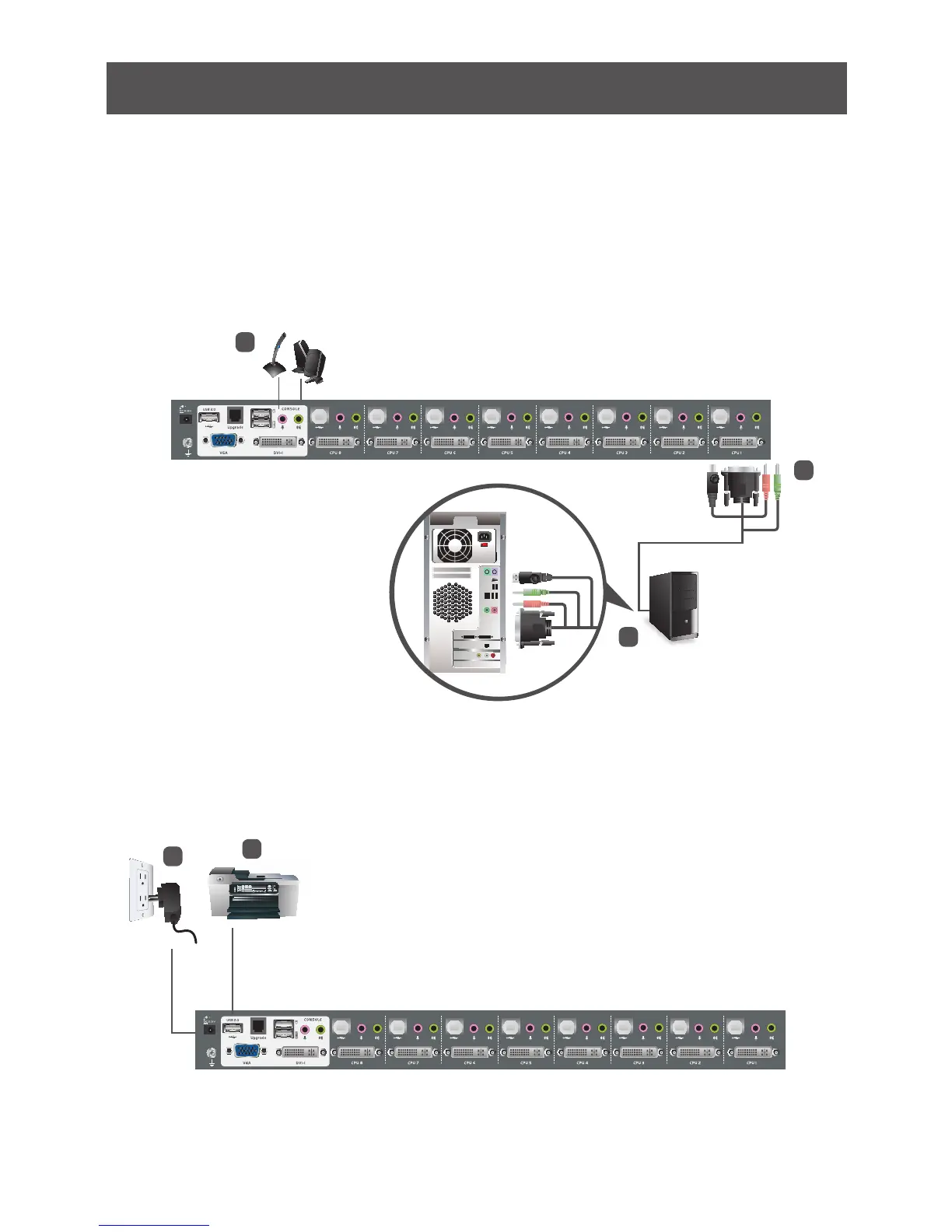
4. Plug your secondary microphone and speakers into the console audio ports located on
the unit’s rear panel.
5. Using the custom USB DVI KVM cable set provided with this package, plug the DVI
connector into any available DVI socket in the KVM port section of the switch, then plug
the accompanying USB and audio connectors into their corresponding USB, microphone,
and speaker sockets.
6. At the other end of the cable, plug the USB, video, microphone, and speaker cables into
their respective ports on the computer.
7. Plug your USB peripherals into the type A sockets in the USB hub section.
8. Plug the power adapter that came with your switch into an AC power source, then plug
power adapter cable into the switch’s Power Jack.
Note: Verify that all the plugs
are in the same KVM Port
sockets (all in Port 1, all in
Port 2, etc.).
9. Turn on the power to the computers.



 To Next Page