
 Need help?
Do you have a question about the ioi Victorem 2KSDI-Mini and is the answer not in the manual?
Information regarding FCC Class A compliance for digital devices and peripherals.
Details on the camera's compliance with European Union directives for electromagnetic compatibility.
Supported output formats for the 2KSDI-Mini cameras, including resolution and frame rates.
Key features and capabilities of the Victorem 2KSDI-Mini camera series.
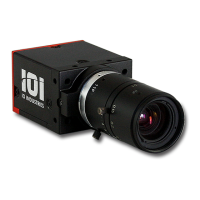
Detailed physical specifications of the camera, including size, weight, and mounting.
Information about the camera's power requirements and connector pinout.
Details on the C-mount and optional EF-mount lens connections.
Details specific to the DC Iris variant and its lens connector pinout.
Operating and storage temperature ranges and humidity requirements for the cameras.
Results of shock and vibration testing performed on the 2KSDI-Mini camera.
Technical specifications of the sensors used in the 2KSDI-Mini camera models.
Details the functions of each button on the handheld remote control.
How the On Screen Display (OSD) menu overlay functions and is displayed.
Explains how to navigate and select options within the camera's on-screen display sub-menus.
Details the ASCII command protocol used for remote control via RS485.
Step-by-step guide for installing and setting up the Victorem control software.
Overview of the General view and how to access camera information.
Controls for selecting resolution, sampling format, and exposure settings.
Adjusting gain, color parameters, and managing lookup tables (LUTs).
Controls for lens, sync input, and various miscellaneous camera settings.
Settings for error correction, calibration, temperature monitoring, and configuration save/load.
Illustrative examples of using ASCII commands to control camera settings like exposure.
Comprehensive summary of available commands, their formats, and descriptions.
Notes on commands related to video resolution, sampling, and frame rate settings.
Utility for updating the camera's FPGA firmware via USB to RS-485 adapter.
List of available part numbers for Victorem cameras and kits.
List of accessories available for the Victorem cameras.
History of changes and revisions made to the user manual document.
History of firmware revisions for the 2KSDI-Mini and 2KMSDI-Mini camera models.
 General
| Output | 3G-SDI |
|---|---|
| Sensor Type | CMOS |
| Form Factor | Miniature |
| Power | 12V DC |
| Video Output | 3G-SDI |
| Mount | CS Mount |

 To Next Page