l
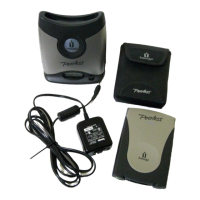
Using Your Peerless Drive tells you how to insert and eject Peerless disks, what to do in case of
power loss, and how the drive sleep mode functions.
l
Using Peerless Disks gives you detailed instructions about IomegaWare: how to format and
read/write protect disks. It also discusses how to back up information onto your Peerless disk.
l
Tips goes over the do's and dont's for the Peerless base station and disks.
Installing IomegaWare
™
Software
Installing IomegaWare software installs the drivers and tools needed on your computer to support your
Iomega drives, including the Peerless drive system. Data loss may occur if the Peerless drive system is used
without IomegaWare software. Individual installation instructions are given for your operating system:
Macintosh or Windows. In addition, instructions for locating the IomegaWare software's help information are
outlined below.
Installing IomegaWare Software on a Mac
®
1. Start your Mac and wait for the Mac OS desktop to finish loading.
2. Insert the Solutions CD into the CD-ROM drive on your Mac.
NOTE:
If the CD-ROM has a spindle, make sure the CD is pushed all the way down.
3. Double click the Start icon in the Solutions CD window. Select a language, then select
IomegaWare
Software
from the Solutions CD menu, then select
Click to Install
to start the software installation. (If
you can't see the Solutions CD window, double click the CD icon on your Mac desktop.)
4. Follow the instructions on the screen to install the software.
5. Shut down your computer at the end of the software installation.
6. Connect your Peerless drive system.










 To Next Page