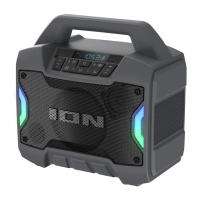
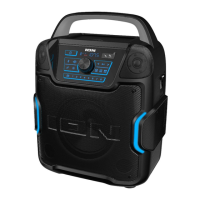
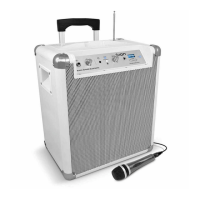
The ION Pathfinder 2 (IPA105C) is a portable, water-resistant, and splash-tolerant speaker designed for outdoor use and entertainment. It features a robust design and a range of connectivity options, making it suitable for various environments and uses.
Function Description
The Pathfinder 2 is a portable speaker that allows users to stream audio wirelessly via Bluetooth, play music from USB drives, or connect external devices via an auxiliary input. It also includes an AM/FM radio with presets and a microphone input for public address or karaoke. The device is designed to be durable and suitable for outdoor use, with water-resistant and splash-tolerant properties. It can be powered by an internal rechargeable battery or an external power source. The speaker also features a light mode with various color cycles and beat sync options, adding a visual element to the audio experience.
Important Technical Specifications
Output Power: 100 W (peak)
Drivers:
- Low-Frequency: 8.0" / 203 mm woofer
- High-Frequency: 3.0" / 76 mm tweeter
Frequency Response: 60 Hz – 17 kHz (±3 dB)
Bluetooth Specifications:
- Profile: A2DP, AVRCP
- Range: Up to 100 feet / 30.5 meters
Microphone Type: Dynamic microphone recommended (included)
Radio Frequency Range:
- US: 520–1710 kHz (AM), 87.5–107.9 MHz (FM)
USB Charging Ports: 2 USB, +5 V, 1 A
Water Resistance Class: IPX5: Protection from a 6.3 mm spray of water (12.5 liters per minute) for 3 minutes, and dust protection to not interfere with normal operation.
Battery:
- Battery life: Up to 100 hours (actual battery life may vary based on temperature, age, and volume usage)
- Recharge time: 12 hours
- Type: 12 V, 9.0 Ah, SLA (Sealed Lead-Acid)
Dimensions (width x depth x height): 18.1" x 10.9" x 18.0" (460 x 278 x 459 mm)
Weight: 32 lbs. (14.5 kg)
Power Connection: IEC
Input Voltage: 100–240 VAC, 50/60 Hz
Usage Features
Quick Setup:
- Ensure all items listed in the Box Contents are included.
- Read the Safety & Warranty Manual before using the product.
- Make sure the battery is completely charged prior to first use for maximum battery life.
- Study the Connection Diagram.
- Ensure the Master Volume on Pathfinder 2 is at zero.
- Connect your devices.
- Raise the volume to a comfortable level.
- Return the Master Volume to zero when you are finished using Pathfinder 2.
Controls and Indicators:
- Power Button: Turns Pathfinder 2 on or off. The display shows the power indicator when the unit is on.
- Bluetooth Button: Press and release to pair a Bluetooth device. Press and hold to disconnect a paired Bluetooth device. Press twice to disable (or enable) voice prompts.
- Light Mode Button: Press to select how the lights on the front panel function:
- White: Lights are lit solidly white.
- Color Cycle: Lights slowly glow and cycle through colors. Press and hold for a light mode button to freeze the lights on one color.
- Beat Sync: Lights react to the beat of the music.
- Off: Lights turn off. This is the default mode when Pathfinder 2 is first powered on.
- Radio Selector: Selects between FM1, FM2, AM, or turns the radio off.
- AM/FM Presets: Store favorite radio stations and quickly tune to a preset radio station. There are 5 numeric presets for AM band and 5 for FM band.
- To store a preset: Select either the FM1, FM2, or AM band, then use the Tune/Track buttons to select the desired radio station. Press and hold a numeric preset button to assign the current station to that preset number. The display will show "SAV" to show the station has been saved. To use an added preset, press a preset number once.
- Bass Boost: Press this button to enhance the overall bass frequency response.
- Play/Pause/Link: Press to play or pause a track from a connected Bluetooth device. Press and hold this button to start stereo linking another Pathfinder 2 speaker. Press twice to disconnect the link to another Pathfinder 2 speaker.
- Tune/Track Buttons: Press these buttons to tune in a radio station or go to the previous/next track on a Bluetooth connected device. In "seek" (jump to the next available station), hold either button down for a few seconds until it starts to seek a station. The unit will remember the last station it was on and start at that station when powered off and on again.
- Display: Shows current radio station, battery status, and Bluetooth status.
- Charging Indicator: When the power cable is connected, movement of the top battery segment shows the battery is charging. When fully charged, all battery segments will be lit without blinking.
- Lightning Bolt Icon: The lightning bolt icon will illuminate when the IEC power cable is connected to wall power.
- Bluetooth Icon: The Bluetooth icon will be lit when Pathfinder 2 is first powered on (unless it was previously paired with a device). The Bluetooth icon will be lit solid when a device is paired to Pathfinder 2.
- Power Indicator: The power indicator will be lit when Pathfinder 2 is powered on. The power indicator will not be lit when Pathfinder 2 is powered off.
- Master Volume Control: Adjusts the speaker's main mix volume, which includes the Microphone Input, Auxiliary Input, Radio, and the audio of a paired Bluetooth device.
- Microphone Input with Volume Control (1/4"): This mono input accepts a 1/4" (6.35 mm) input such as a microphone, guitar, or other musical instrument.
- Auxiliary Input: This stereo 1/8" (3.5 mm) input can be used to connect a CD player, MP3 player, or other audio source.
- Speaker Link: Connect two or more Pathfinder 2's together using a 1/8" (3.5 mm) stereo aux cable from the Speaker Link of one Pathfinder 2 to the Aux Input of the second Pathfinder 2. A 2' (61 cm) cable is included but a longer one can be purchased from a local electronics retailer.
- USB Charging Ports: Connect your device's charge cable here to charge it. USB charging only functions when the unit's power is turned on. Note: To charge smartphones and tablets faster, put the device's screen to sleep.
- Power Cable Input (Back Panel): Insert the included power cable here to charge the unit. Note that the Pathfinder 2 can be used with the power cable while it simultaneously charges the battery.
NFC (Near-Field Communication):
- For NFC-enabled Android devices, press and release the Bluetooth button, then gently hold your supported and enabled device to the NFC logo to pair the device.
- To disconnect, tap your device to the NFC logo again.
Pairing a Bluetooth Device:
- Turn on your Bluetooth device.
- Power on Pathfinder 2. If you have previously connected to another Bluetooth device, Pathfinder 2 will reconnect. To disconnect pairing if the Bluetooth icon is lit solid, press and release the Bluetooth button.
- Press and release the Bluetooth button to pair to a Bluetooth device.
- Navigate to your Bluetooth device's setup screen, find "Pathfinder 2" and connect.
- To disconnect pairing while the Bluetooth icon is lit solid, press the Bluetooth button.
- To connect to another Bluetooth device, repeat step 3.
- Note: Maximum range will be achieved when using devices with Bluetooth 4.0 or higher.
- Tip: Press the Bluetooth button twice to enable or disable voice prompts.
Pairing a Bluetooth Device Using NFC:
NFC (near-field communication) allows data exchange from devices, such as pairing, by gently bumping them together. Check in your device's manual to see if this feature is supported.
- In order to use NFC, your device must be turned on and unlocked.
- Enter your device's Settings menu and check that NFC is turned On (one time step).
- Power on Pathfinder 2.
- Press and release the Bluetooth button on Pathfinder 2 and the Bluetooth icon will flash (only needed for the first time when NFC pairing with the device).
- Touch and briefly hold your device to the NFC logo located on Pathfinder 2's top panel.
- Follow the pairing instructions that appear on your phone. If a passcode is required, enter "0000".
- To unpair, gently bump your device against the NFC logo or disconnect the Bluetooth connection from your device's Bluetooth menu.
Stereo Linking Two Speakers:
- Press and hold the Play/Pause/Link button to enter Stereo Link mode. Once a link has been established, the word LINK should appear in the display.
- Select which unit will be the master (left channel) by pressing and releasing the Bluetooth button.
- To disconnect the link between the two speakers, double-press the Play/Pause/Link button.
Maintenance Features
Rechargeable Batteries:
Rechargeable lead-acid batteries are the same type used in automobiles. As with your car battery, how you use this battery has a significant impact on its lifespan. With proper use and treatment, a lead-acid battery can last for years. Here are some recommendations for getting the longest life from the internal battery:
- General Usage: Fully charge the battery before using it. Charge the battery completely after each use.
- Storage: For best product longevity, do not store at exceedingly hot (greater than 90°F/32°C) or exceedingly cold (less than 32°F/0°C) temperatures. It is acceptable to leave your sound system plugged in. This will not overcharge the battery. If you leave the battery level low and do not charge it for 6 months, it may permanently lose capacity.
- Repair: If the battery fails to charge, check your fuse near the power cable input. If your fuse is intact and it still will not charge, contact ION Audio at ionaudio.com.
- Disposal: Bring the unit to a recycling center or dispose of in accordance with local ordinances.
Outdoor Use and Care:
- Pathfinder 2 is water-resistant and able to tolerate splashing water.
- Pathfinder 2 must only be used outdoors with power outlets or extension cords that are rated for outdoor use.
- Bring Pathfinder 2 indoors during extreme weather.
- Do not place Pathfinder 2 in standing water.
- Do not connect the power cable to Pathfinder 2 in a wet environment. Make sure the power input, power cable, and power outlet are all completely dry before making any connections.
- WARNING: Keep any non-water-resistant devices (phones, music players, etc.) in a dry place where they will not be affected by water and cause a risk of electric shock. Do not place devices in the included storage bag, as it is not water-resistant.
Troubleshooting:
- Distorted sound: Try lowering the volume control of your audio device, musical instrument, or microphone. Also, try to reduce the overall volume of Pathfinder 2 using the Master Volume knob.
- Too much bass: Try adjusting the tone or EQ control on your audio source device to lower the bass level. This will allow you to play the music louder before clipping (distortion) occurs.
- High-pitched whistling noise when using microphones: This is probably caused by the Larsen effect (feedback). Direct the microphone away from the speakers.
- Poor AM reception: To adjust AM reception, move the entire unit.
- Cannot hear microphone over music: Lower the volume of the music from your audio source.
- Cannot play material from USB drive: The USB port is only for charging USB devices.

 Need help?
 General




 To Next Page