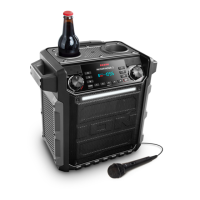
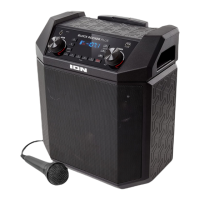
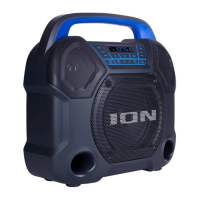
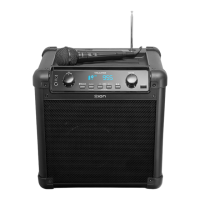
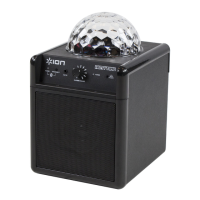
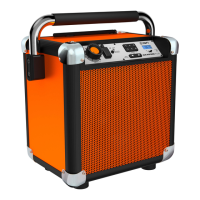
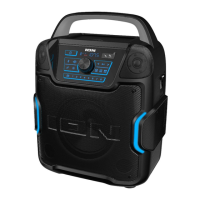
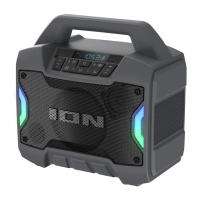
The ION Game Day™ Primetime is a portable, water-resistant speaker designed for entertainment, offering a range of audio playback options and additional features. It is built to withstand splashing water, making it suitable for outdoor use, though it should be brought indoors during extreme weather and not placed in standing water or puddles. It is crucial to ensure all power connections are completely dry before charging to prevent electric shock.
Function Description:
The Game Day™ Primetime serves as a versatile audio system, capable of playing music from various sources. It features Bluetooth connectivity for wireless streaming from compatible devices, an FM radio tuner for listening to local stations, and a USB-A port for playing audio files directly from a USB drive. Additionally, it includes an Aux input for connecting external audio players via a 3.5 mm auxiliary cable. For vocal performances or announcements, a 1/4" (6.35 mm) Mic Input is available.
A key feature of the Game Day™ Primetime is its Stereo-Link™ capability, allowing two Game Day™ Primetime speakers to be wirelessly linked together for a stereo audio experience. When linked, one speaker acts as the primary (left channel) and the other as the secondary (right channel), enhancing the soundstage.
The speaker also includes a power bank function via its USB-A port, enabling users to charge compatible smartphones, tablets, or other 5V, 1A devices using the speaker's internal battery.
Usage Features:
- Controls and Display: The front panel features a clear display that shows the current source (FM, AUX, USB), Bluetooth connection status, Stereo-Link™ status, radio station, volume level, repeat mode, charging status, battery life, and BOOM function activation. Buttons for power, Bluetooth pairing, source selection, previous/next track/station, play/pause/presets, EQ adjustment, Boom Button™, and lights control are easily accessible. Dedicated Mic Volume Up/Down and main Volume Up/Down buttons allow for precise audio level adjustments.
- Bluetooth Connectivity: The speaker automatically enters Bluetooth pairing mode when first powered on. Subsequent power-ons will recall the last used mode. The Bluetooth icon on the display flashes during pairing and becomes solid once connected. Voice prompts provide audible feedback for pairing and connection status. The speaker can be disconnected from a paired device by double-pressing the Bluetooth button, briefly pressing it to enter Aux mode, or by turning off Bluetooth on the connected device.
- Stereo-Link™: To link two speakers, users press and hold the Stereo-Link™ / Repeat button on both units. A beeping sound and flashing Stereo-Link™ and Bluetooth icons indicate the linking process. Once linked, the Stereo-Link™ icons become solid. One speaker is then designated as the primary by pressing and releasing its Bluetooth button, and a Bluetooth device can be connected to this primary speaker. Radio, Aux, and USB modes are disabled when Stereo-Link™ is active.
- Radio Operation: In FM mode, users can briefly press the Previous/Next buttons to cycle through stations or press and hold them to seek the next strong station. Radio stations can be saved as presets (1-12) by pressing and holding the Play/Pause / Presets button, selecting a preset number with the Previous/Next buttons, and then briefly pressing Play/Pause / Presets again to save. Saved presets can be recalled by briefly pressing Play/Pause / Presets.
- Aux Input: Connecting an audio device to the 1/8” (3.5 mm) Aux input automatically selects Aux mode and disconnects any Bluetooth devices. The speaker's volume controls operate independently of the connected device, allowing for fine-tuning.
- USB Playback: Inserting a USB drive into the USB-A port automatically selects USB mode and begins playing music files. The Play/Pause / Presets button controls playback, and the Previous/Next buttons skip tracks. The Stereo-Link™ / Repeat button cycles through repeat modes: ALL (all tracks on USB), FOLd (all tracks in current folder), OnE (currently playing track), and rAn (random shuffle).
- Boom Button™: Pressing this button simultaneously enhances bass EQ and volume, and activates a light show that pulses to the music beat.
- Lights Button: This button cycles through different light modes (Color Cycle, Beat Sync, Solid Color) or turns the lights off.
- EQ Button: Allows users to cycle through Low, Mid, and Hi EQ frequencies and adjust their levels using the VOL +/- buttons. If no adjustments are made within five seconds, the speaker exits EQ adjustment mode.
- Voice Prompts: Voice prompts can be enabled or disabled by pressing and holding the Bluetooth button.
- App Control: The ION Sound Control™ app (available on Apple App Store and Google Play) provides remote control over various speaker functions, including volume, EQ, voice prompts, light modes, and battery life status.
Maintenance Features:
- Battery Charging: For optimal charging, the speaker should be powered off. It uses a USB-A to USB-C® cable connected to a 5V, 2A power adapter (not included) or a computer. A full charge can take up to 4 hours. The lightning bolt icon on the display indicates charging, and the battery icon fills to show the charge level.
- Battery Longevity: To maximize battery life, it is recommended to fully charge the battery before first use, avoid full discharge, and store the unit with a 50% charge. Charging should not occur in extreme temperatures (above 90°F/32°C or below 32°F/0°C). If the battery fails to charge, contact ION Audio support.
- Power Saving: If no audio is played for 15 minutes, the unit enters standby mode to conserve battery life. Resuming audio or pressing any button will wake it. After 60 minutes of inactivity, the speaker will fully power off and needs to be manually turned back on.
- Troubleshooting: The manual provides guidance for common issues such as the unit not charging, distorted sound (suggesting lowering source volume or adjusting EQ), excessive bass (checking EQ or BOOM function), Bluetooth connection problems (restarting pairing, forgetting device, resetting Bluetooth on the source device), and audio dropouts (exiting Stereo-Link™ mode).
- Disposal: The unit should be brought to a recycling center or disposed of according to local ordinances.


 To Next Page
 General