5
CA200
6
CA200
OPERATING THE IONIC PRO® COMPACT
IONIC AIR PURIFIER
OPERATING THE IONIC PRO® COMPACT
IONIC AIR PURIFIER
Getting Ready
Locate a level surface on which to place your Ionic Pro® Compact ionic air purifier and a grounded
120v outlet (follow warnings described in the “SAFETY INSTRUCTIONS” section of this manual).
Position your Ionic Pro® Compact ionic air purifier at least one foot (12 inches) from the wall.
Plug in the unit. You are now ready to turn on your Ionic Pro® Compact ionic air purifier!
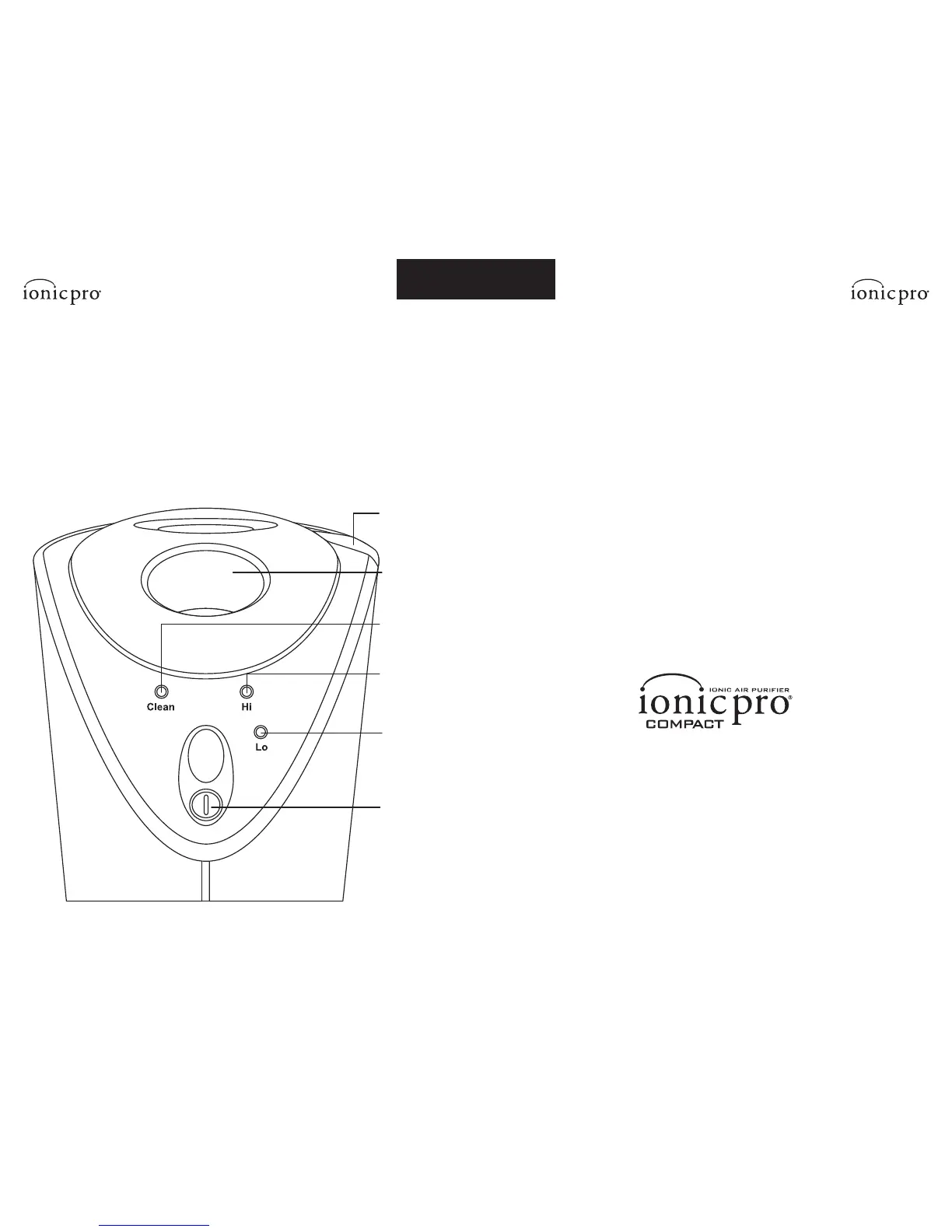
Controls/Settings
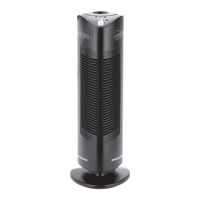
1. ON/OFF Button – Turns unit on and off.
2. Lo (low output indiciation light) – At this setting, the unit will cycle ON and OFF.
It will cycle ON for approximately 25 seconds, and then rest for 25 seconds. This cycling
will continue as long as the unit is in Lo mode.
3. Hi (high output indiciation light) – At this setting, the unit stays ON continuously.
4. Clean (clean indiciation light) – This red light goes on when your Ionic Pro® Compact
ionic air purifier needs to be cleaned, or the unit is experiencing some other problem.
See the “CLEANING & MAINTENANCE” and “TROUBLE-SHOOTING” sections.
5. Wire Cleaning Mechanism – This is used to clean the internal ionizing wires.
See “CLEANING & MAINTENANCE” for full details.
6. Removable Cap – Lift off the Removable Cap to locate collection
blades for cleaning (as described in “CLEANING & MAINTENANCE” section).
1. ON/OFF
Button
2. Low
Output
Indictaion
Light
3. High
Output
Indication
Light
4. Clean
Indictaion
Light
5. Wire
Cleaning
Mechanism
6. Removable
Cap


 To Next Page