14
Install DSM from the Web Browser
By default your 214 model has a built-in tool called Web Assistant to help you configure and install the DSM
operating system. Please refer to the steps in the following section.
4 Power on the 214 and have it connected to the Internet.
5 Depending on your network environment, there are two ways to start DSM installation on your computer’s web
browser:
With Internet access: Go to find.synology.com
Without Internet access: Go to diskstation:5000
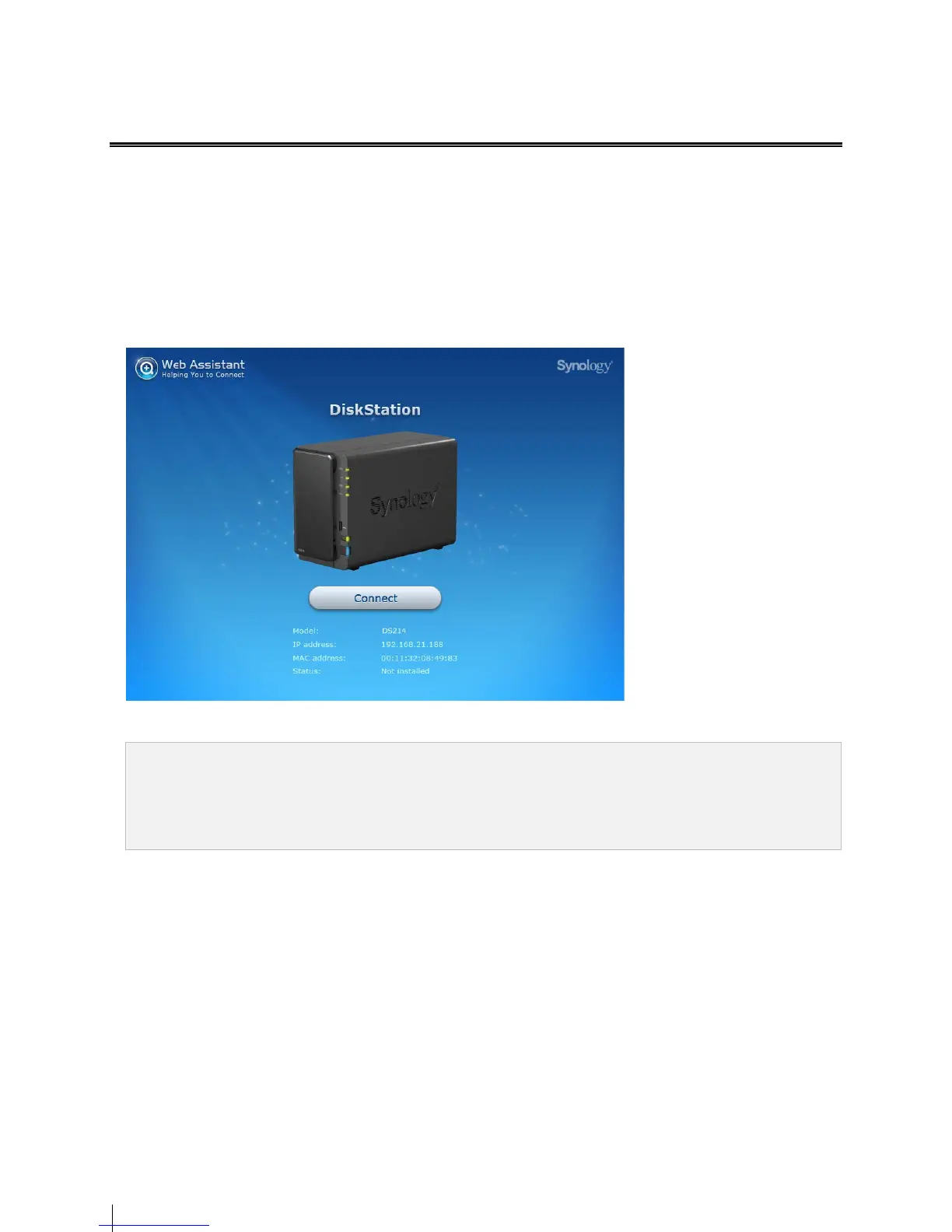
6 Web Assistant will be launched on your web browser. It will search and find your 214 within LAN, and the status of
your 214 should be Not Installed.
7 Click Connect to start the setup process. Follow the onscreen instructions to complete the setup process.
Note:
1. Suggested browsers: Chrome, Firefox.
2. Both the 214 and the computer should be in the same local network.
3. Internet connection must be available during DSM installation with Web Assistant.


 To Next Page