25
For Mac OS X
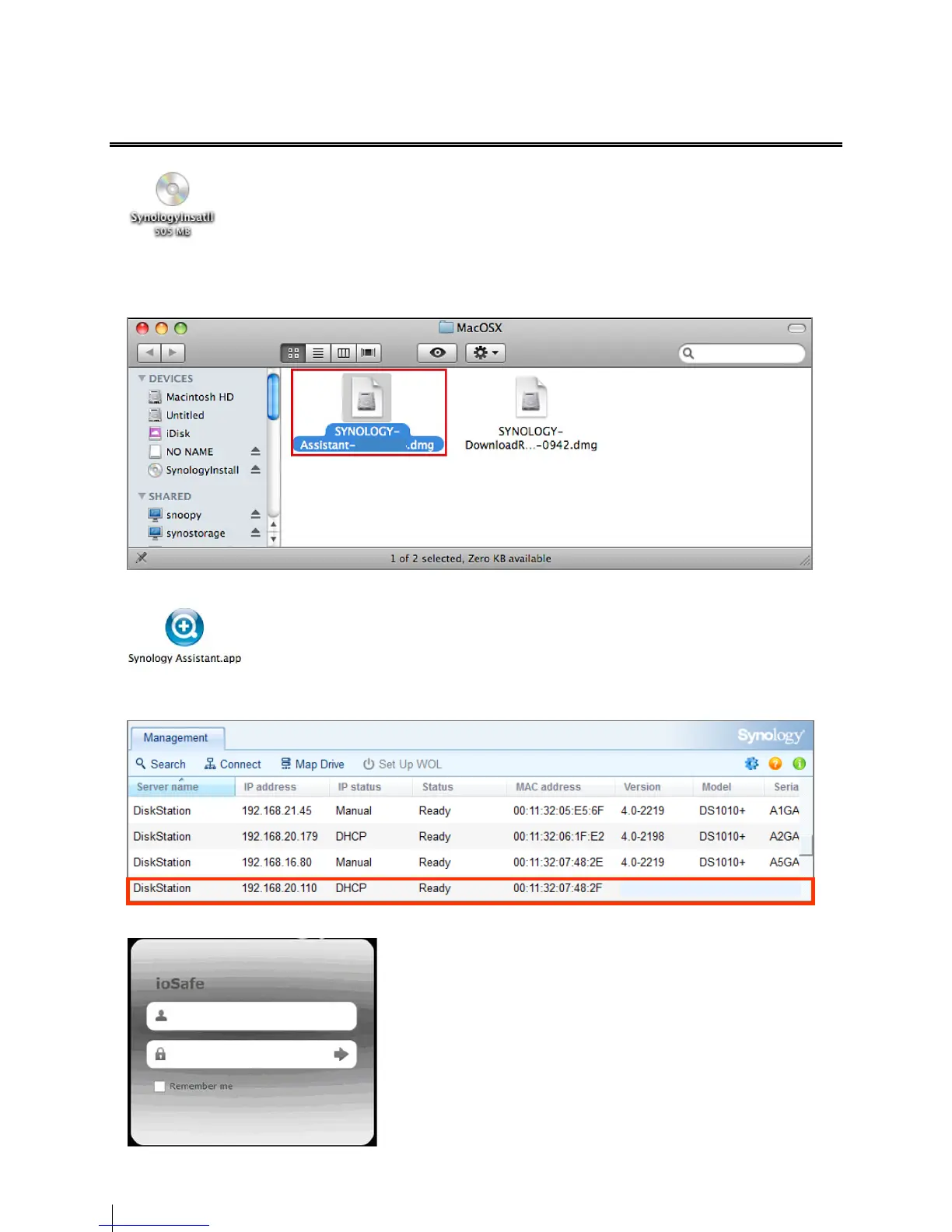
1 Insert the installation disc into your computer, and then double-click the SynologyInstall icon on the desktop.
2 In the window that appears, double-click the MacOSX folder, and then double-click Synology Assistant-
[number].dmg. The “[number]” may vary from the picture shown below depending on the DSM version stored on
the installation disc.
3 Double-click the Synology Assistant.app in the window that appears.
4 Synology Assistant will be installed and launched on your computer. It will search and find your ioSafe 214 within
LAN, and the status of your ioSafe should be DHCP Ready. Click connect to access your ioSafe 214.
5 A web browser should open showing the 214 Login screen. Enter the default login and password.
user name: admin
password: “empty”
admin


 To Next Page