21
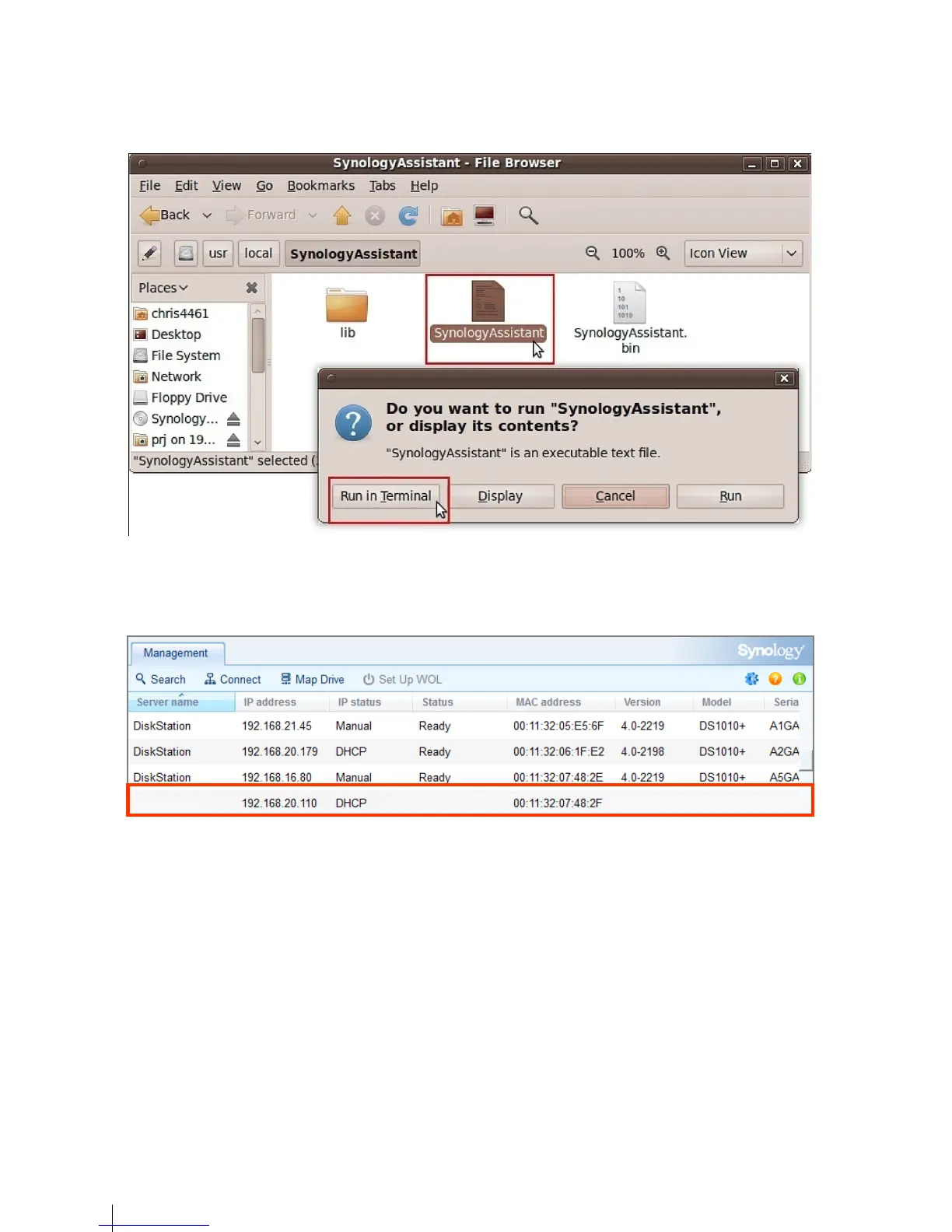
5 Go to /usr/local/SynologyAssistant (or [the path you just specified]/SynologyAssistant), double-click
SynologyAssistant, and then select Run in Terminal in the dialog box that appears.
Install DSM on ioSafe 214
1 Synology Assistant will be installed and launched on your computer. It will search and find your ioSafe 214 within
LAN, and the status of your ioSafe should be Not Installed. Double-click your ioSafe to start the setup process.


 To Next Page