27
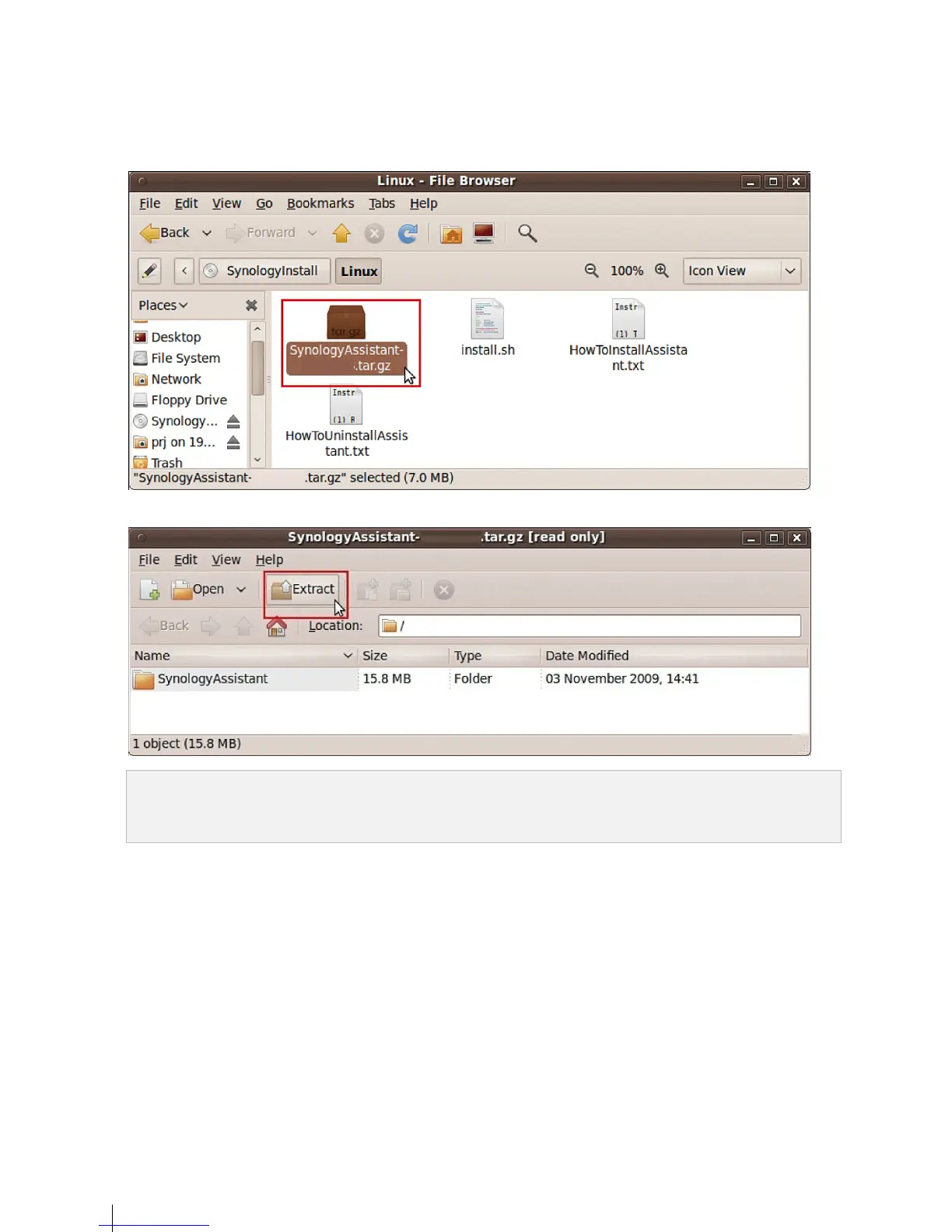
8 In the File Browser window that appears, double-click the Linux folder, and then double-click Synology
Assistant-[number].tar.gz. The “[number]” may vary from the picture shown below depending on the DSM
version stored on the installation disc.
9 Click Extract, and then extract the SynologyAssistant directory to /usr/local or any other path.
Important: If you are using 64bit Ubuntu, you have to install the 32bit libraries before proceeding. To install, type the
following command in Terminal:
sudo apt-get install ia32-libs


 To Next Page