Step 9: Recovery Seeds verification
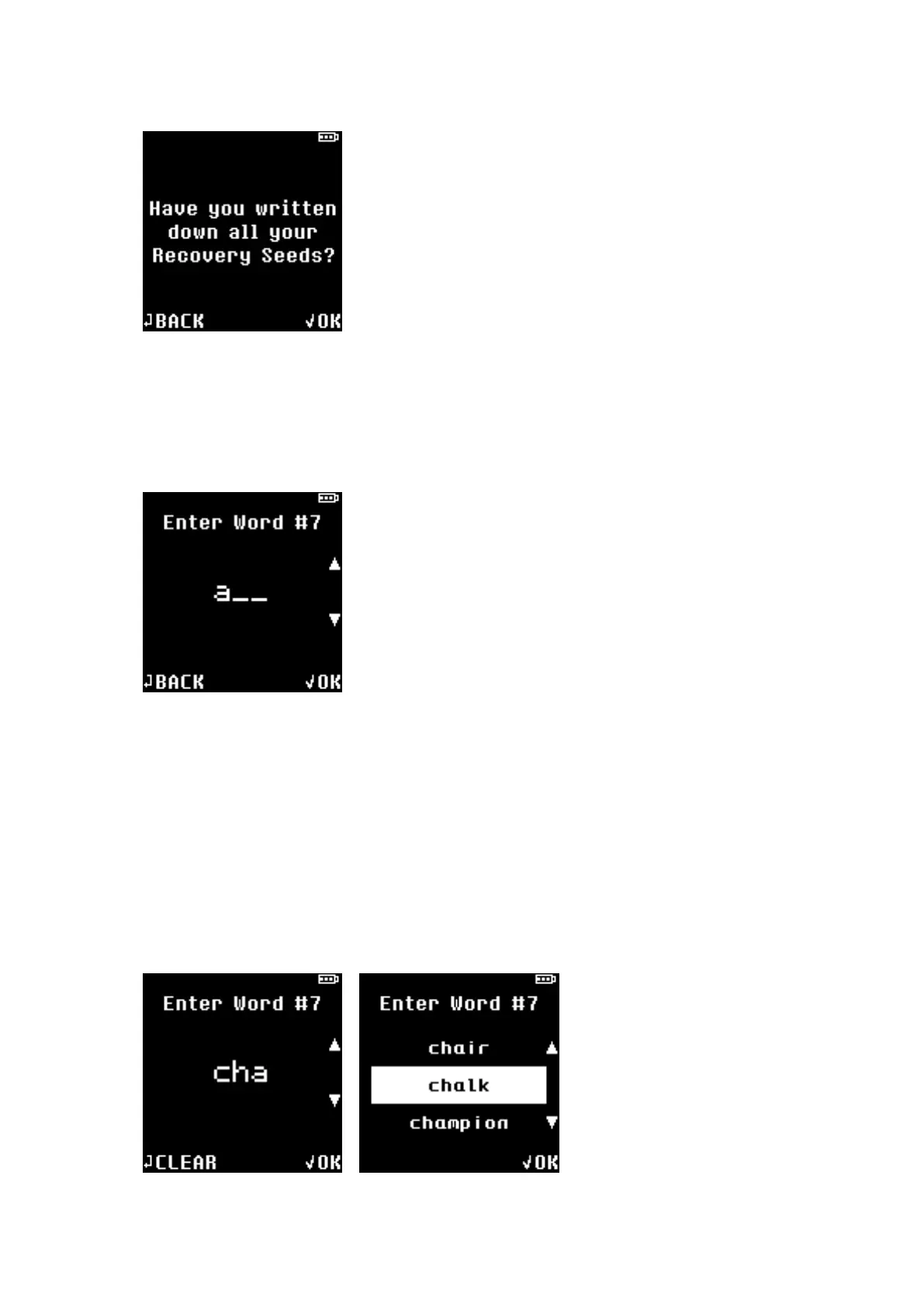
From the 24 Seeds that you have written down, two randomly chosen Seeds will be asked for your
input as verification.
(In this example, randomly chosen Seed is #7)
★ Enter the first 3 characters of the Seed.
★ Press UP/DOWN button to change alphabet character and press OK to choose.
★ Press BACK button to go back to previous character selection.
When first 3 characters are entered, selection of suggested Seeds will appear on the screen.
★ Select the correct Seed from the available selections using UP/DOWN button and press OK
button to choose.


 To Next Page