2.2 Security
Security menu has the following options:
a. Change PIN: Change current PIN to a new one.
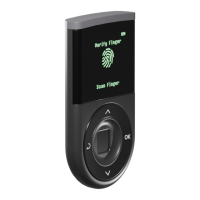
b. Enroll Fingerprint: Register a new fingerprint.
NOTE: You can add fingerprint as authentication method if you did not register one during the
initialization process. For instruction on registering your fingerprint, please refer to Step 6: Register
your fingerprint.
c. Delete Fingerprint: Delete registered fingerprint.
NOTE: If you delete the registered fingerprint, your authentication method will automatically change
to PIN entry mode on your next authentication attempt to the D’CENT hardware wallet.
d. Device Wipe: Wipe all information in the device and return to factory setting.
WARNING: Device wipe will delete all information contained in the device. Your wallet can be
recovered using Recovery Seeds through “Recover Wallet” mode.
2.3 Language
Language preference can be changed from this menu.
2.4 Device Info
Information about the D’CENT hardware wallet can be found in this menu.


 To Next Page