3. Main Menu
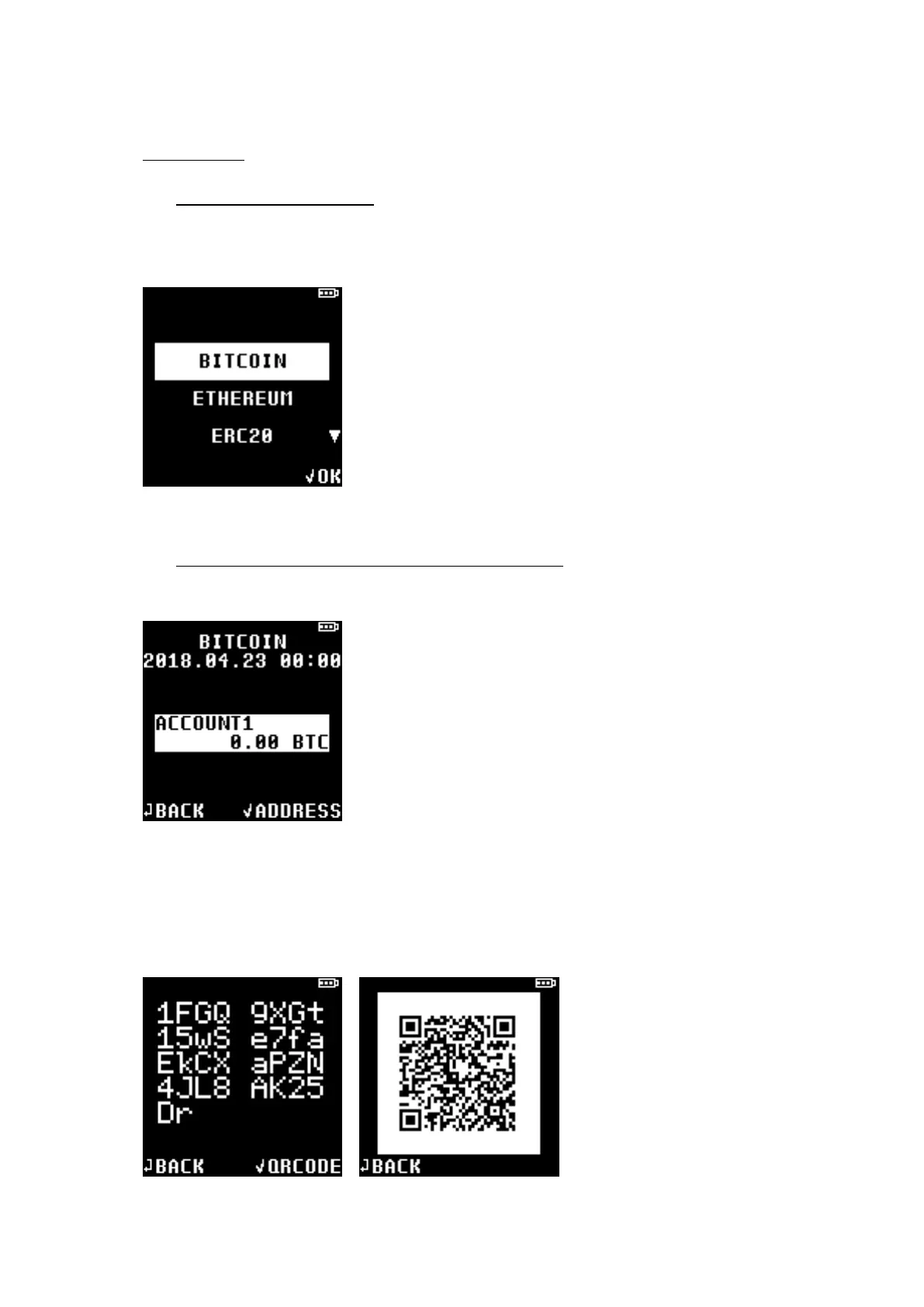
3.1 Cryptocurrency Wallet
When user successfully completes the D’CENT initialization process, wallet accounts for 5 popular
(Bitcoin / Ethereum / Mona Coin / ERC20 / Ripple) cryptocurrencies will be automatically generated.
3.2 View Account details and receiving address
★ Select a cryptocurrency (ie: Bitcoin) to see your account details.
NOTE: Amount of asset(s) shown on your device may be outdated. You can update account details
by connecting your D’CENT with wallet application for synchronization.
★ Press OK button to view your account’s receiving address in string text or in QR code.


 To Next Page